
Archaeology Banners Mod für Minecraft 26.3
Bannermuster basierend auf Archäologie-Scherben und -Designs.
 NeoForge
 Fabric
 Forge
Über die Archaeology Banners-Mod
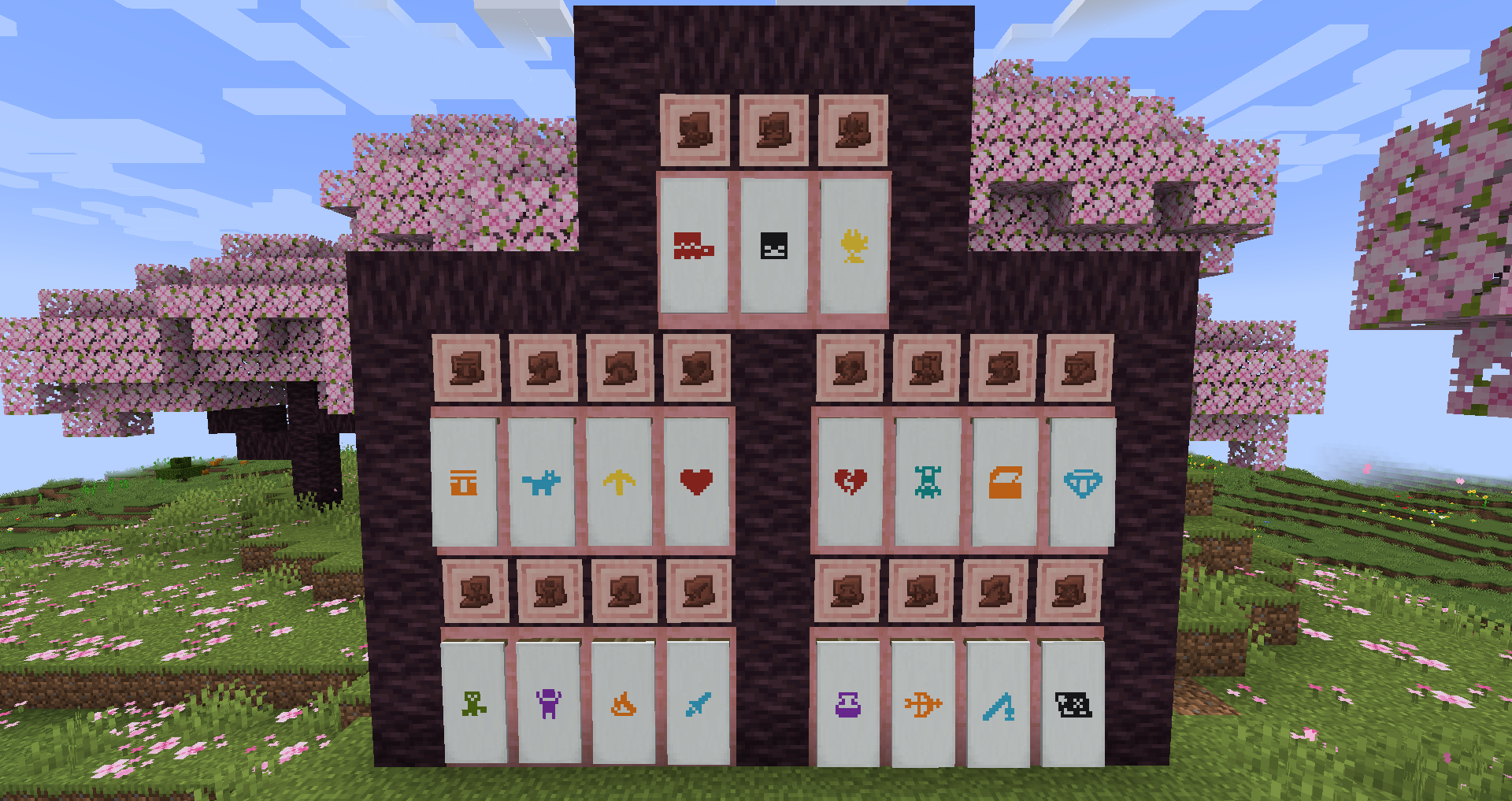
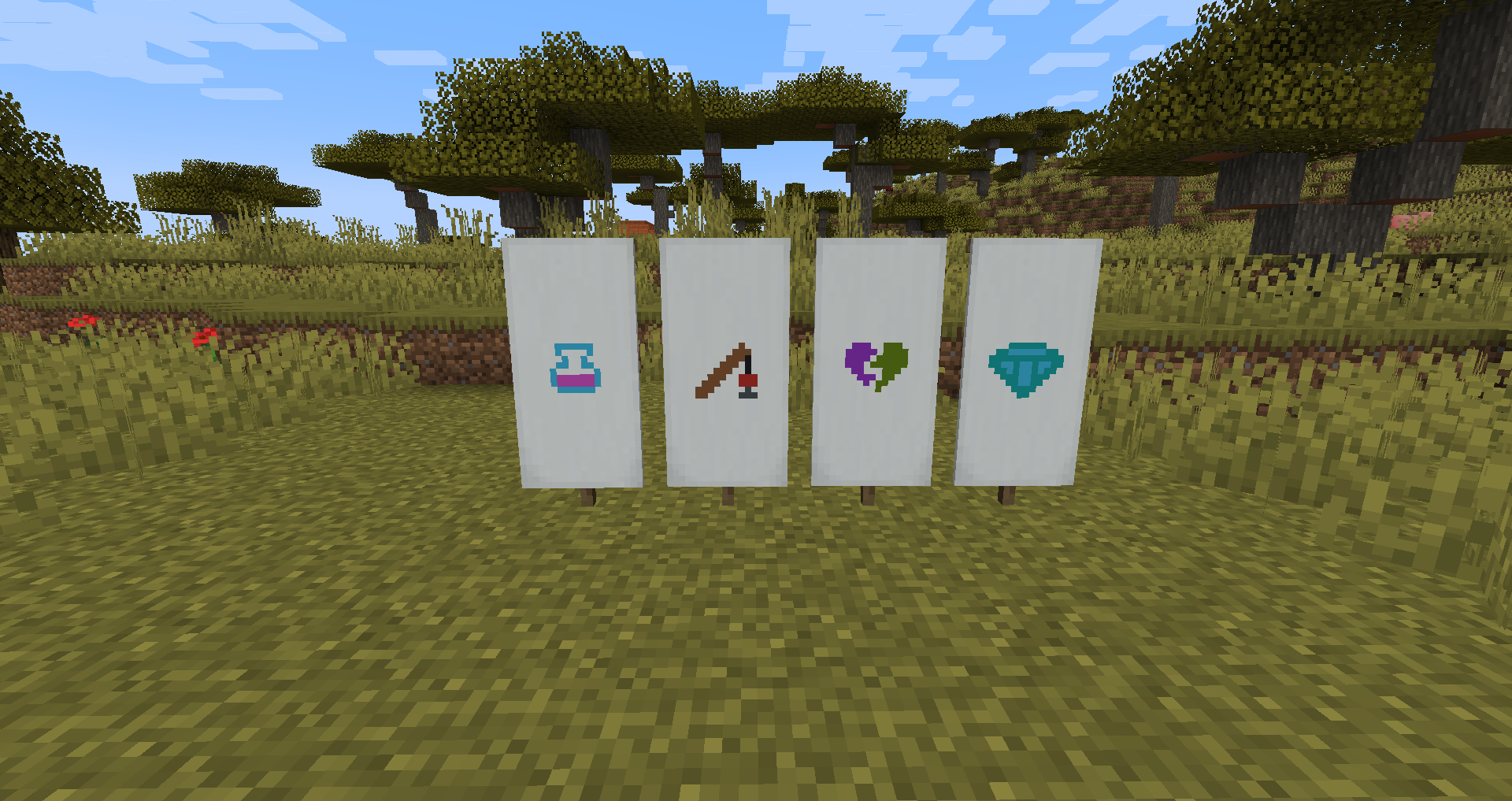
The Archaeology Banners mod adds 20 new banner patterns based on the pottery sherds added in the Trails and Tales update. These banner patterns are crafted using shears, a pottery sherd and paper together in a crafting table. The wandering traders may occasionally trade a pattern with you as well. These new patterns work exactly the same as vanilla patterns, simply put them in the loom with a banner and some dye.
How can I use the mod on older Minecraft versions that don't have pottery sherds? While pottery sherds are not available on older versions of the game I still wanted to make the patterns available for players who may not be able to update. On these older versions you can obtain the patterns by trading with the wandering trader.
Can I configure the wandering trader trades? Yes, using the archaeologybanners.json file in your config folder you can configure the new trades added by the mod. The config will allow you to disable specific trades or change their cost and other related properties. You will need to restart the game for these changes to take effect. You need to run the game with the mod installed at least once for the config file to be generated.
How do I apply multicolour patterns? Certain patterns like the sniffer pattern will present you with multiple options in the loom. Each option is a different part of the base texture which you can colour individually. For example you can colour the body, shell, and nose of the sniffer different colours. Each subvariant is treated as an independent and optional layer to the pattern. Every pattern also includes a default single colour pattern which will be the first pattern displayed in the loom.
This project is sponsored by Nodecraft. Use code DARKHAX for 30% off your first month of service!
Installation von Archaeology Banners
With Millida Launcher
Install Millida Launcher
The launcher is free: download it at millida.net/launcher and sign in with any nickname.
Click “Install” on this page
The launcher opens and installs the mod for Minecraft 1.20.4–26.3 on Fabric, Forge or NeoForge automatically.
Launch the game
A profile with it appears in the launcher: click “Play”.
Manually
Install Fabric, Forge or NeoForge
The loader must match the game version of the mod file, for example Minecraft 26.3. After installing it, a separate profile appears in your launcher.
Download the file for your version
In the version list above, pick the file ArchaeologyBanners-neoforge-MC26.3-26.3.0.1.jar (100 KB) for your game version and loader.
Put it in the mods folder
The folder is inside .minecraft (Windows: %appdata%\.minecraft\mods). If it does not exist, create it.
Launch the loader profile
Open “Mods” in the main menu: Archaeology Banners should be in the list.
Versionen
Mit Abhängigkeiten
| Minecraft | Loader | Datei | Datum | Aktionen |
|---|---|---|---|---|
| 26.3 | NeoForge | ArchaeologyBanners-neoforge-MC26.3-26.3.0.1.jar100 KB | ||
| 26.3 | Fabric | ArchaeologyBanners-fabric-MC26.3-26.3.0.1.jar105 KB | ||
| 1.20.4 | Forge | ArchaeologyBanners-Forge-1.20.4-8.0.6.jar92.8 KB |
FAQ
Which Minecraft versions does Archaeology Banners work on?
There are files for 26.3, 1.20.4. The newest is 26.3.
Is Archaeology Banners for Forge or Fabric?
There are files for Fabric: 26.3, for Forge: 1.20.4 and for NeoForge: 26.3.
Does Archaeology Banners need other mods?
The author lists no required dependencies: the Fabric, Forge or NeoForge loader is enough.
Where can I download Archaeology Banners safely?
On this page: the file ArchaeologyBanners-neoforge-MC26.3-26.3.0.1.jar (100 KB) is stored on Millida’s server, with no link shorteners. SHA-1 checksum: 6abd7363e8b581a646d16af6a6f9671353c39192.
Bewertungen
Bewerten Sie Archaeology Banners als Erster


