

UltraBoost Modpack für Minecraft 26.1
Das am besten optimierte Modpack für schwache PCs
- Downloads
- 68 Downloads
- Aufrufe
- 337 Aufrufe
- Aktualisiert
- Aktualisiert 04.09.2026
- 1.21.11 — 26.1
 Fabric
- Client und Server
UltraBoost — The Peak of Minecraft Performance
UltraBoost is a lightweight, Fabric-based pack built for pure speed. No filler, no clutter — just the highest possible FPS.
Real performance results: UltraBoost reached up to 260 FPS, while other popular optimization packs struggled to hit 190-230 FPS. The difference is massive.
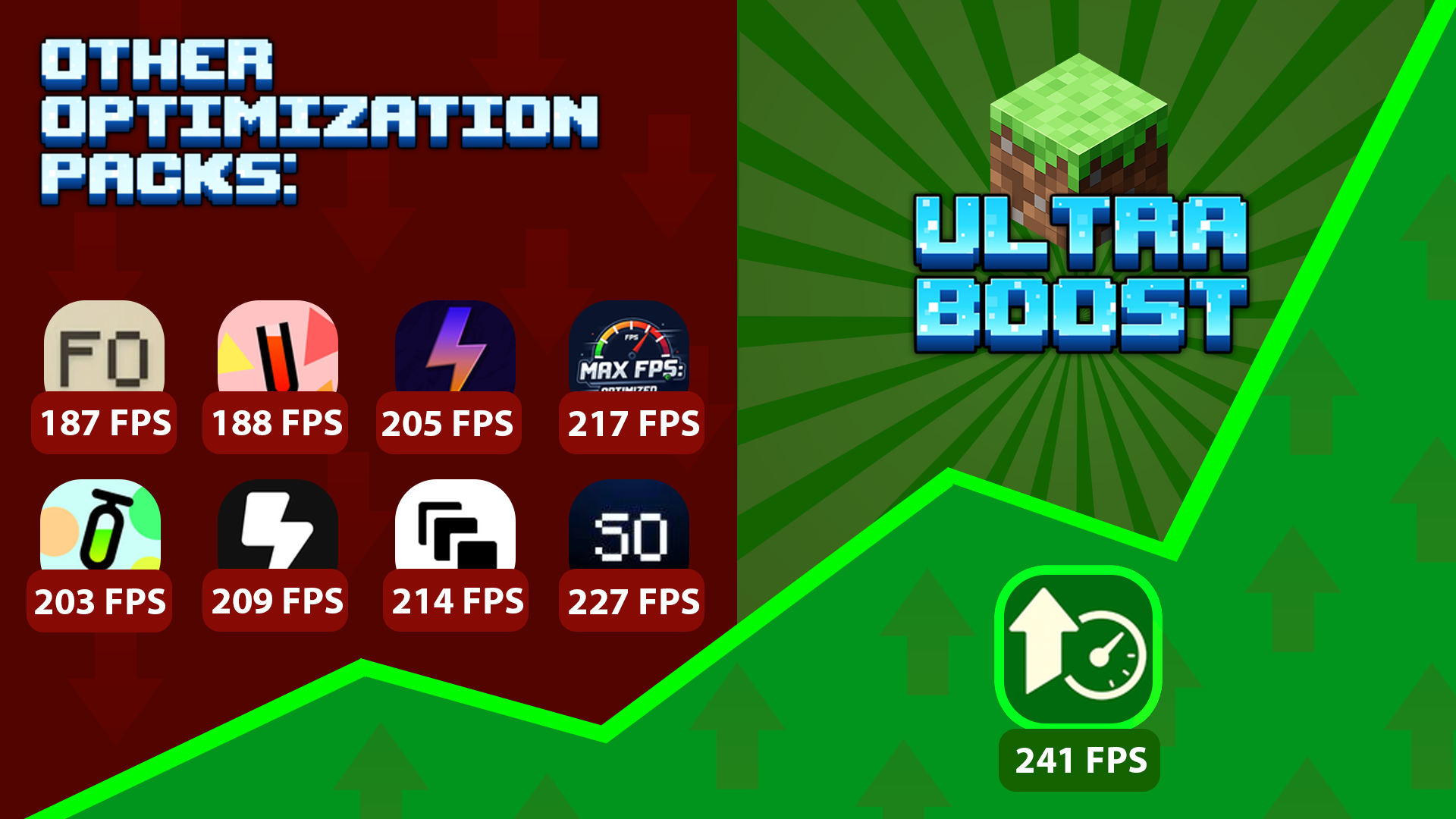

What you get:
- Faster loads, smoother rendering, stable ticks
- Zero stutter and reduced latency
- Memory-efficient and network-friendly
- Perfect for low-end PCs and servers
- Clean vanilla feel — no unnecessary mods
This pack beats every other optimization pack tested. Right now, it’s the most optimized Minecraft modpack in the world — built for players who want the absolute maximum from their game.
UltraBoost — when every frame matters.

Real Performance Benchmark
Tested over 10 optimization packs — this one delivered the best performance
Note: All FPS results were measured in equal testing conditions.
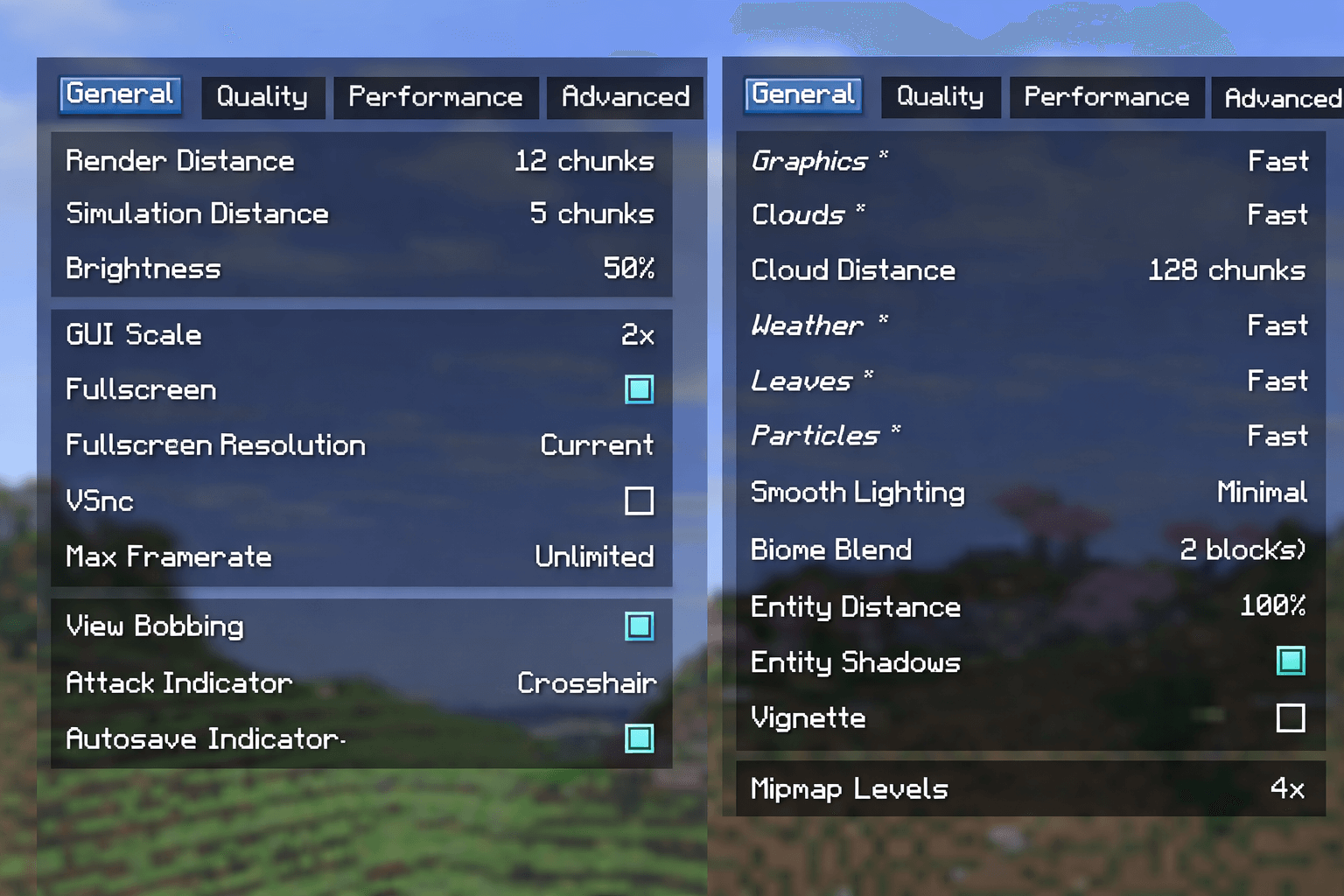
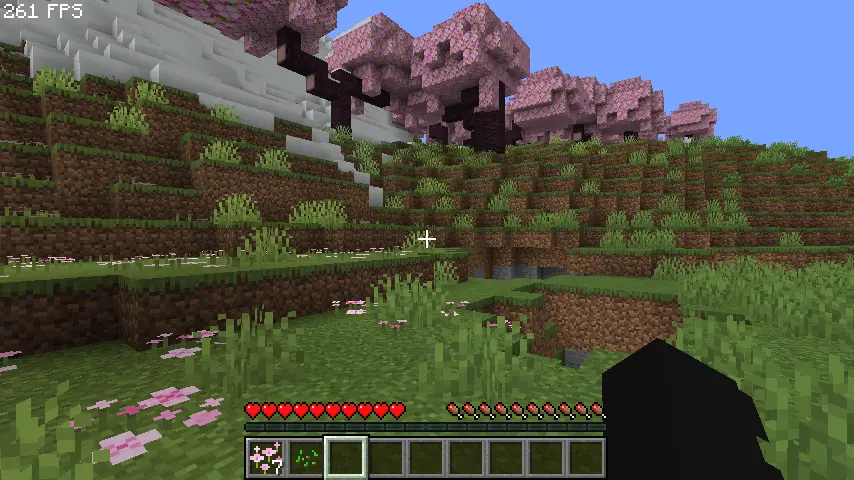
Settings Test
Tested on these Minecraft settings on a laptop (Intel i5-7300U, 8GB RAM, Intel HD 620)
Installation von UltraBoost
With Millida Launcher
Install Millida Launcher
The launcher is free: download it at millida.net/launcher and sign in with any nickname.
Click “Install” on this page
The launcher opens and installs the modpack for Minecraft 1.21.11–26.1 on Fabric automatically.
Launch the game
A profile with it appears in the launcher: click “Play”.
Manually
Download the modpack archive
In the version list above, pick the file UltraBoost 26.1.mrpack (29 KB).
Import it into a launcher
A launcher that supports modpacks (Millida Launcher, Prism) takes the archive via “Add modpack”, then “From file”. No need to unpack it yourself.
Allocate memory
Modpacks need more memory than the plain game: set 4–6 GB in the profile settings.
On a server
Use the “To server” button
On Millida Hosting, the button at the top of the page uploads the file to your server and restarts it for you.
Invite friends: they install the same modpack
To join the server, every player needs the same modpack version.
Versionen
Mit Abhängigkeiten
| Minecraft | Loader | Datei | Aktionen |
|---|---|---|---|
| 26.1 | Fabric | 26.128.7 KB 15 | |
| 1.21.11 | Fabric | 1.21.11114 KB 40 |
Was zum Ausführen nötig ist
- YetAnotherConfigLib (YACL)bereits enthalten
- ImmediatelyFastbereits enthalten
- Sodiumbereits enthalten
- Dependencybereits enthalten
- Cull Leavesbereits enthalten
- Fabric Language Kotlinbereits enthalten
- Dynamic FPSbereits enthalten
- Entity Cullingbereits enthalten
- Debugifybereits enthalten
- ModernFix-mVUSbereits enthalten
- Concurrent Chunk Management Engine (Fabric)bereits enthalten
- Chunkybereits enthalten
- Fzzy Configbereits enthalten
- Dependencybereits enthalten
- No Chat Reportsbereits enthalten
- Language Reloadbereits enthalten
- FerriteCorebereits enthalten
- Very Many Players (Fabric)bereits enthalten
FAQ
Which Minecraft versions does UltraBoost work on?
There are files for 26.1, 1.21.11. The newest is 26.1.
Is UltraBoost for Forge or Fabric?
Only for Fabric: 1.21.11–26.1.
Which mods are in the UltraBoost modpack?
Mods in the modpack include YetAnotherConfigLib (YACL), ImmediatelyFast, Sodium, Dependency, Cull Leaves, Fabric Language Kotlin, Dynamic FPS, Entity Culling and 9 more.
Where can I download UltraBoost safely?
On this page: the file UltraBoost 26.1.mrpack (29 KB) is stored on Millida’s server, with no link shorteners. SHA-1 checksum: d08cfcba6b3a7537862ebc7a170697339776d1dd.
Bewertungen
Bewerten Sie UltraBoost als Erster


