

Atmos: Minecraft Edition Modpack für Minecraft 1.21.4
Roguelike-Karte inspiriert von Hades und ULTRAKILL
- Downloads
- 3 Downloads
- Aufrufe
- 40 Aufrufe
- Aktualisiert
- Aktualisiert 29.09.2026
- 1.21.4
 Fabric
- Client und Server
DISCLAIMER: THIS MAP CONTAINS OCCASIONAL SWEARING!!!
Welcome to ⚙Atmos⚙!
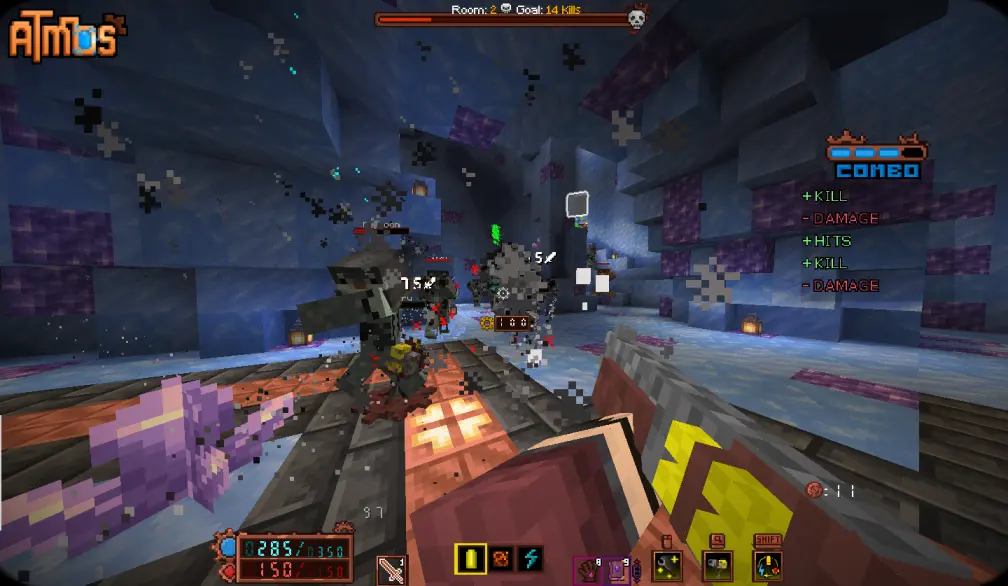
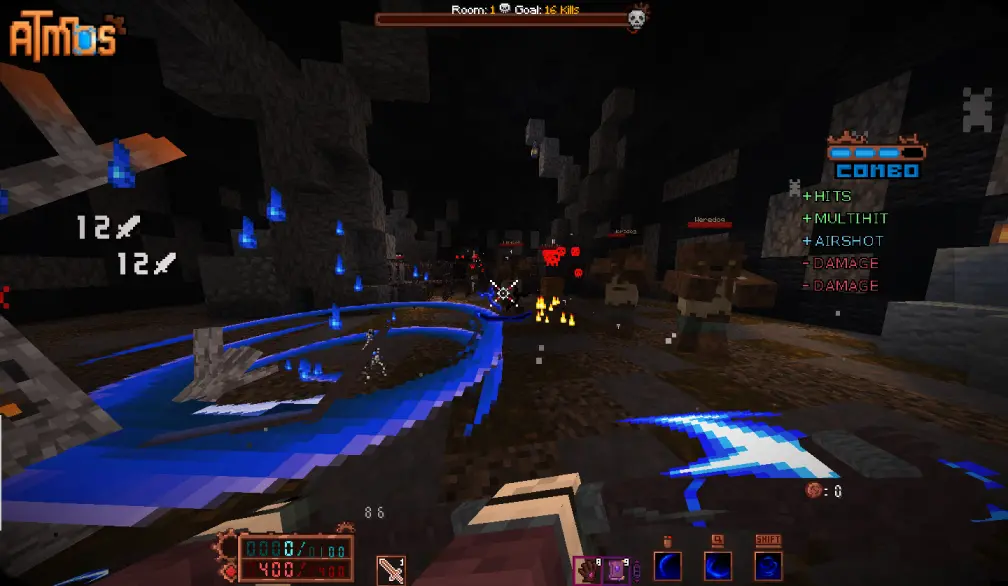
Atmos: Minecraft Edition - is a fast paced action Rougelike made entirely in vanilla Minecraft. It's basically a separate game, inspired by Hades with some elements from ULTRAKILL.
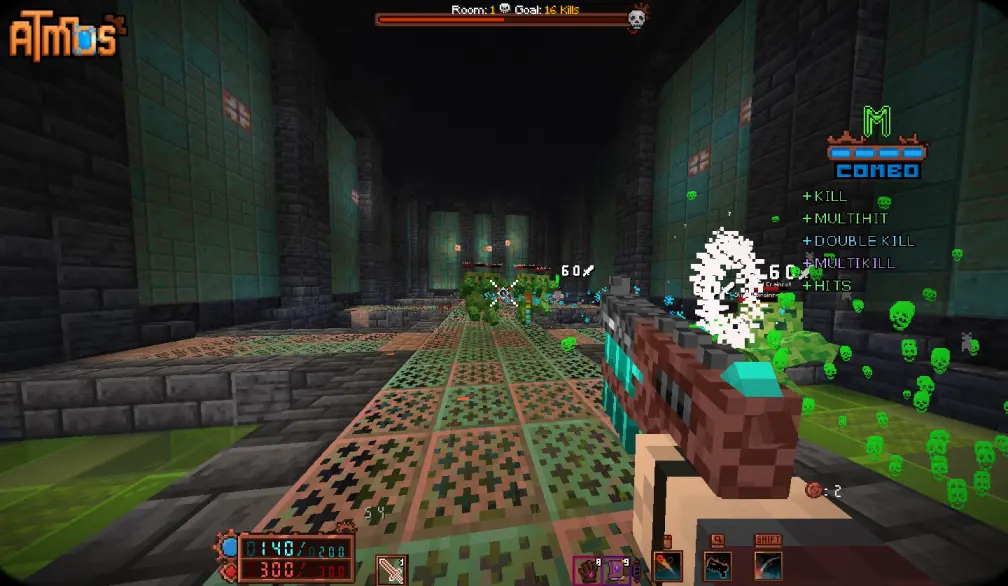
Travel into various domains to fight numerous foes that are standing in your way. Collect relics, items, upgrades and fight dozen and dozens of enemies that are there to stop you!

Map features:
- 8 completely unique classes
- 130+ artifacts and collectible items
- 4 stages with unique enemies and mechanics
- 4 boss fights + 1 miniboss fight
- 5 difficulty levels
- and a story to become a part of
Save system has been implemented! Starting from 1.0.3.1 and onwards, updating to a new version will keep your progress intact!
‼️If you want to retain your save file during transition to modpack (or in general) follow these steps‼️
- Go to your modpack instance and press the kebab button (three dots)
- Open modpack folder, and go to saves/Atmos
- Copy data and advancements folders to somewhere else (throw it onto the Desktop or something)
- Install a new patch, launch the map and quit to the main menu.
- Replace the data and advancements in saves/Atmos of your Modpack to the ones you saved locally.
- Enjoy! This also works for when you want to transition to using Modrinth. Just copying those 2 folders will retain your save data and you can use it in any other version!
On Install: Some in-game settings must be changed for the best experience. This pack comes with FancyMenu preinstalled, so clicking "Auto-Settings" would set the game up for you. ANY type of custom shaders is NOT RECOMMENDED, as they conflict with the vanilla core shaders, used to render a huge portion of the map and a lot of different mechanics. If something breaks because you enabled a custom shader - it's entirely on you.
JOIN MY Discord to chat or follow the updates on the STEAM version of this map!
Credits:
- pinkius - Lead Dev
- LZ - Creative Assistance

Additional Help:
- ActuallyBlue - Optimization
- Reyn - Extra Modeling
Shaders:
- thederdiscohund
- Nathanael_
- ioblackshaw

Music:
- DavidKBD
- fardifferent
- Infraction
- void1gaming
Beta Testers:
- Nodibell
- BigPapi13
- carl7879
- ZeroIceBear
- ChaoticImme
- seba808
- Teratical
- Omega gamer
- Yu_Wan
- Tiniff
- Haikis
- DANAST
- Reyn
- TheOnlyMann
- Budged
- Kohfee
- The Bread Giver
- Lord
- Gnirekcip
- InfiniteX
- HedenNyx
Installation von Atmos: Minecraft Edition
With Millida Launcher
Install Millida Launcher
The launcher is free: download it at millida.net/launcher and sign in with any nickname.
Click “Install” on this page
The launcher opens and installs the modpack for Minecraft 1.21.4 on Fabric automatically.
Launch the game
A profile with it appears in the launcher: click “Play”.
Manually
Download the modpack archive
In the version list above, pick the file Atmos 1.1.2.mrpack (169 MB).
Import it into a launcher
A launcher that supports modpacks (Millida Launcher, Prism) takes the archive via “Add modpack”, then “From file”. No need to unpack it yourself.
Allocate memory
Modpacks need more memory than the plain game: set 4–6 GB in the profile settings.
On a server
Use the “To server” button
On Millida Hosting, the button at the top of the page uploads the file to your server and restarts it for you.
Invite friends: they install the same modpack
To join the server, every player needs the same modpack version.
Minecraft 1.21.4 runs on Java 21: with a different Java version the game may close right after launch.
Versionen
Mit Abhängigkeiten
| Minecraft | Loader | Datei | Datum | Aktionen |
|---|---|---|---|---|
| 1.21.4 | Fabric | 1.21.4169 MB 3 | ||
| 1.21.4 | Fabric | 1.21.4169 MB | ||
| 1.21.4 | Fabric | 1.21.4169 MB | ||
| 1.21.4 | Fabric | 1.21.4166 MB | ||
| 1.21.4 | Fabric | 1.21.4166 MB | ||
| 1.21.4 | Fabric | 1.21.4166 MB | ||
| 1.21.4 | Fabric | 1.21.4166 MB | ||
| 1.21.4 | Fabric | 1.21.4165 MB |
Was zum Ausführen nötig ist
- Dependencybereits enthalten
- Cloth Config APIbereits enthalten
- Sodiumbereits enthalten
- Melodybereits enthalten
- CraftPresencebereits enthalten
- Dependencybereits enthalten
- Konkretebereits enthalten
- Fabric APIbereits enthalten
- FancyMenubereits enthalten
- Text Placeholder APIbereits enthalten
- Lithiumbereits enthalten
- Dependencybereits enthalten
- Camera Overhaulbereits enthalten
- Mod Menubereits enthalten
- UniLibbereits enthalten
FAQ
Which Minecraft versions does Atmos: Minecraft Edition work on?
Only Minecraft 1.21.4: there are no files for other versions.
Is Atmos: Minecraft Edition for Forge or Fabric?
Only for Fabric: 1.21.4.
Which mods are in the Atmos: Minecraft Edition modpack?
Mods in the modpack include Dependency, Cloth Config API, Sodium, Melody, CraftPresence, Konkrete, Fabric API, FancyMenu and 5 more.
Which Java does Atmos: Minecraft Edition need?
Minecraft 1.21.4 runs on Java 21. If the game closes right after launch, the usual cause is the wrong Java version in the profile settings.
Where can I download Atmos: Minecraft Edition safely?
On this page: the file Atmos 1.1.2.mrpack (169 MB) is stored on Millida’s server, with no link shorteners. SHA-1 checksum: 736008e080da132512562eba550e54b7bfdc147c.
Bewertungen
Bewerten Sie Atmos: Minecraft Edition als Erster


