

Minecraft: Console Edition بناء لماينكرافت 1.20.1, 1.21
إعادة إصدارات الكونسول القديمة، خطوة بخطوة!
- مشاهدة
- 22 مشاهدة
- محدّث
- محدّث 03.09.2026
- 1.20.1 — 1.21
 Fabric
- العميل والخادم
Bringing back our childhoods
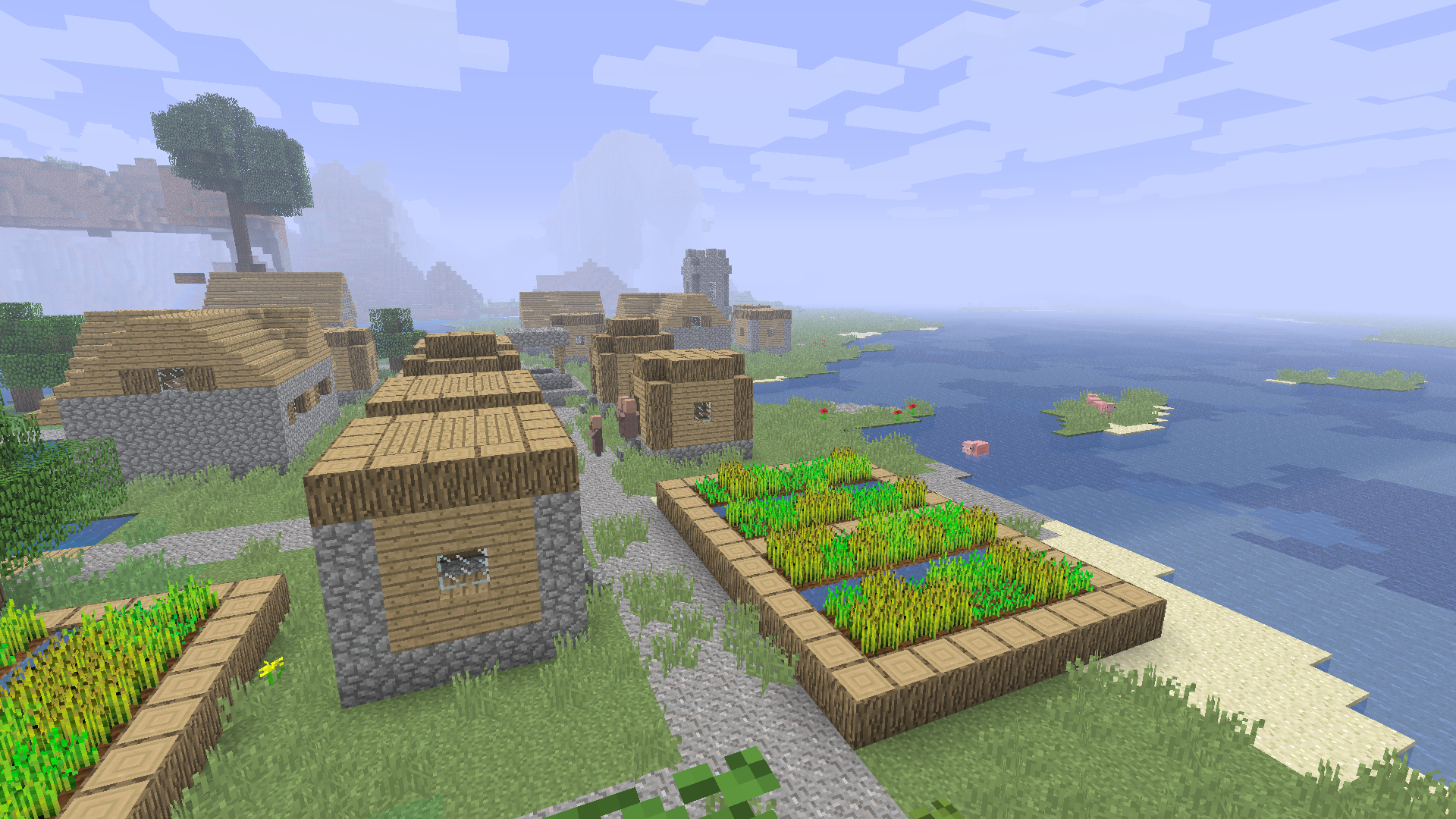
Minecraft: Console Edition seeks to recreate and emulate the old Console Editions of Minecraft in modern versions!
It utilizes mods like Legacy4J to achieve this properly with User Interfaces, Gamma systems and more, in combination with Nostalgic Tweaks to re-implement old features into new minecraft, which seamlessly creates a Nostalgic experience in 1.20!

Features
- TU30 tutorial world
- 1.6.4 world gen
- Controller Support
- Gamma (Nearly 100% accurate to LCE!)
- Old features and tweaks added via Nostalgic Tweaks
- Properly configured, out of the box playable and ready to go!

If you encounter issues, or want to request a feature, see our issue tracker
Need a server?
Special Thanks:
- b3spectacled for letting me use their mod Modern Beta in the pack
Attribution
- Classic Villages datapack
- Hypersoop and Simply Optimized for some of their configuration files
كيفية تثبيت Minecraft: Console Edition
With Millida Launcher
Install Millida Launcher
The launcher is free: download it at millida.net/launcher and sign in with any nickname.
Click “Install” on this page
The launcher opens and installs the modpack for Minecraft 1.20.1–1.21 on Fabric automatically.
Launch the game
A profile with it appears in the launcher: click “Play”.
Manually
Download the modpack archive
In the version list above, pick the file Console Edition 1.0.1 1.0.1.mrpack (30 MB).
Import it into a launcher
A launcher that supports modpacks (Millida Launcher, Prism) takes the archive via “Add modpack”, then “From file”. No need to unpack it yourself.
Allocate memory
Modpacks need more memory than the plain game: set 4–6 GB in the profile settings.
On a server
Use the “To server” button
On Millida Hosting, the button at the top of the page uploads the file to your server and restarts it for you.
Invite friends: they install the same modpack
To join the server, every player needs the same modpack version.
Minecraft 1.21 runs on Java 21: with a different Java version the game may close right after launch.
الإصدارات
مع المتطلبات
| Minecraft | المشغّل | الملف | الإجراءات |
|---|---|---|---|
| 1.21 | Fabric | 1.2130.1 ميغابايت | |
| 1.20.1 | Fabric | 1.20.126 ميغابايت |
ما يلزم لتشغيله
- Dependencyمضمّن بالفعل
- More Cullingمضمّن بالفعل
- Dependencyمضمّن بالفعل
- ImmediatelyFastمضمّن بالفعل
- Dependencyمضمّن بالفعل
- Dependencyمضمّن بالفعل
- Dependencyمضمّن بالفعل
- Dependencyمضمّن بالفعل
- Entity Cullingمضمّن بالفعل
- Dependencyمضمّن بالفعل
- Dependencyمضمّن بالفعل
- No More Shipwrecksمضمّن بالفعل
- No More Woodland Mansionsمضمّن بالفعل
- No More Post Beta Flowersمضمّن بالفعل
- Dependencyمضمّن بالفعل
- Dependencyمضمّن بالفعل
- oωo (owo-lib)مضمّن بالفعل
- MidnightLibمضمّن بالفعل
- Dependencyمضمّن بالفعل
- BadOptimizationsمضمّن بالفعل
- Dependencyمضمّن بالفعل
- Dependencyمضمّن بالفعل
- Dependencyمضمّن بالفعل
- Dependencyمضمّن بالفعل
الأسئلة الشائعة
Which Minecraft versions does Minecraft: Console Edition work on?
There are files for 1.21, 1.20.1. The newest is 1.21.
Is Minecraft: Console Edition for Forge or Fabric?
Only for Fabric: 1.20.1–1.21.
Which mods are in the Minecraft: Console Edition modpack?
Mods in the modpack include Dependency, More Culling, ImmediatelyFast, Entity Culling, No More Shipwrecks, No More Woodland Mansions, No More Post Beta Flowers, oωo (owo-lib) and 2 more.
Which Java does Minecraft: Console Edition need?
Minecraft 1.21 runs on Java 21. If the game closes right after launch, the usual cause is the wrong Java version in the profile settings.
Where can I download Minecraft: Console Edition safely?
On this page: the file Console Edition 1.0.1 1.0.1.mrpack (30 MB) is stored on Millida’s server, with no link shorteners. SHA-1 checksum: 6473e322834c97e4ec6ad9e8ad922965d38e6c24.
التقييمات
كن أول من يقيّم Minecraft: Console Edition


