
Twilight Visuals Gói tài nguyên cho Minecraft 26.40
Gói shader điện ảnh với không khí xanh lam-xanh mòng két lạnh lẽo, hoàng hôn tím oải hương-hồng nhạt, sương mù thể tích dựa trên độ cao và hình ảnh theo từng quần xã cho trải nghiệm Minecraft u ám, đắm chìm.
Giới thiệu gói tài nguyên Twilight Visuals
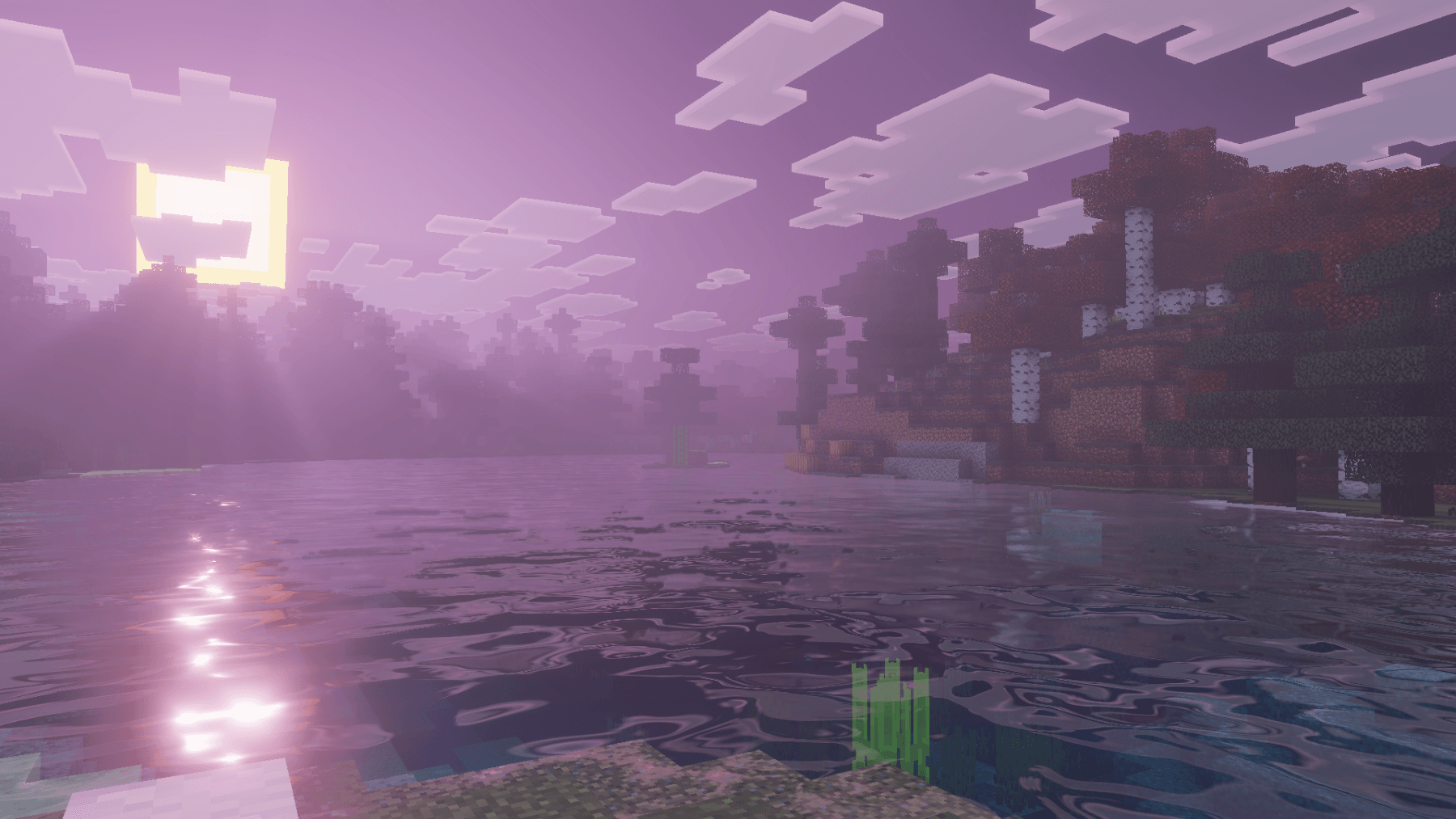
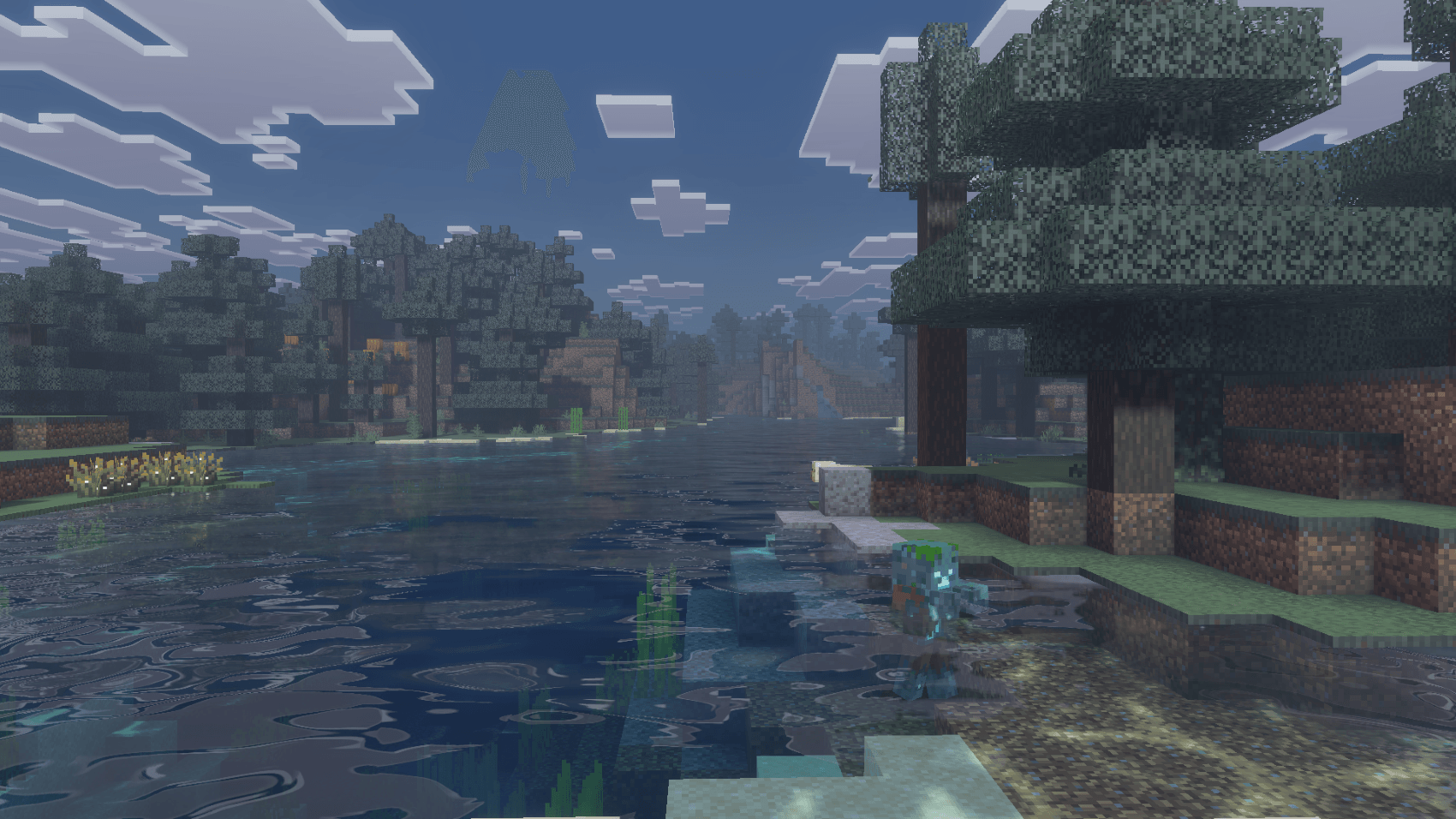
Twilight Visuals is a cinematic shader pack inspired by the cold, moody atmosphere of the Twilight movie. Designed around a blue-teal color palette with muted rose sunsets, it transforms Minecraft Bedrock into a Pacific Northwest forest, misty, melancholic, and hauntingly beautiful.
•Features•
•Cold blue-teal daytime atmosphere with desaturated overcast skies
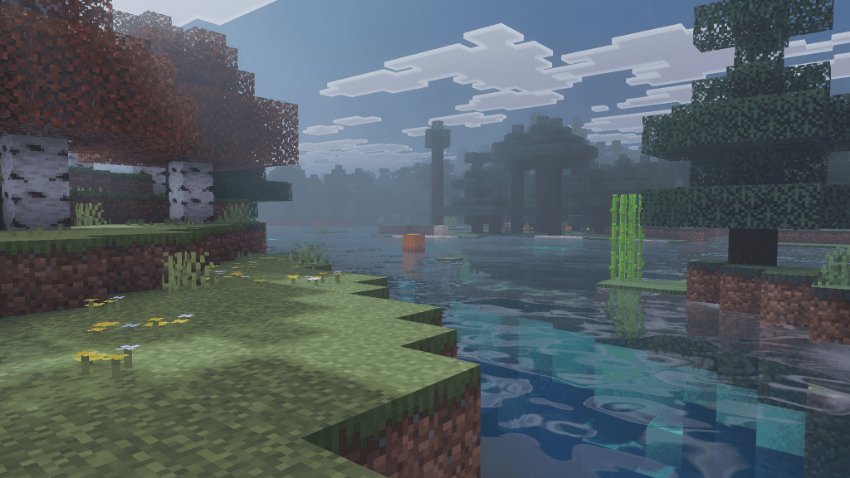
•Muted lavender-rose sunrise and sunset. never warm or orange
•Deep blue moonlit nights with teal water reflections
•Hable tone mapping for cinematic highlight roll-off and film-grade feel
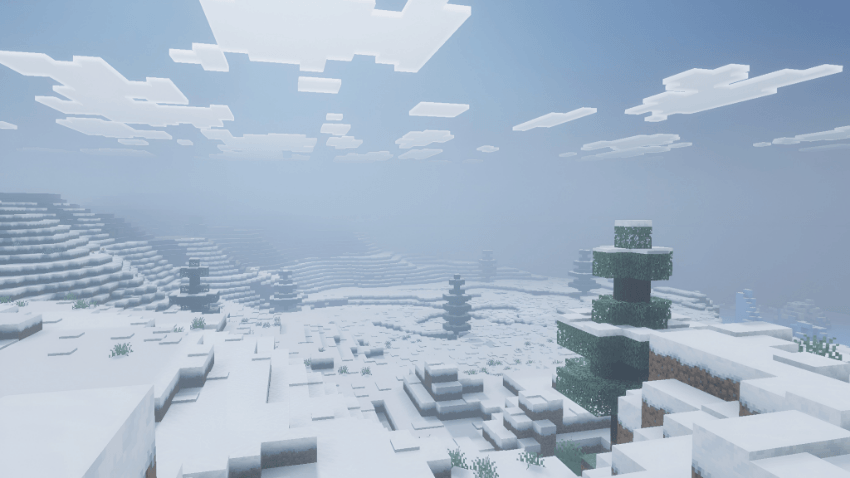
•Height-based volumetric fog that pools in valleys and lakeshores
•Colored local lighting, 85+ block types with custom light colors
•Realistic animated water with 20-octave wave detail and underwater caustics
•Per-biome atmospherics, fog, lighting, and color grading
Feedback and suggestions are welcome to help shape future versions.
Cách cài đặt Twilight Visuals
With Millida Launcher
Install Millida Launcher
The launcher is free: download it at millida.net/launcher and sign in with any nickname.
Click “Install” on this page
The launcher opens and installs the resource pack for Minecraft 1.21.120–26.40 automatically.
Launch the game
A profile with it appears in the launcher: click “Play”.
Manually
Download the archive
Pick the file Twilight Visuals v1.7.1.mcpack (7.9 MB) for your game version. No need to unpack it.
Put it in the resourcepacks folder
The easiest way: “Options”, then “Resource Packs”, then “Open Pack Folder”, and drag the archive there.
Enable the pack
In the same window, move the pack to the right-hand “Selected” column and click “Done”.
Phiên bản
Kèm phụ thuộc
| Minecraft | Loader | Tệp | Ngày | Hành động |
|---|---|---|---|---|
| 1.21.120 | — | Twilight Visuals v1.7.1.mcpack7.9 MB |
Câu hỏi thường gặp
Which Minecraft versions does Twilight Visuals work on?
There are files for 1.21.120–26.40, 18 versions in total. The newest is 26.40.
Where can I download Twilight Visuals safely?
On this page: the file Twilight Visuals v1.7.1.mcpack (7.9 MB) is stored on Millida’s server, with no link shorteners. SHA-1 checksum: c597142a28fe2bc8e41ab7541fa832f6cd3792db.
Đánh giá
Hãy là người đầu tiên đánh giá Twilight Visuals



