
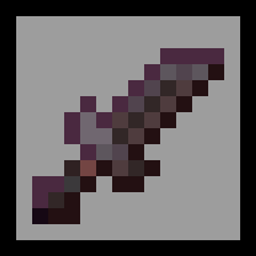
Tiny Tools TXF
- Change the textures of tools (sword, pickaxe, axe, shovel, hoe, mace)
Cách cài đặt Tiny Tools TXF
With Millida Launcher
Install Millida Launcher
The launcher is free: download it at millida.net/launcher and sign in with any nickname.
Click “Install” on this page
The launcher opens and installs the resource pack for Minecraft 26.1–26.3 automatically.
Launch the game
A profile with it appears in the launcher: click “Play”.
Manually
Download the archive
Pick the file Tiny_Tools_26.1.zip (15 KB) for your game version. No need to unpack it.
Put it in the resourcepacks folder
The easiest way: “Options”, then “Resource Packs”, then “Open Pack Folder”, and drag the archive there.
Enable the pack
In the same window, move the pack to the right-hand “Selected” column and click “Done”.
Phiên bản
Kèm phụ thuộc
| Minecraft | Loader | Tệp | Ngày | Hành động |
|---|---|---|---|---|
| 26.1 | — | Tiny_Tools_26.114.6 KB 95 |
Đánh giá
Hãy là người đầu tiên đánh giá Tiny Tools TXF
Bình luận 0
Đăng nhập để bình luậnĐăng nhập


