
Performance+ Gói tài nguyên cho Minecraft 1.21, 26.50
Gói tối ưu hóa được thiết kế để giảm lag, cải thiện hiệu suất và mang lại trải nghiệm mượt mà hơn trên các thiết bị cấu hình thấp.
⚡ Performance+ | FPS Optimization Pack

Official Performance Resource Pack for Minecraft Bedrock/Pocket Edition.
Performance+ is a carefully optimized resource pack for Minecraft Bedrock, designed to reduce lag, lower rendering load, and improve overall gameplay smoothness on low-end and mid-range devices.
Instead of flashy visuals, Performance+ focuses on clean textures, reduced visual noise, and smart feature optimizations that directly improve performance. Every change is made to keep Minecraft looking vanilla, readable, and lightweight, while delivering a noticeably smoother and more stable experience.
📖 Key Features
-Clear water and clear fog in all 89 biomes
-Lower fire texture for improved combat visibility
-Fast & optimized full grass rendering
-176 particles removed, with potion and spell effects kept but trimmed
-42 animated block textures frozen, including water, lava, kelp, bubble columns and portals
-Cleaner block visuals with refined 16× textures
-Reduced rendering overhead for smoother frame pacing
🎯 Best Use Cases
-Smoother gameplay and reduced lag
-Low-end phones, tablets & PCs
-Older hardware or weak GPUs
-Survival, PvP, and long gameplay sessions
-Reduced device heating and stutter
🛠 Compatibility
-Minecraft Bedrock Edition
-Supported versions: 1.21+
-Works in single-player & on servers
-Compatible with most resource packs & shaders
-Works with Vibrant Visuals
-Supports Pocket Edition
📥 Installation
1.Download the .mcpack file
2.Open the file - Minecraft will import it automatically
3.Go to Settings → Resource Packs → My Packs
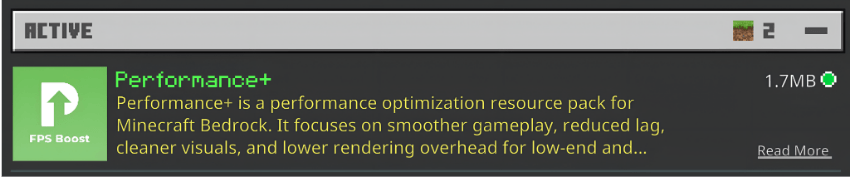
4.Activate Performance+
❤️ Support & Feedback
If Performance+ improves your gameplay, consider leaving a ⭐ on CurseForge or MCPEDL. Bug reports, suggestions, and feedback are always welcome, your support helps improve future updates.
Cách cài đặt Performance+
With Millida Launcher
Install Millida Launcher
The launcher is free: download it at millida.net/launcher and sign in with any nickname.
Click “Install” on this page
The launcher opens and installs the resource pack for Minecraft 1.21–26.50 automatically.
Launch the game
A profile with it appears in the launcher: click “Play”.
Manually
Download the archive
Pick the file Performance+ v2.2.1.mcpack (258 KB) for your game version. No need to unpack it.
Put it in the resourcepacks folder
The easiest way: “Options”, then “Resource Packs”, then “Open Pack Folder”, and drag the archive there.
Enable the pack
In the same window, move the pack to the right-hand “Selected” column and click “Done”.
Phiên bản
Kèm phụ thuộc
| Minecraft | Loader | Tệp | Ngày | Hành động |
|---|---|---|---|---|
| 1.21.30 | — | Performance+ v2.2.1.mcpack258 KB |
Câu hỏi thường gặp
Which Minecraft versions does Performance+ work on?
There are files for 1.21–26.50, 23 versions in total. The newest is 26.50.
Where can I download Performance+ safely?
On this page: the file Performance+ v2.2.1.mcpack (258 KB) is stored on Millida’s server, with no link shorteners. SHA-1 checksum: b4067b10dc2b1297d0746a33ad481166cdb850b8.
Đánh giá
Hãy là người đầu tiên đánh giá Performance+


