

Mellowv Shaders Gói tài nguyên cho Minecraft 1.21, 26.40
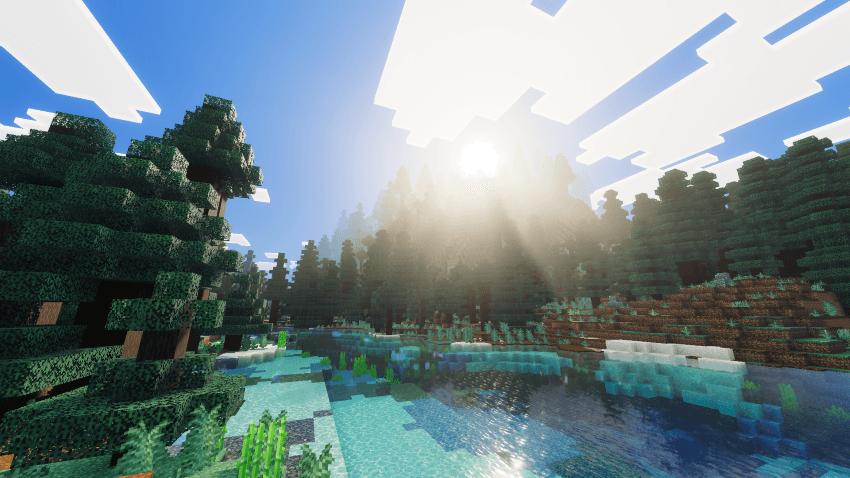
Mellow Shaders mang đến hình ảnh điện ảnh ấm áp thời khắc vàng cho Bedrock mà không tốn hiệu năng. Ánh sáng thể tích nhẹ, sương mù khí quyển mềm mại và hoàng hôn rực rỡ—tất cả được tối ưu để chạy mượt trên mọi thiết bị.
Giới thiệu gói tài nguyên Mellowv Shaders
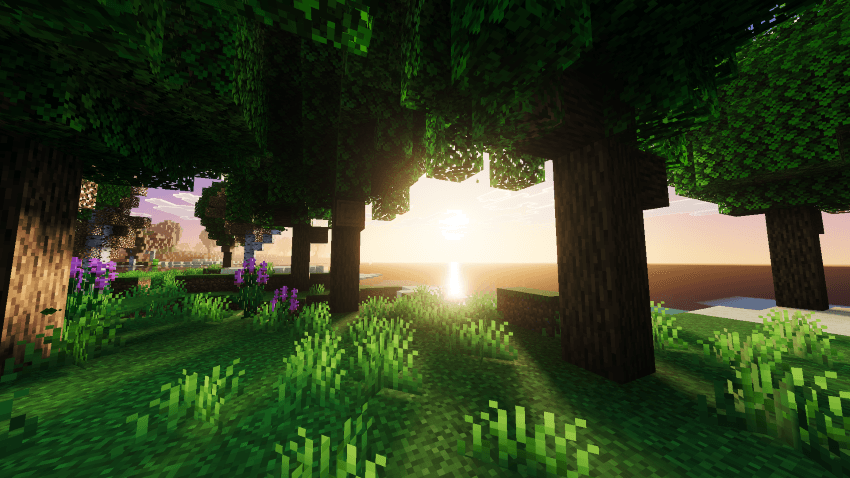
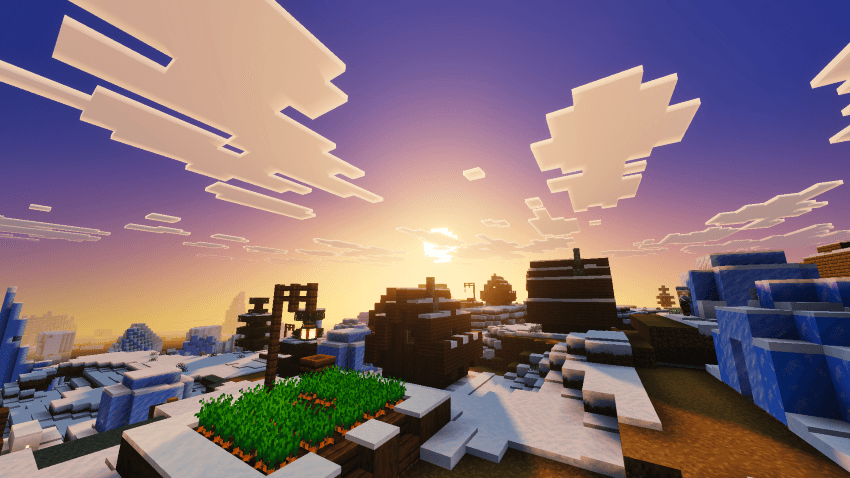
Experience a serene, golden-hour world with Mellow Shaders. Designed for smooth, lag-free gameplay, this lightweight shader transforms your Minecraft Bedrock experience with warm, cinematic lighting without the performance hit.

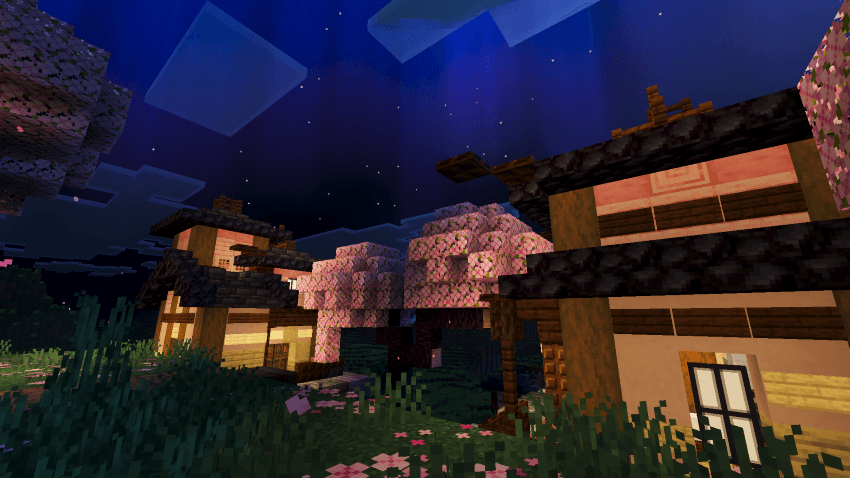
Perfect golden-hour sunsets and sunrises paint the sky in soft amber and cream tones. Dynamic cloud rendering creates depth and atmosphere. Water reflects the glowing sun while maintaining clarity. Volumetric fog glows gently around the light source, creating immersive depth. Forests shimmer with dappled light filtering through canopies. Caves and buildings gain warm, natural shadows that bring out detail without crushing contrast.
Features:
- Warm, cohesive golden-hour aesthetic
- Lightweight performance optimization
- Volumetric fog and atmospheric depth
- Enhanced water rendering
- Natural shadow definition
- Cloud atmosphere and sky gradients
- Fantasy-style aurora effects
- Works across all Bedrock biomes
- Device-friendly-optimized for stability
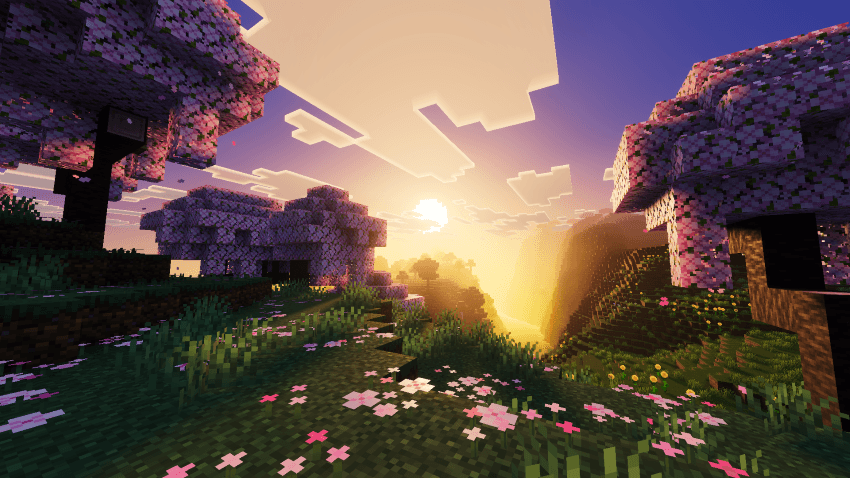
Turn on Mellow Shaders and discover how stunning Bedrock can look without sacrifice.
- Mellow Shaders Team
Cách cài đặt Mellowv Shaders
With Millida Launcher
Install Millida Launcher
The launcher is free: download it at millida.net/launcher and sign in with any nickname.
Click “Install” on this page
The launcher opens and installs the resource pack for Minecraft 1.21–26.40 automatically.
Launch the game
A profile with it appears in the launcher: click “Play”.
Manually
Download the archive
Pick the file Mellow Shaders v1.4.mcpack (1.4 MB) for your game version. No need to unpack it.
Put it in the resourcepacks folder
The easiest way: “Options”, then “Resource Packs”, then “Open Pack Folder”, and drag the archive there.
Enable the pack
In the same window, move the pack to the right-hand “Selected” column and click “Done”.
Phiên bản
Kèm phụ thuộc
| Minecraft | Loader | Tệp | Ngày | Hành động |
|---|---|---|---|---|
| 1.21.30 | — | Mellow Shaders v1.4.mcpack1.4 MB 44 |
Câu hỏi thường gặp
Which Minecraft versions does Mellowv Shaders work on?
There are files for 1.21–26.40, 23 versions in total. The newest is 26.40.
Where can I download Mellowv Shaders safely?
On this page: the file Mellow Shaders v1.4.mcpack (1.4 MB) is stored on Millida’s server, with no link shorteners. SHA-1 checksum: 8e9a5b3cf9ae70c9d5c9cd6e6b0501a32ce26f6b.
Đánh giá
Hãy là người đầu tiên đánh giá Mellowv Shaders



