
Giới thiệu gói tài nguyên Lumina Visuals
Lumina Visuals is built for players who want their world to look stunning without compromising gameplay. Every biome gets its own volumetric fog, so a cherry grove at midday and a dark forest in the rain each get atmosphere built specifically for them.

Skies run from a clean daylight blue through violet-over-gold at dusk into deep moonlit blue at night. Water reflects it all back. Nothing here asks you to stop playing to look at it.
FEATURES
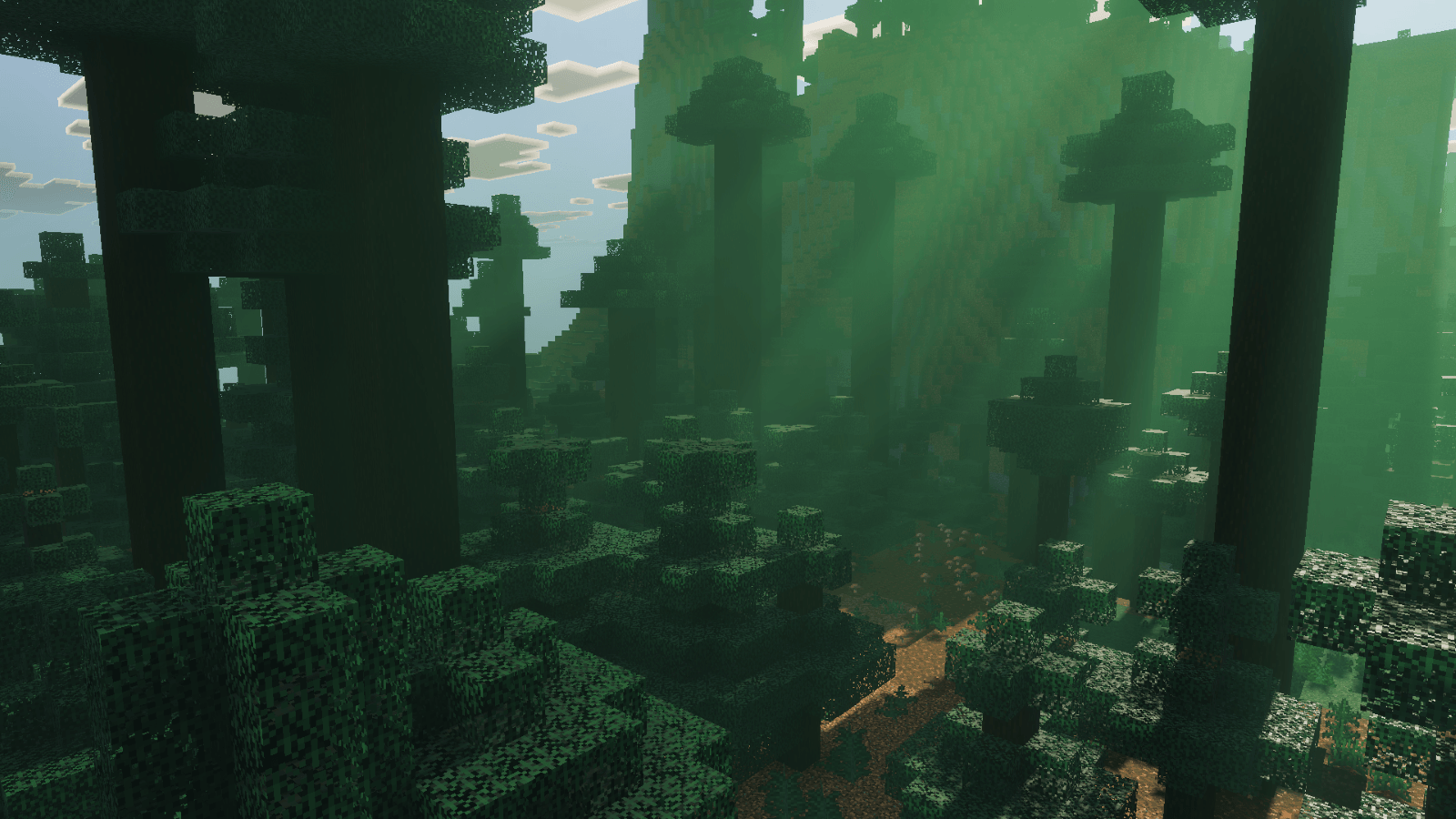
- Realistic deferred lighting on the current Vibrant Visuals pipeline
- Chromatic volumetric fog tuned individually for every biome
- Violet-and-gold sunrise and sunset skies
- Moon-driven night lighting with true blue tones
- 109 coloured light sources, with glowing bioluminescent plants
- Soft cinematic shadows
- Bloom & glow highlights
- Reflective water with animated caustics
- Custom foliage and grass colours, clouds and End sky
- Full Nether & End support - Nether Wastes, Crimson Forest, Warped Forest, Soul Sand Valley, Basalt Deltas and The End, each with its own atmosphere and lighting
REQUIREMENTS
Vibrant Visuals must be enabled in your world or global video settings. Place Lumina Visuals at the top of your resource pack stack for best results.

Cách cài đặt Lumina Visuals
Install Millida Launcher
The launcher is free: download it at millida.net/launcher and sign in with any nickname.
Click “Install” on this page
The launcher opens and installs the resource pack for Minecraft 1.21.120–26.40 automatically.
Launch the game
A profile with it appears in the launcher: click “Play”.
Phiên bản
Kèm phụ thuộc
| Minecraft | Loader | Tệp | Ngày | Hành động |
|---|---|---|---|---|
| 1.21.120 | — | Lumina Visuals v2.4.1.mcpack2.4 MB 3 |
Câu hỏi thường gặp
Which Minecraft versions does Lumina Visuals work on?
There are files for 1.21.120–26.40, 18 versions in total. The newest is 26.40.
How do I download Lumina Visuals?
With Millida Launcher: it installs Lumina Visuals into a modpack by itself, for the right game version and loader. The launcher is free.
Đánh giá
Hãy là người đầu tiên đánh giá Lumina Visuals


