

Etherveil [Shader] Gói tài nguyên cho Minecraft 1.21, 26.30
Một gói shader Bedrock không tốn hiệu năng, biến đổi bầu không khí của Minecraft với màu sắc và khoảng cách sương mù phù hợp từng quần xã, mang hình ảnh điện ảnh đến các thiết bị yếu.
Giới thiệu gói tài nguyên Etherveil [Shader]

Etherveil gives Minecraft Bedrock a soft, cinematic atmosphere without hurting your FPS. Each biome gets its own fog color and mood - warm golden deserts, misty birch forests, dreamy cherry groves, and deep, suffocating darkness in the caves. The Nether feels alive with crimson reds, toxic teals, and ghostly pale valleys, while the End drifts in haunting purple void. Even water and weather shift their tone to match the world around you. It’s lightweight, smooth, and makes every biome feel like its own painted scene.
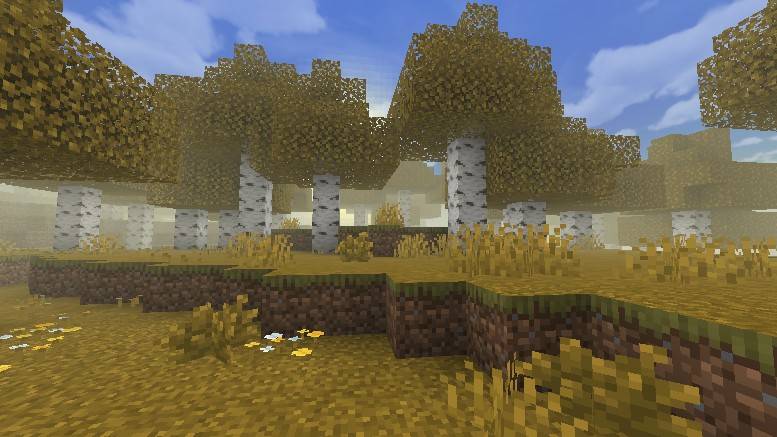
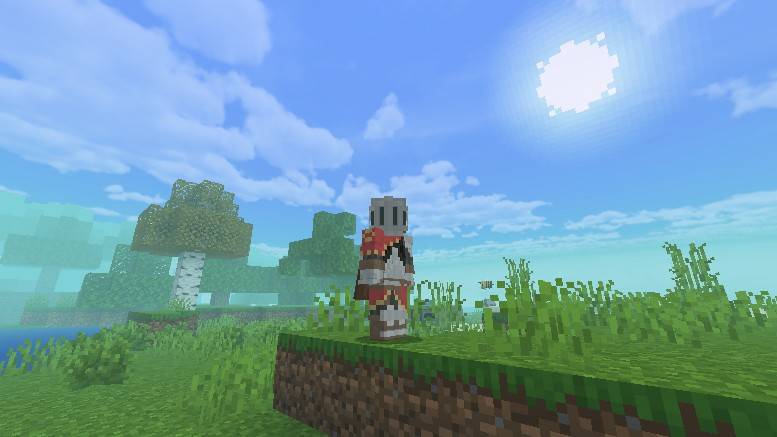
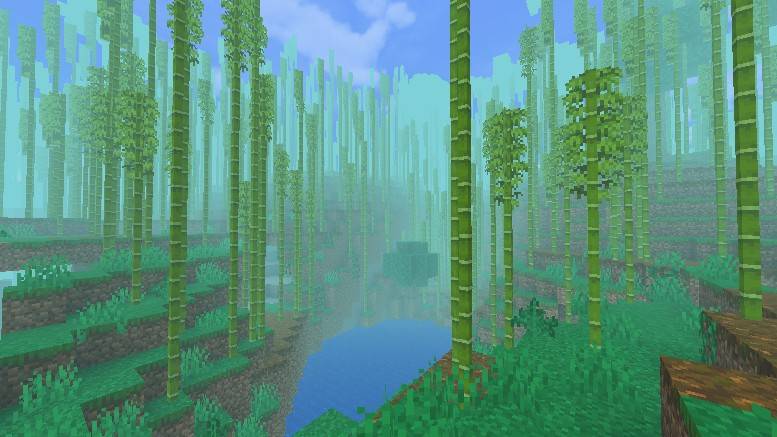
Thank you for downloading Etherveil! I hope you enjoy exploring every biome as much as I enjoyed creating them. If you like the pack, sharing it with your friends would mean the world. Happy crafting! 🌿✨
Cách cài đặt Etherveil [Shader]
With Millida Launcher
Install Millida Launcher
The launcher is free: download it at millida.net/launcher and sign in with any nickname.
Click “Install” on this page
The launcher opens and installs the resource pack for Minecraft 1.21–26.30 automatically.
Launch the game
A profile with it appears in the launcher: click “Play”.
Manually
Download the archive
Pick the file Etherveil_Shader.mcpack (3.1 MB) for your game version. No need to unpack it.
Put it in the resourcepacks folder
The easiest way: “Options”, then “Resource Packs”, then “Open Pack Folder”, and drag the archive there.
Enable the pack
In the same window, move the pack to the right-hand “Selected” column and click “Done”.
Phiên bản
Kèm phụ thuộc
| Minecraft | Loader | Tệp | Ngày | Hành động |
|---|---|---|---|---|
| 1.21.30 | — | Etherveil [Shader] V1.03.1 MB 1 |
Câu hỏi thường gặp
Which Minecraft versions does Etherveil [Shader] work on?
There are files for 1.21–26.30, 45 versions in total. The newest is 26.30.
Where can I download Etherveil [Shader] safely?
On this page: the file Etherveil_Shader.mcpack (3.1 MB) is stored on Millida’s server, with no link shorteners. SHA-1 checksum: 6534c2665ce4c5b2f87576ab9ceb702e7e4c9bf9.
Đánh giá
Hãy là người đầu tiên đánh giá Etherveil [Shader]


