

Essential UI Gói tài nguyên cho Minecraft 1.16.5, 1.19.2
Một texturepack nhỏ, thay đổi tất cả nút và thanh hotbar để phù hợp với phong cách của mod Essential. Với texturepack này, Minecraft của bạn sẽ trông gọn gàng hơn nhiều khi dùng mod Essential
- lượt tải
- 6 lượt tải
- lượt xem
- 73 lượt xem
- Đã cập nhật
- Đã cập nhật 04.09.2026
- 1.16 — 26.2
 Game gốc
- Máy khách
Essential UI
Essential UI is a small texturepack, that changes all buttons and the hotbar to fit the style of the Essential mod. With This texturepack, your Minecraft will look much cleaner when using the Essential mod.
If you want some preview images, check out the Gallery!

Compatibility
For this Resource Pack to work, you do not need Optifine!

Bugs and Suggestions
If you find any bugs or want to suggest something, you can join my Discord and message me there.
Hotbar
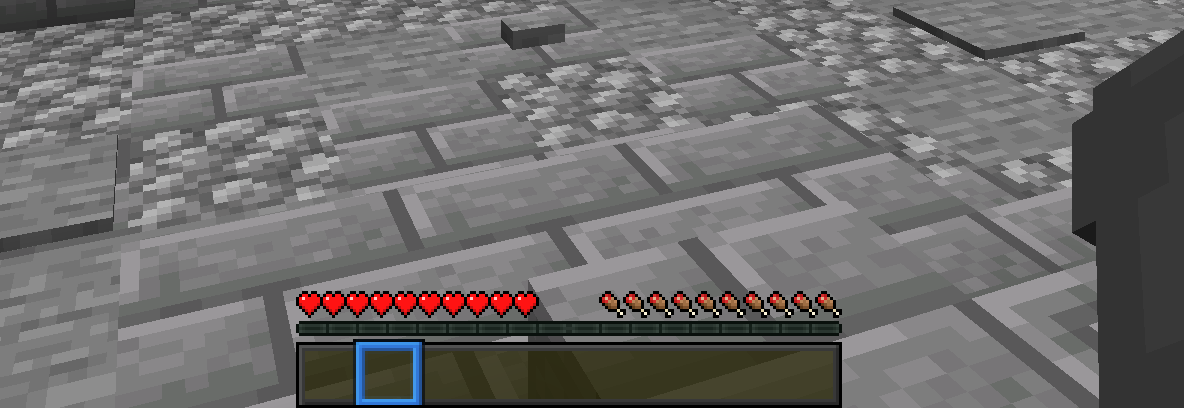
Cách cài đặt Essential UI
With Millida Launcher
Install Millida Launcher
The launcher is free: download it at millida.net/launcher and sign in with any nickname.
Click “Install” on this page
The launcher opens and installs the resource pack for Minecraft 1.16–26.2 automatically.
Launch the game
A profile with it appears in the launcher: click “Play”.
Manually
Download the archive
Pick the file EssentialUI.zip (91 KB) for your game version. No need to unpack it.
Put it in the resourcepacks folder
The easiest way: “Options”, then “Resource Packs”, then “Open Pack Folder”, and drag the archive there.
Enable the pack
In the same window, move the pack to the right-hand “Selected” column and click “Done”.
Phiên bản
Kèm phụ thuộc
| Minecraft | Loader | Tệp | Ngày | Hành động |
|---|---|---|---|---|
| 1.21.11 | — | 1.21.1191 KB | ||
| 26.2 | — | 26.291 KB 5 | — | |
| 26.1 | — | 26.191 KB | — | |
| 1.19.2 | — | 1.19.214.7 KB | — | |
| 1.18.2 | — | 1.18.214.7 KB | — | |
| 1.16.5 | — | 1.16.514.7 KB | — |
Đánh giá
Hãy là người đầu tiên đánh giá Essential UI



