
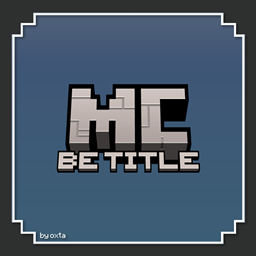
BE Title Pack cho Minecraft 1.21, 1.21.20
Gói tài nguyên này chỉ thay đổi texture tiêu đề của trò chơi, thêm tiêu đề «Bedrock Edition». Bạn có thể chọn giữa hai biến thể của texture. Đơn giản chỉ có thế!
This pack adds the Bedrock Edition subtitle to the Minecraft logo with two variants to choose:
Updated Title
The new Minecraft logo with the Bedrock Edition subtitle.
Old Title
The old Minecraft logo with the Bedrock Edition subtitle.
Cách cài đặt BE Title Pack
With Millida Launcher
Install Millida Launcher
The launcher is free: download it at millida.net/launcher and sign in with any nickname.
Click “Install” on this page
The launcher opens and installs the resource pack for Minecraft 1.21–1.21.20 automatically.
Launch the game
A profile with it appears in the launcher: click “Play”.
Manually
Download the archive
Pick the file MCBE_Title_Pack.mcpack (404 KB) for your game version. No need to unpack it.
Put it in the resourcepacks folder
The easiest way: “Options”, then “Resource Packs”, then “Open Pack Folder”, and drag the archive there.
Enable the pack
In the same window, move the pack to the right-hand “Selected” column and click “Done”.
Phiên bản
Kèm phụ thuộc
| Minecraft | Loader | Tệp | Ngày | Hành động |
|---|---|---|---|---|
| 1.21.20 | — | MCBE Title Pack (.mcpack)404 KB |
Đánh giá
Hãy là người đầu tiên đánh giá BE Title Pack



