

3D Pack cho Minecraft 1.20.1, 1.21.1
3D Pack – Biến đổi Minecraft với khối và mob 3D!
- lượt tải
- 4 lượt tải
- lượt xem
- 73 lượt xem
- Đã cập nhật
- Đã cập nhật 03.09.2026
- 1.11 — 1.21.10
 Game gốc
- Máy khách
Giới thiệu gói tài nguyên 3D Pack
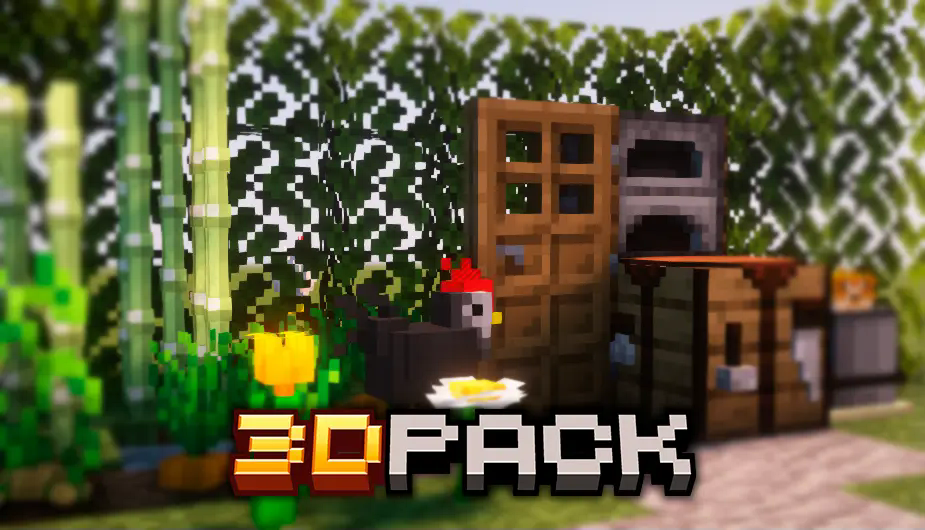
3D Pack – Transform Minecraft with 3D Blocks and Mobs!
The 3D Pack takes Minecraft immersion to a whole new level by transforming traditional blocks and mobs with stunning 3D models. This pack enhances essential blocks like the crafting table, furnace, chest, and many more, giving them a detailed and realistic 3D appearance. Now you can interact with your items and structures in a more engaging way!
But it doesn't stop at blocks – this pack also brings life to mobs. With 160 new skins, every mob will have a unique look, adding variety to your world. From friendly animals to hostile creatures, each one is given a fresh, personalized texture.
Crops have also been upgraded, featuring a 3D design that makes farming more immersive.
Key Features:
- 3D blocks like the crafting table, furnace, chests, and more!
- 160 new skins for mobs, ensuring visual diversity.
- 3D crops, bringing more realism to farming.
- A perfect blend of detailed visuals with optimized performance to keep the game running smoothly.
Cách cài đặt 3D Pack
With Millida Launcher
Install Millida Launcher
The launcher is free: download it at millida.net/launcher and sign in with any nickname.
Click “Install” on this page
The launcher opens and installs the resource pack for Minecraft 1.11–1.21.10 automatically.
Launch the game
A profile with it appears in the launcher: click “Play”.
Manually
Download the archive
Pick the file 3D Pack.zip (1.4 MB) for your game version. No need to unpack it.
Put it in the resourcepacks folder
The easiest way: “Options”, then “Resource Packs”, then “Open Pack Folder”, and drag the archive there.
Enable the pack
In the same window, move the pack to the right-hand “Selected” column and click “Done”.
Phiên bản
Kèm phụ thuộc
| Minecraft | Loader | Tệp | Hành động |
|---|---|---|---|
| 1.12.2 | — | 1.12.21.4 MB 1 |
Câu hỏi thường gặp
Which Minecraft versions does 3D Pack work on?
There are files for 1.11–1.21.10, 51 versions in total. The newest is 1.21.10.
Does 3D Pack need mods?
No, the resource pack works in the plain game without loaders: put it into the resourcepacks folder and enable it in the options.
Where can I download 3D Pack safely?
On this page: the file 3D Pack.zip (1.4 MB) is stored on Millida’s server, with no link shorteners. SHA-1 checksum: 8053ec48dd7385afac812fac49240560b2fe992c.
Đánh giá
Hãy là người đầu tiên đánh giá 3D Pack



