

Updated version For CB 1.4+
Requirements:
- Required: Vault: needed for permssion and economy plugins
- Optional: Any permssion and economy plugin listed on vault page

Information:
-Permissions are now in the plugin. Compatible permissionbukkit(with superbridgeperm). -If you have any idea about other useful things I should had, you're welcome! -Delete the config file before using the version 1.2
Description:
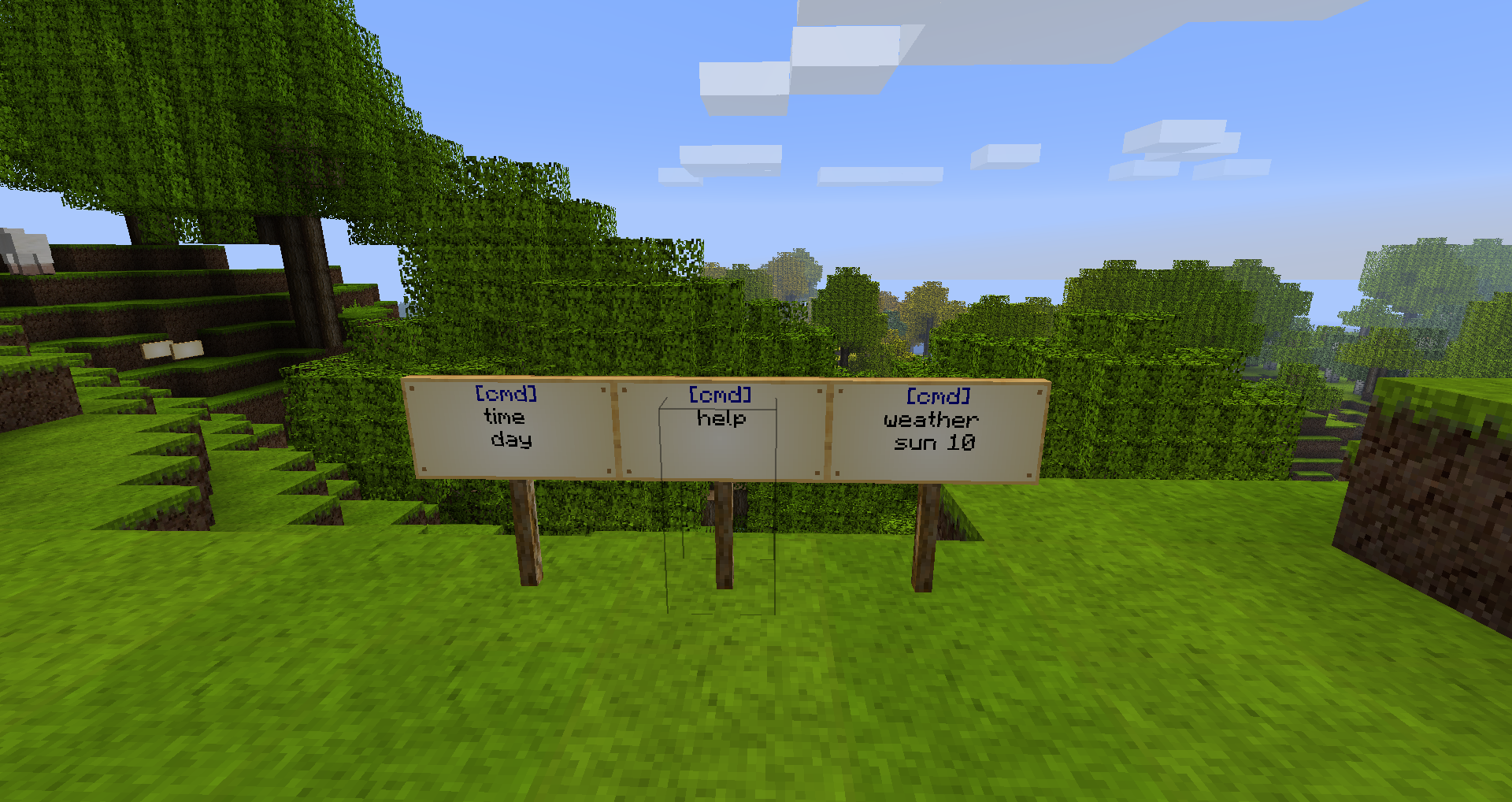
SignUtilities give you useful command for signs.First of all it allow you to change the color of the sign, then you can edit the sign without destroying it. Finally a news system has been introduce in this plugin. Just add news to your newsPaper and everyone will just have to rightclick on the sign to see them. Bored by the commands input on your keyboard? Just wrtite [cmd] on the first line of a sign then the command with the arguments as if you write it in the chat tab!
Images
Commands Page
Permissions
Commands Page
Config File
Color reference
Video of presentation
- English
- Danish-Dansk
- German-Deutsch
Latest Devlopment version(Only for testing)
Cách cài đặt Sign Utilities
A server on Paper or Spigot
The plugin runs on the server core; players do not need to install anything.
File goes into the plugins folder
Download the file SignUtilities.jar (73 KB) and put it into the server’s plugins folder.
Restart the server
On startup the plugin creates its own settings folder in plugins.
Use the “To server” button
On Millida Hosting, the button at the top of the page uploads the file to your server and restarts it for you.
Phiên bản
Kèm phụ thuộc
| Minecraft | Loader | Tệp | Ngày | Hành động |
|---|---|---|---|---|
| — | — | SignUtilities 1.1373.2 KB |
Câu hỏi thường gặp
Do players need to install Sign Utilities?
No, the plugin goes only on the server, into the plugins folder: players do not need to download anything.
Where can I download Sign Utilities safely?
On this page: the file SignUtilities.jar (73 KB) is stored on Millida’s server, with no link shorteners. SHA-1 checksum: 18ad77efabae281764bcb2a84d6abc08562189ff.
Đánh giá
Hãy là người đầu tiên đánh giá Sign Utilities



