

MyTablist Plugin cho Minecraft 1.8
MyTablist
Description:
Quote from English:
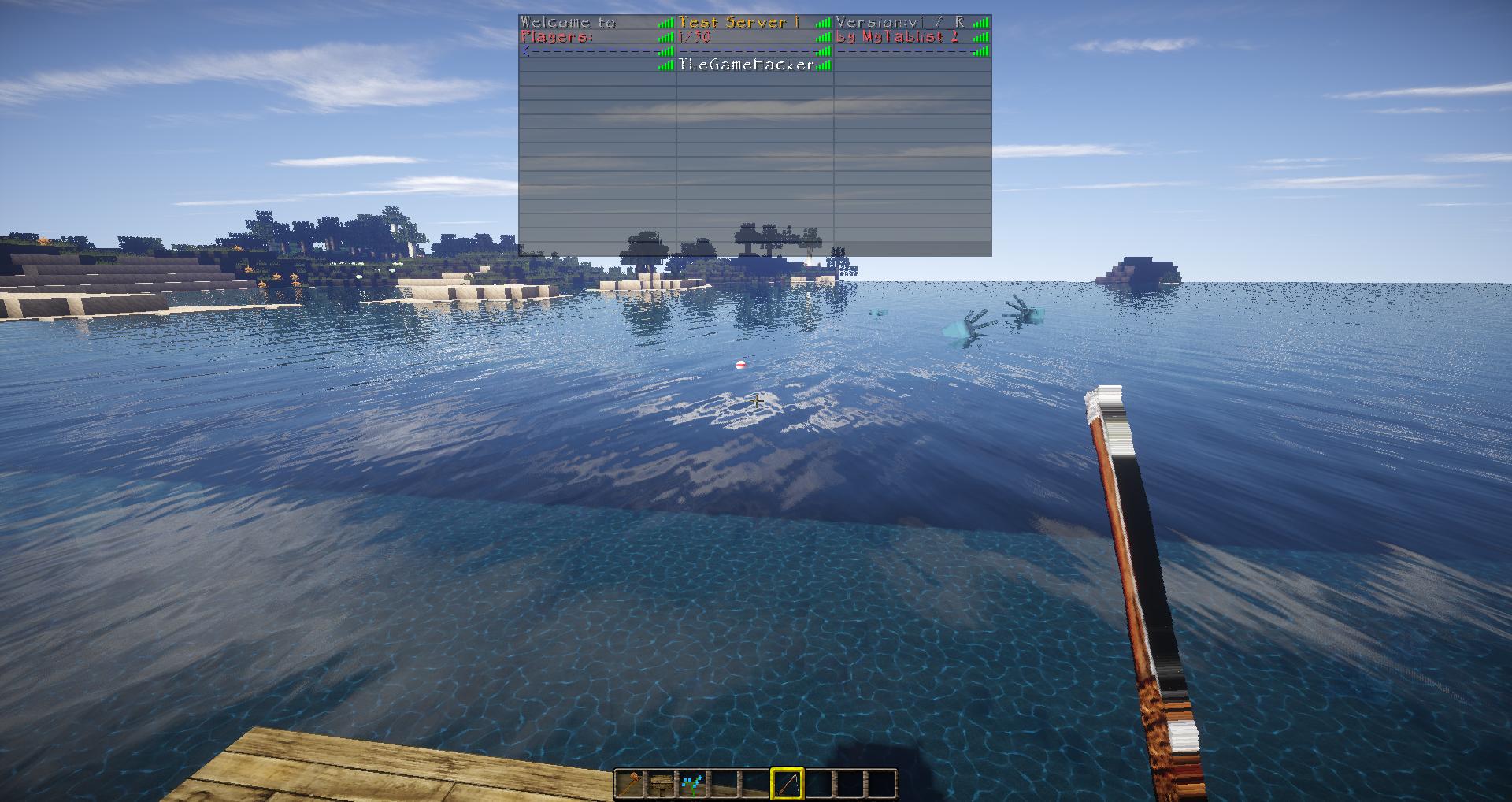
MyTablist 2 is an extensive plugin that you can make the Tabliste Individual. It can be set in the configuration file, what should be displayed as shown on the tab list. It can all the color codes and text function codes used Will. By %<name>% certain things be, for example, replacing the time. You can also set a Custom TabList for each world or each player.
Quote from German:
MyTablist 2 ist ein umfangreiches Plugin, mit dem man die Tabliste Individuell gestalten kann. Es kann in der Konfigurations Datei festgelegt werden, was wie auf der Tab Liste angezeigt werden soll. Es können alle Farbcodes und text Funktions Codes verwendet Werden. Durch %<name>% werden bestimmte dinge durch z.B. die Uhrzeit ersetzt. Man kann außerdem für jede Welt oder jeden Spieler eine Individuelle Tablist setzen.

Tutorials:
English Tutorial by MCPluginTuts
Dev Builds:
Use dev builds on your own risk. They are not final working versions of the plugin.
Download Build State known Bugs final
MyTablist v2.3.7 Alpha Build No No
Installation:
- Download the .jar
- Place the .jar in your plugins directory
- Restart the server
- And you're done!
Commands:
Command Description Permission
/mytablist Main Command mytablist.main or all others
/mytablist reload reloads the config files mytablist.reload
/mytablist setvar [var] [value] Sets a value for an variable mytablist.setvar
Variables:
Because this plugin has much variables, we had to move the variables to an extra page. Click here to come to the Variables Page.
Example %time% ==> 10:47:14 %player% ==> yourusername %maxmem% ==> 1024MB %money% ==> 20.0
and now a Combination:
&6Money: %money% %currency% ==> Money: 20 $
it Supports Color Codes too!
Sample: &4hello ==> hello
Images:
Click on a Image to get Full Size.
Disclaimer:
Metrics
This plugin utilises Hidendra's plugin metrics system, which means that the following information is collected and sent to mcstats.org:
A unique identifier The server's version of Java Whether the server is in offline or online mode The plugin's version The server's version The OS version/name and architecture The core count for the CPU The number of players online The Metrics version If you wish to disable this feature ( :( ), you can do so by setting 'useMetrics' to false in the config.yml.
Auto-updater
This plugin has a built-in auto-updater, which connects to BukkitDev to check for updates. If you, for some reason, wish to disable this process, you can do so by setting 'useAutoUpdater' to false in the config.yml ;)
Cách cài đặt MyTablist
A server on Paper or Spigot
The plugin runs on the server core for Minecraft 1.8; players do not need to install anything.
File goes into the plugins folder
Download the file MyTablist2.jar (72 KB) and put it into the server’s plugins folder.
Restart the server
On startup the plugin creates its own settings folder in plugins.
Use the “To server” button
On Millida Hosting, the button at the top of the page uploads the file to your server and restarts it for you.
Minecraft 1.8 runs on Java 8: with a different Java version the game may close right after launch.
Phiên bản
Kèm phụ thuộc
| Minecraft | Loader | Tệp | Ngày | Hành động |
|---|---|---|---|---|
| 1.8 | — | MyTablist v2.3.772.5 KB | ||
| — | — | MyTablist v2.3.667.8 KB | ||
| — | — | MyTablist v2.3.567.8 KB |
Câu hỏi thường gặp
Which Minecraft versions does MyTablist work on?
Only Minecraft 1.8: there are no files for other versions.
Which Java does MyTablist need?
Minecraft 1.8 runs on Java 8. If the game closes right after launch, the usual cause is the wrong Java version in the profile settings.
Where can I download MyTablist safely?
On this page: the file MyTablist2.jar (72 KB) is stored on Millida’s server, with no link shorteners. SHA-1 checksum: fdbb98a33e83c533fe50904dbbc7ee4afd6d0149.
Đánh giá
Hãy là người đầu tiên đánh giá MyTablist


