

Minecordbot Plugin cho Minecraft 1.12
Một cách mạnh mẽ để kết nối Minecraft và Discord
Giới thiệu plugin Minecordbot
A Powerful Way to Bridge Minecraft and Discord
Simple, Easy to setup, and Configurable

Stable Version: Minecordbot v2.2.1
Supports BukkitAPI 1.8 - 1.12.2
NOTICE: We have moved towards a Spigot-based release pipeline - future updates to dev.bukkit.org are not guaranteed.
Also on...
SpigotMC- Minecordbot
GitHub - CyR1en/Minecordbot
Master Branch:
Development Branch:
Requirements:
- Java 8 JRE or JDK
Need help? Visit the FAQs page to maybe answer your question or join our Discord server and the developer would be happy to assist you.
Report Issues on GitHub | CyR1en.com
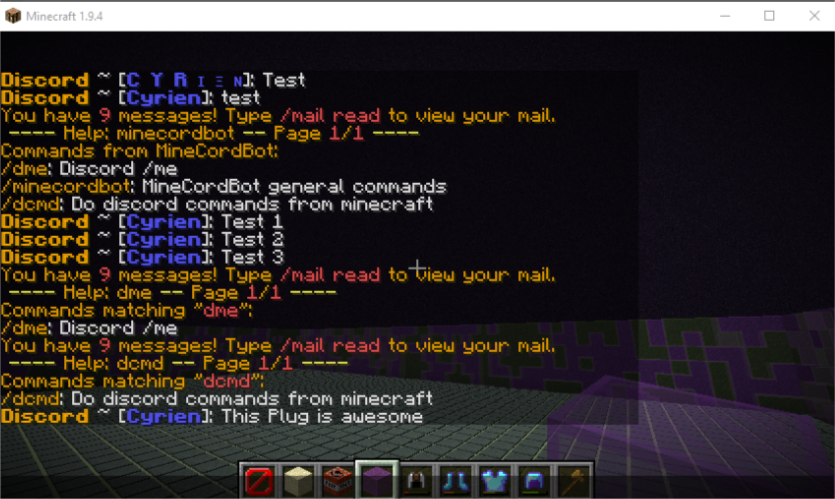
Cách cài đặt Minecordbot
A server on Paper or Spigot
The plugin runs on the server core for Minecraft 1.8–1.12; players do not need to install anything.
File goes into the plugins folder
Download the file Minecordbot-2.2.5_b5-Shaded.jar (13 MB) and put it into the server’s plugins folder.
Restart the server
On startup the plugin creates its own settings folder in plugins.
Use the “To server” button
On Millida Hosting, the button at the top of the page uploads the file to your server and restarts it for you.
Minecraft 1.12 runs on Java 8: with a different Java version the game may close right after launch.
Phiên bản
Kèm phụ thuộc
| Minecraft | Loader | Tệp | Ngày | Hành động |
|---|---|---|---|---|
| 1.9 | — | MineCordBot 2.2.5-b512.8 MB | ||
| 1.9 | — | MineCordBot 2.2.1b2 (commit da3dc9d)12.5 MB |
Câu hỏi thường gặp
Which Minecraft versions does Minecordbot work on?
There are files for 1.12, 1.11, 1.10, 1.9, 1.8. The newest is 1.12.
Do players need to install Minecordbot?
No, the plugin goes only on the server, into the plugins folder: players do not need to download anything.
Which Java does Minecordbot need?
Minecraft 1.12 runs on Java 8. If the game closes right after launch, the usual cause is the wrong Java version in the profile settings.
Where can I download Minecordbot safely?
On this page: the file Minecordbot-2.2.5_b5-Shaded.jar (13 MB) is stored on Millida’s server, with no link shorteners. SHA-1 checksum: de840f45c3b127394d4a72f5fa40c58480e9eb94.
Đánh giá
Hãy là người đầu tiên đánh giá Minecordbot



