
ChangeHorse Plugin cho Minecraft 1.6.2
Thay đổi màu sắc, kiểu dáng và biến thể của ngựa của bạn
Giới thiệu plugin ChangeHorse
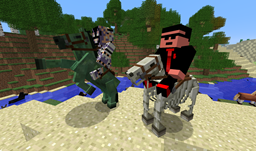
Description: This plugin allows you to change the color, style, and type of the horse you are riding. You must be riding the horse you want to change, and you must have the appropriate permission if using a permissions system. /ChangeHorse is the command. Entering the command with no arguments will give you the available parameters. The characteristics available to change at the moment are the color of a normal horse, the type of horse, and the pattern or style of the horse if it is normal.
====== Commands/Permissions ======
Note: /chs is an alternative for /ChangeHorse, t is a short argument for Type. c is short for Color, st is a short argument for Style, js is short for JumpStrength, and mh is short for MaxHealth.
Use: Tame your horse/donkey/mule, then while riding them use one of the above commands.
Source: https://github.com/st392/ChangeHorse/
Metrics
This plugin utilises Hidendra's plugin metrics system, which means that the following information is collected and sent to mcstats.org:
- A unique identifier
- The server's version of Java
- Whether the server is in offline or online mode
- The plugin's version
- The server's version
- The OS version/name and architecture
- The core count for the CPU
- The number of players online
- The Metrics version If you wish to disable this feature, you can do so by opt-ing out, which you can do in the config file under /plugins/PluginMetrics/
Auto-Updater
This plugin has a built-in auto-updater, which connects to BukkitDev to check for updates. If you, for some reason, wish to disable this process, you can disable just the update download by setting doUpdate to false in the plugins' configuration. Or you can disable the update checking and downloading all together by setting checkUpdate to false in the plugins' configuration
Cách cài đặt ChangeHorse
A server on Paper or Spigot
The plugin runs on the server core for Minecraft 1.6.2; players do not need to install anything.
File goes into the plugins folder
Download the file ChangeHorse.jar (6 KB) and put it into the server’s plugins folder.
Restart the server
On startup the plugin creates its own settings folder in plugins.
Use the “To server” button
On Millida Hosting, the button at the top of the page uploads the file to your server and restarts it for you.
Minecraft 1.6.2 runs on Java 8: with a different Java version the game may close right after launch.
Phiên bản
Kèm phụ thuộc
| Minecraft | Loader | Tệp | Ngày | Hành động |
|---|---|---|---|---|
| — | — | ChangeHorse v1.5.430.7 KB | ||
| 1.6.2 | — | ChangeHorse v1.25.7 KB |
Câu hỏi thường gặp
Which Minecraft versions does ChangeHorse work on?
Only Minecraft 1.6.2: there are no files for other versions.
Do players need to install ChangeHorse?
No, the plugin goes only on the server, into the plugins folder: players do not need to download anything.
Which Java does ChangeHorse need?
Minecraft 1.6.2 runs on Java 8. If the game closes right after launch, the usual cause is the wrong Java version in the profile settings.
How do I download ChangeHorse?
With Millida Launcher: it installs ChangeHorse into a modpack by itself, for the right game version and loader. The launcher is free.
Đánh giá
Hãy là người đầu tiên đánh giá ChangeHorse


