
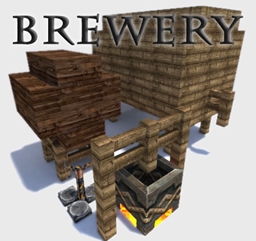
Brewery Plugin cho Minecraft 1.19
Pha chế thuốc có cồn, say xỉn và vui chơi!
Giới thiệu plugin Brewery
Brewery is a Plugin for an alternate brewing process, including alcoholic Potions.
This Plugin works with Craftbukkit and Spigot 1.19, 1.18, 1.17, 1.16, 1.15, 1.14, ..., 1.8.x.
The somewhat difficult brewing process rewards you with a diversity of Potions, which, through their effects, create a drunkeness that has never existed in Minecraft before.
Learn the art of brewing through fermenting, distilling and barrel aging on your Minecraft server. Experience how, from spring water and wheat, through hard work, a cool beer is created. Distill high-proof liquor, which gets that unique taste after some aging in oak barrels. Celebrate the biggest feasts you can imagine and always keep the cheerful athmosphere. Fill the taverns with laughter and loud music, while the drunkards scuffle on the streets.
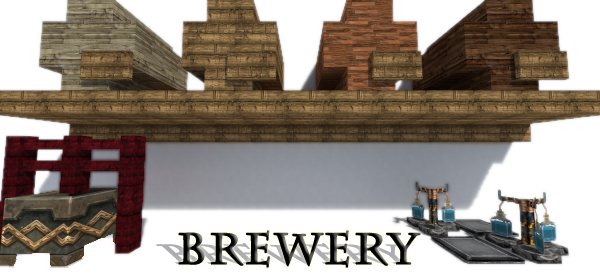
Features
- Brew alcoholic Drinks, that actually can make you drunk
- Drunk people will stagger, the chat is influenced, effects and more
- Wake up at /home after a long night of drinking
- Lower quality brewed drinks have downsides like hangover
- Process of brewing with different steps like fermenting, distilling, aging
- Refine the quality, until the Drinks are perfect
- Master the brewing of even the most difficult Drinks
- Create your own Recipes including ingredients, properties and creation process
- Configurable influence on the chat
This Plugin now uses bStats! This submits anonymous stats about your server (player count, plugin/server version, etc.) to the public statistic website bStats.org which will provide developers with usage statistics of this plugin. If you don't want this feature and wish to opt-out, you can do so in the /plugins/PluginMetrics/config.yml. It would mean a lot to me though if you could leave it enabled, its part of what keeps me motivated :)
This Plugin uses an automatic Update Checker. It checks the CurseForge api for updates to this Plugin at each server start. If an update is found, the log and Ops are notified. The Update Checker runs in a seperate async thread, so it doesn't use any of your main processing resources. It will never download any files. If you wish, you can turn the Update Checker off in the config.yml
Brewing Tutorial and quick overview: Plugin Showcase and Config tutorial:
Check the Wiki for more Information on how to install and use Brewery.
Translations
Das Plugin ist auf Deutsch entwickelt worden, ist aber standardmäßig auf Englisch. Das Wiki ist auch komplett auf deutsch, schaut dort für mehr Informationen!
By Default, the Plugin is in english language and config. It is highly advised to use the config and language file for your language, as some parts of the plugin (like the Chat distortion) are language specific.
Config and Language files are included with the Plugin and can be found in the Brewery folder after first run. Simply replace the generated config with one from the "configs" folder. Which language file to use is set in the config. Language files are to be placed in the folder: plugins/brewery/languages/
German and English language file and config by me
French language file and config, thanks to AzuraStars, citron09 & XTREM5000
Italian language file and config, thanks to FraazT0
Getting Started
After installing you can simply start brewing, by fermenting ingredients, distilling and aging the ingredients. Check the Wiki for detailed informations about the process of brewing. To also take advantage of the more advanced features, you may want to have a look at the config, where you can create your own recipes and even alter the word replacements in chat when a player is drunk. By default there are just some basic recipes, that show what settings you can utilise. There are plenty more possibilities to create own recipes such as other Liquors, Special Drinks, etc. You may want to look around on the internet about how the Drinks are made, or create fantasy recipes with funny effects and ingredients. Most of the good Drinks should be kept secret or have just vague descriptions on how to brew them. That allows players to try around on specific ingredients, so that only certain brewers master the creation of a high quality drinks.
When it comes to drinking, it is nice to define Wakeup Points. These are places in the World where players "wake up" when they log off for a period of time while drunk. These places may be anything like high on a tree, inside a cave, on towers, on small islands or in astonishing buildings. For best results the places should be distributed over a big area, as the algorithm favors a place near the players current position
Important Commands
Command Description
/brew help Shows the help page
/brew info Information about your own drunkeness
/brew info <player>
Information about the drunkeness of <player>
/brew create <recipe>
Create a Brew by Command
Important Permissions
Permission Description
brewery.user Access to everything needed for brewing (Default)
brewery.mod Allow to maintain Wakeup Points and to login even if overdrunken
brewery.admin Gives access to Every Command and most bypasses (Default: op)
A complete list of commands and permissions can be found here
Upcoming Features
This plugin is released under GPLv3.
Currently the support for this Plugin is very minimal. It is in a very mature stage where everything should work as expected. Any issues arising with the use of this Plugin may considerably be solved using the Wiki, or the help of existing discussion. Still, feel free to drop a comment below! Suggestions and bug reports are also welcome on GitHub. If you have found a bug you may want to create a ticket or a pull request. You can also pm me for critical bugs.
Statistics
Cách cài đặt Brewery
A server on Paper or Spigot
The plugin runs on the server core for Minecraft 1.6.4–1.19; players do not need to install anything.
File goes into the plugins folder
Download the file Brewery-3.1.1.jar (477 KB) and put it into the server’s plugins folder.
Restart the server
On startup the plugin creates its own settings folder in plugins.
Use the “To server” button
On Millida Hosting, the button at the top of the page uploads the file to your server and restarts it for you.
Minecraft 1.19 runs on Java 17: with a different Java version the game may close right after launch.
Phiên bản
Kèm phụ thuộc
| Minecraft | Loader | Tệp | Ngày | Hành động |
|---|---|---|---|---|
| 1.9 | — | Brewery v3.1.1477 KB | ||
| 1.9 | — | Brewery v1.8.2243 KB |
Câu hỏi thường gặp
Which Minecraft versions does Brewery work on?
There are files for 1.6.4–1.19, 15 versions in total. The newest is 1.19.
Do players need to install Brewery?
No, the plugin goes only on the server, into the plugins folder: players do not need to download anything.
Which Java does Brewery need?
Minecraft 1.19 runs on Java 17. If the game closes right after launch, the usual cause is the wrong Java version in the profile settings.
Where can I download Brewery safely?
On this page: the file Brewery-3.1.1.jar (477 KB) is stored on Millida’s server, with no link shorteners. SHA-1 checksum: 8020ede21f678590984d09a38c290c7e78fe2ac8.
Đánh giá
Hãy là người đầu tiên đánh giá Brewery


