

Realism Beyond Bản dựng cho Minecraft 1.20.1, 1.21.4
Realism Beyond adalah Modpack buatan tangan yang luar biasa yang membuat game lebih realistis, dengan banyak hal untuk dijelajahi
- lượt tải
- 2 lượt tải
- lượt xem
- 49 lượt xem
- Đã cập nhật
- Đã cập nhật 30.09.2026
- 1.20.1 — 1.21.4
 Fabric
- Máy khách và máy chủ
Giới thiệu gói mod Realism Beyond
Welcome to the Realism Beyond experience! This modpack is packed with goodies, including Distant Horizons 2.0, multiple Shaderpacks and various texturepacks like Fresh Animations or Fresh Moves. This pack also has optimization mods to use high performance shaders such as Rethinking Voxels. This Modpack has many mods that make the game more realistic, including the most realistic sounds, perfect word generation, heat/cold, realistic trees and even more! Feel free to customize your experience by adjusting settings or disabling mods as you see fit. Have a lot of Fun using this and have a great day!

My Tip for better FPS:
- turn off VSync immediately (from 60 to 113 FPS)
- Render distance to 10 Chunks and
Simulation Distance to 8 Chunks (from 113 to 123 FPS)
- go to video settings, then to performance, turn off Use Entity Culling (+5 FPS)
- change the shader or/and the settings of the shader however you like
- Please set the RAM to a higher value than the default, about half the RAM your PC has!

For better Gameplay:
- Please change the FOV to 90 or higher
Important!!!
You might want change some Keybinds!!!
When you create a new world type this in the chat:
/function vanilla_refresh:other/actions/other/biome_disable
Type this aswell in Chat:
/function vanilla_refresh:other/actions/other/subtitle_disable
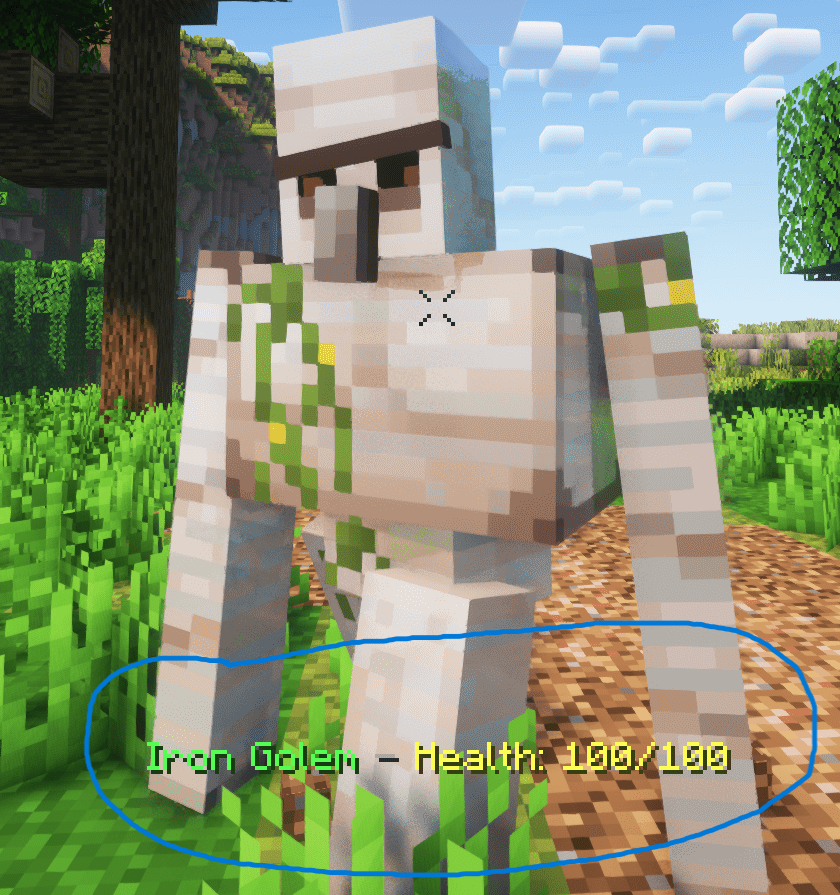
If you want you can disable that health display (see below) by typing this in chat
/function vanilla_refresh:other/actions/mob/mob_health_disable
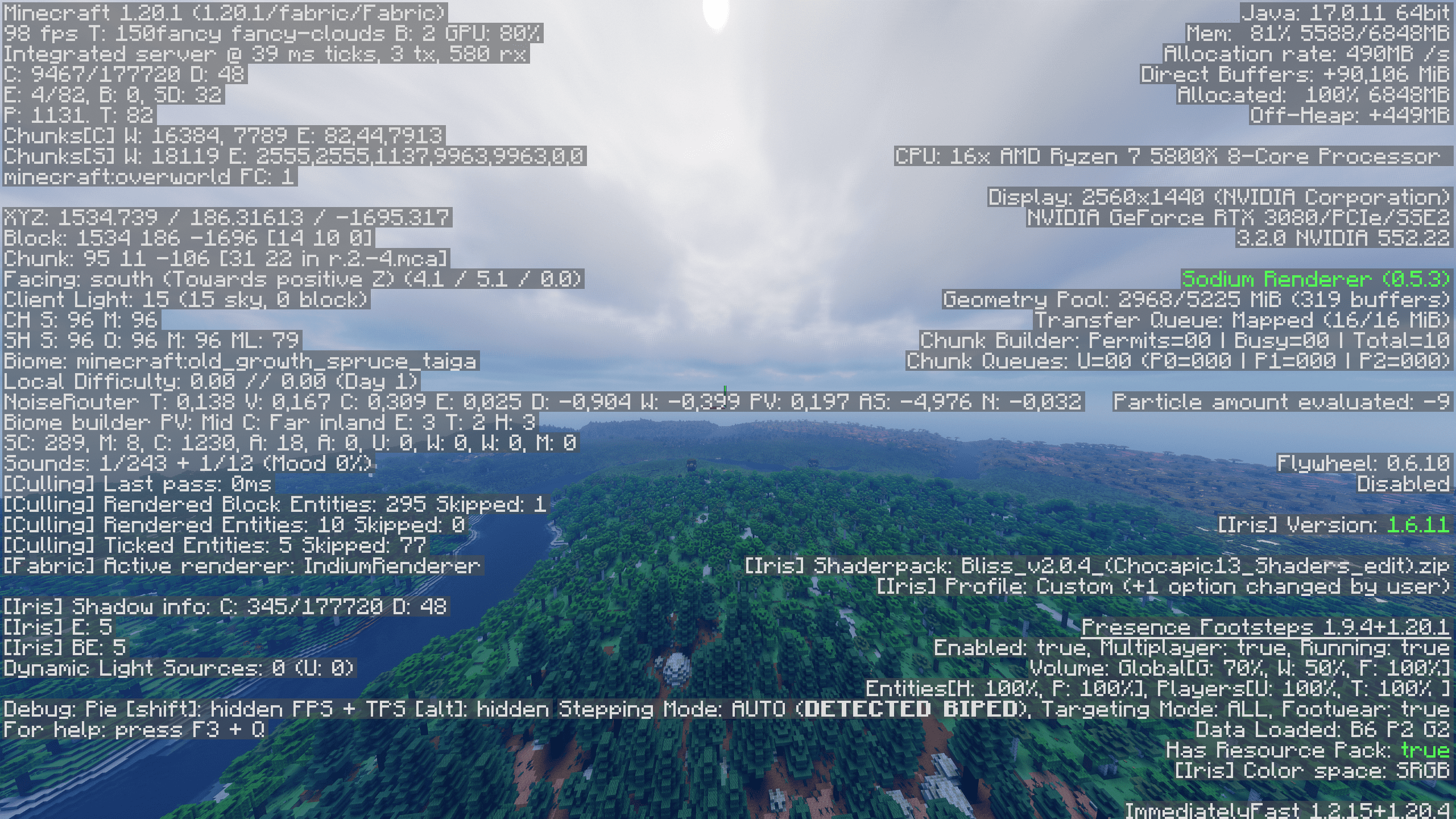
- I get around 98 FPS (48 Chunks Render Distance, 32 Chunks Simulation Distance, using Bliss Shader)
Cách cài đặt Realism Beyond
With Millida Launcher
Install Millida Launcher
The launcher is free: download it at millida.net/launcher and sign in with any nickname.
Click “Install” on this page
The launcher opens and installs the modpack for Minecraft 1.20.1–1.21.4 on Fabric automatically.
Launch the game
A profile with it appears in the launcher: click “Play”.
Manually
Download the modpack archive
In the version list above, pick the file Realism Beyond 1.21.4 1.1.1.mrpack (5.1 MB).
Import it into a launcher
A launcher that supports modpacks (Millida Launcher, Prism) takes the archive via “Add modpack”, then “From file”. No need to unpack it yourself.
Allocate memory
Modpacks need more memory than the plain game: set 4–6 GB in the profile settings.
On a server
Use the “To server” button
On Millida Hosting, the button at the top of the page uploads the file to your server and restarts it for you.
Invite friends: they install the same modpack
To join the server, every player needs the same modpack version.
Minecraft 1.21.4 runs on Java 21: with a different Java version the game may close right after launch.
Phiên bản
Kèm phụ thuộc
| Minecraft | Loader | Tệp | Ngày | Hành động |
|---|---|---|---|---|
| 1.21.4 | Fabric | 1.21.45.1 MB 2 | ||
| 1.21.4 | Fabric | 1.21.42.2 MB | ||
| 1.20.1 | Fabric | 1.20.11 MB | ||
| 1.20.1 | Fabric | 1.20.11 MB |
Yêu cầu để chạy
- Continuityđã bao gồm
- YetAnotherConfigLib (YACL)đã bao gồm
- Dependencyđã bao gồm
- Fresh Animationsđã bao gồm
- Trinketsđã bao gồm
- Icebergđã bao gồm
- Better Combatđã bao gồm
- Universal Bone Mealđã bao gồm
- No Resource Pack Warningsđã bao gồm
- Geckolibđã bao gồm
- AutoTagđã bao gồm
- Easy Magicđã bao gồm
- RightClickHarvestđã bao gồm
- Towns and Towersđã bao gồm
- Fabric Language Kotlinđã bao gồm
- YUNG's Bridgesđã bao gồm
- Diagonal Fencesđã bao gồm
- JamLibđã bao gồm
- Konkreteđã bao gồm
- SuperMartijn642's Config Libđã bao gồm
- Bobbyđã bao gồm
- Blur+đã bao gồm
- Better Advancementsđã bao gồm
- Drip Soundsđã bao gồm
- Clumpsđã bao gồm
- Dependencyđã bao gồm
- Incendium Legacyđã bao gồm
- Bliss Shadersđã bao gồm
- Mouse Tweaksđã bao gồm
- InmisAddonđã bao gồm
- Crops Love Rainđã bao gồm
- Cristel Libđã bao gồm
- Dependencyđã bao gồm
- Leave My Bars Aloneđã bao gồm
- Make Bubbles Popđã bao gồm
- Dependencyđã bao gồm
- Rethinking Voxelsđã bao gồm
- Tectonicđã bao gồm
- Better Statistics Screenđã bao gồm
- Dependencyđã bao gồm
- ModernFixđã bao gồm
- Dependencyđã bao gồm
- Fresh Movesđã bao gồm
Câu hỏi thường gặp
Which Minecraft versions does Realism Beyond work on?
There are files for 1.21.4, 1.20.1. The newest is 1.21.4.
Is Realism Beyond for Forge or Fabric?
Only for Fabric: 1.20.1–1.21.4.
Which mods are in the Realism Beyond modpack?
Mods in the modpack include Continuity, YetAnotherConfigLib (YACL), Dependency, Fresh Animations, Trinkets, Iceberg, Better Combat, Universal Bone Meal and 30 more.
Which Java does Realism Beyond need?
Minecraft 1.21.4 runs on Java 21. If the game closes right after launch, the usual cause is the wrong Java version in the profile settings.
Where can I download Realism Beyond safely?
On this page: the file Realism Beyond 1.21.4 1.1.1.mrpack (5.1 MB) is stored on Millida’s server, with no link shorteners. SHA-1 checksum: af35c8fd2aec667b2beb72a84c33491dcc4664cb.
Đánh giá
Hãy là người đầu tiên đánh giá Realism Beyond


