

Giới thiệu gói mod Jurassic Park Modpack
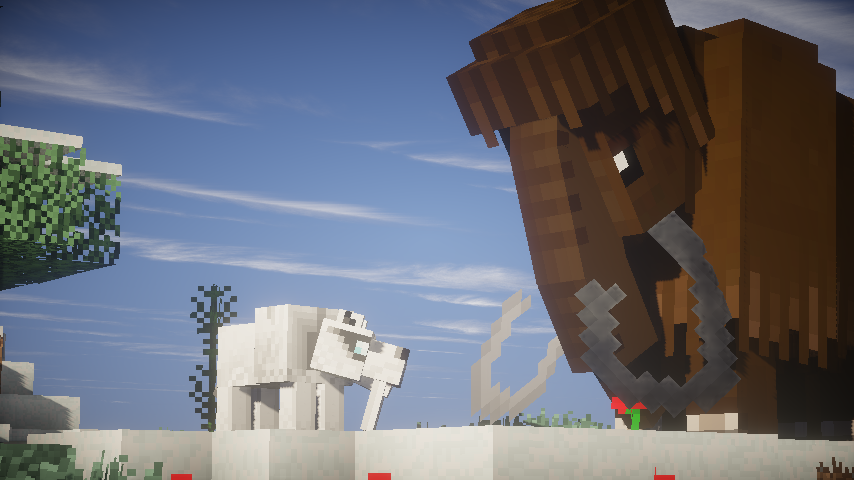
So i have alway wanted to make a modpack using the mod fossils and archology because it my favourite mod and i love dinosaurs. So i though i would make a modpack using fossil and archology and alot of my other favourite mods. In this modpack there a bit for everyone there tech,farming,adventure,Dinosaurs,Creatures to fight.
There so many mods in this pack that you will nearly never run out of things to do,things like Mining for fossils and getting dinosaurs. You can do alot of tech stuff like building generators to power machines, make jet packs to fly. Look for inventory pets in trees or make them, they have so many abilities to do.If you looking for someone to mine well there a place for you called Aroma1997s Dimensional World which is made for mining. And if you like building well there worldedit to make life easier, carpenter's blocks and chisel which have so many blocks to chose from.
Cách cài đặt Jurassic Park Modpack
With Millida Launcher
Install Millida Launcher
The launcher is free: download it at millida.net/launcher and sign in with any nickname.
Click “Install” on this page
The launcher opens and installs the modpack for Minecraft 1.7.10 automatically.
Launch the game
A profile with it appears in the launcher: click “Play”.
Manually
Download the modpack archive
In the version list above, pick the file Jurassic Park Modpack-2.4.2.zip (6.8 MB).
Import it into a launcher
A launcher that supports modpacks (Millida Launcher, Prism) takes the archive via “Add modpack”, then “From file”. No need to unpack it yourself.
Allocate memory
Modpacks need more memory than the plain game: set 4–6 GB in the profile settings.
On a server
Use the “To server” button
On Millida Hosting, the button at the top of the page uploads the file to your server and restarts it for you.
Invite friends: they install the same modpack
To join the server, every player needs the same modpack version.
Minecraft 1.7.10 runs on Java 8: with a different Java version the game may close right after launch.
Phiên bản
Kèm phụ thuộc
| Minecraft | Loader | Tệp | Ngày | Hành động |
|---|---|---|---|---|
| 1.7.10 | — | Jurassic Pack Modpack 2.4.26.8 MB |
Câu hỏi thường gặp
Which Minecraft versions does Jurassic Park Modpack work on?
Only Minecraft 1.7.10: there are no files for other versions.
Which Java does Jurassic Park Modpack need?
Minecraft 1.7.10 runs on Java 8. If the game closes right after launch, the usual cause is the wrong Java version in the profile settings.
Where can I download Jurassic Park Modpack safely?
On this page: the file Jurassic Park Modpack-2.4.2.zip (6.8 MB) is stored on Millida’s server, with no link shorteners. SHA-1 checksum: 39c885c0bab512a648a362df1de64e233feeda5e.
Đánh giá
Hãy là người đầu tiên đánh giá Jurassic Park Modpack


