

Find the Button: Time Shift Bản đồ cho Minecraft 1.21.122
Khám phá các thời đại khác nhau trong bản đồ Tìm Nút này. Từ lịch sử cổ đại đến thế giới tương lai, mỗi màn chơi mang đến một thử thách độc đáo để kiểm tra khả năng quan sát và khám phá của bạn.
Giới thiệu bản đồ Find the Button: Time Shift
Embark on a unique journey through time in Find the Button: Time Shift.
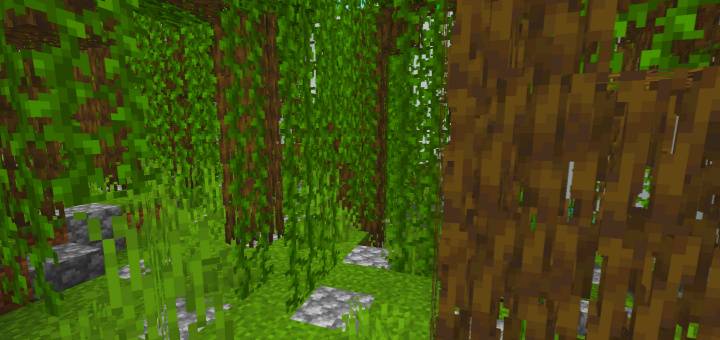
Explore different eras, from ancient worlds to distant futures, while facing the classic challenge of finding the hidden button in each level.
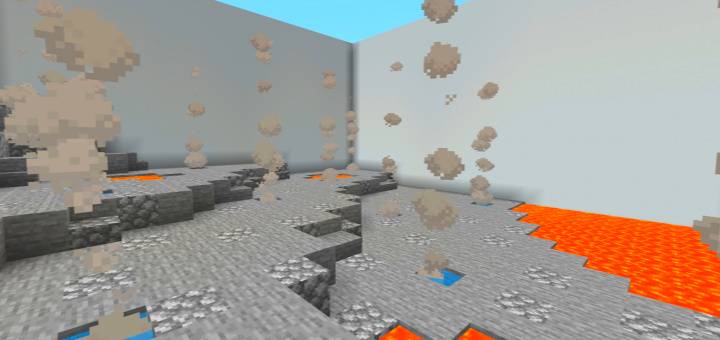
Each stage is carefully designed to immerse you in its atmosphere and test your skills with clever and tricky hiding spots.
Can you overcome all the challenges and uncover the secrets of time?
✨ Perfect for players who enjoy short but exciting challenges.
✨ Compatible with Minecraft Bedrock Edition.
Cách cài đặt Find the Button: Time Shift
With Millida Launcher
Install Millida Launcher
The launcher is free: download it at millida.net/launcher and sign in with any nickname.
Click “Install” on this page
The launcher opens and installs the map for Minecraft 1.21.122 automatically.
Launch the game
A profile with it appears in the launcher: click “Play”.
Manually
Download the map archive
Pick the file Find the Button_ Time Shift.mcworld (139 KB).
Unpack it into the saves folder
The world folder (with level.dat inside) must sit directly in .minecraft/saves.
Open the world
“Singleplayer”: the map will be in your world list.
On a server
Replace the world folder
Stop the server and put the map folder in place of world (or set its name in level-name).
Use the “To server” button
On Millida Hosting, the button at the top of the page uploads the file to your server and restarts it for you.
Phiên bản
Kèm phụ thuộc
| Minecraft | Loader | Tệp | Ngày | Hành động |
|---|---|---|---|---|
| 1.21.122 | — | Find the Button_ Time Shift.mcworld139 KB 1 |
Câu hỏi thường gặp
Which Minecraft versions does Find the Button: Time Shift work on?
Only Minecraft 1.21.122: there are no files for other versions.
Where can I download Find the Button: Time Shift safely?
On this page: the file Find the Button_ Time Shift.mcworld (139 KB) is stored on Millida’s server, with no link shorteners. SHA-1 checksum: 0bb51a39d869b500e1fcc85bf79008eaa3a0b11f.
Đánh giá
Hãy là người đầu tiên đánh giá Find the Button: Time Shift



