

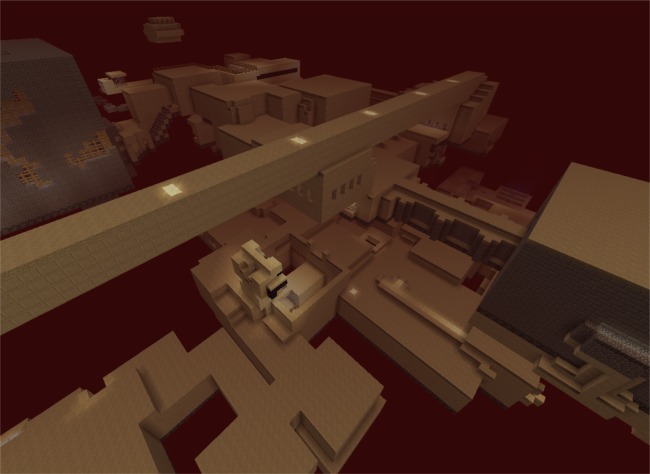
Giới thiệu bản đồ Enderbent
Official Site with Final Version Download: http://sites.google.com/site/enderbentevolved Final Release Enderbent up30 Massive expansion and optimization.
Cách cài đặt Enderbent
With Millida Launcher
Install Millida Launcher
The launcher is free: download it at millida.net/launcher and sign in with any nickname.
Click “Install” on this page
The launcher opens and installs the map for Minecraft 1.8.8–1.8.9 automatically.
Launch the game
A profile with it appears in the launcher: click “Play”.
Manually
Download the map archive
Pick the file Enderbent up27.zip (36 MB).
Unpack it into the saves folder
The world folder (with level.dat inside) must sit directly in .minecraft/saves.
Open the world
“Singleplayer”: the map will be in your world list.
On a server
Replace the world folder
Stop the server and put the map folder in place of world (or set its name in level-name).
Use the “To server” button
On Millida Hosting, the button at the top of the page uploads the file to your server and restarts it for you.
Phiên bản
Kèm phụ thuộc
| Minecraft | Loader | Tệp | Ngày | Hành động |
|---|---|---|---|---|
| 1.8.8 | — | Enderbent up27.zip35.9 MB |
Câu hỏi thường gặp
Which Minecraft versions does Enderbent work on?
There are files for 1.8.9, 1.8.8. The newest is 1.8.9.
Where can I download Enderbent safely?
On this page: the file Enderbent up27.zip (36 MB) is stored on Millida’s server, with no link shorteners. SHA-1 checksum: 427f5feb39d7e9ebe1ab8220a8e883b77fb40c8c.
Đánh giá
Hãy là người đầu tiên đánh giá Enderbent



