
CS Blast Zone Bản đồ cho Minecraft 1.21.94
Người chơi được chia thành SWAT và Khủng bố. SWAT thắng bằng cách giết hết khủng bố hoặc gỡ bom. Khủng bố thắng bằng cách giết hết SWAT hoặc giữ quả bom đã đặt (A/B) cho đến khi kết thúc ván.
Giới thiệu bản đồ CS Blast Zone
Info: CS Blast Zone is a shooter with a magazine, weapons, and so on. Basically, it's a mix of CS, my knowledge of shooters, and a map from Standoff 2. On this map, you can shoot with friends, kill them, blow them up, cut them up, plant a bomb, and change game settings. You can find out more about the map below.
###The map contains:
•Switching between Russian and English (New!!!)
•A store with weapons, ammunition and other stuff.
•Bomb setting mode
•The map "Sandstone" from the game Standoff 2
###Settings:
•Additional health bar.
•Night time.
•Knife boosts speed.
###Game Settings:
-Time of bomb explosion (NEW!)
-Round duration
- Number of rounds
- Starting money
This allows you to flexibly adjust the balance and duration of the game to suit your style of play.
###Educational text and pictures!!!
•The bomb can only be planted within the red lines, as shown in the image. Please note, these lines are not marked on the map!
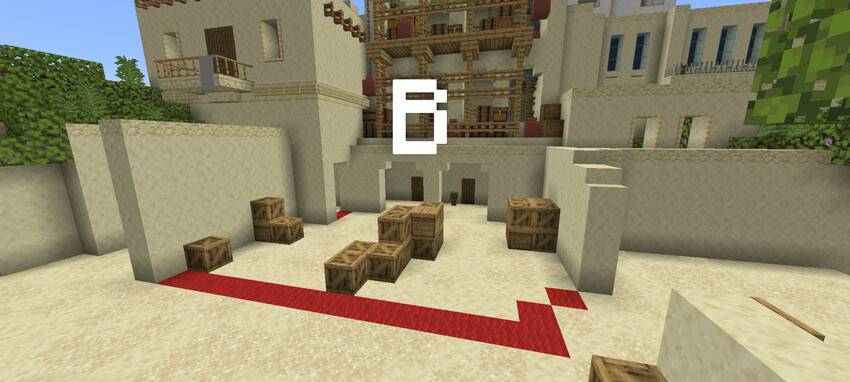
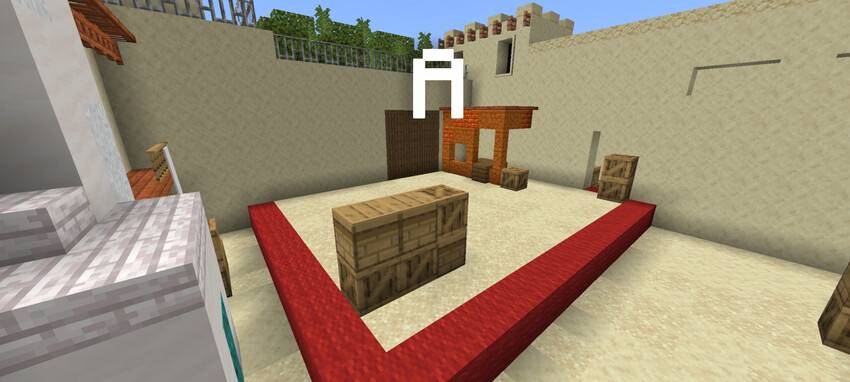
•To plant the bomb, first go to location A or B.
- Hold the bomb.
- Sit down holding the bomb for 6 seconds.
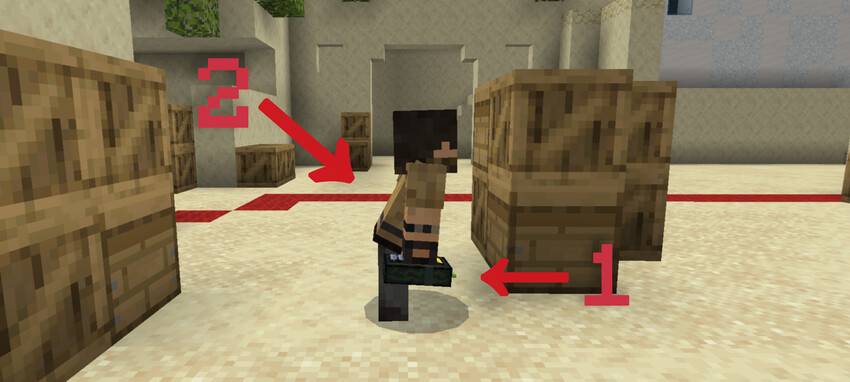
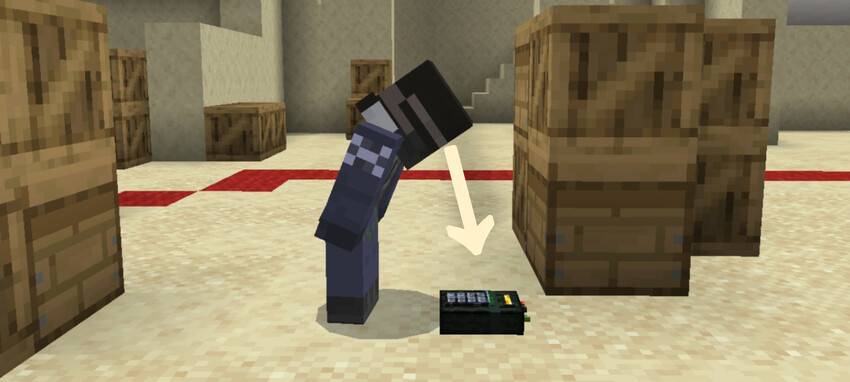
•To defuse a bomb, you need to look at it closely for 5 seconds.
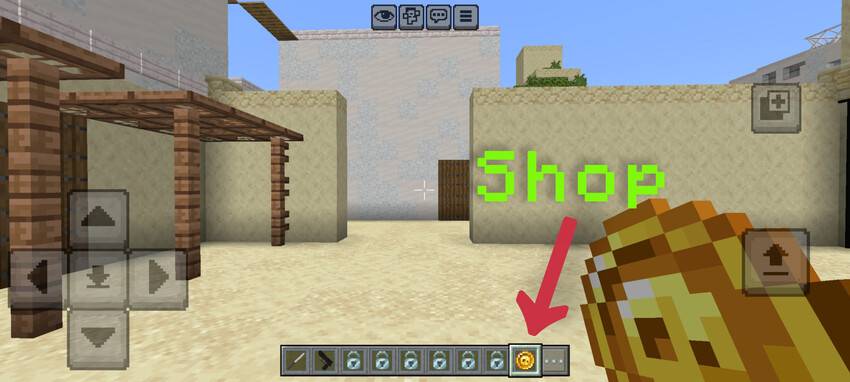
•There's always a shop at your spawn location. To access it, hold your finger on the screen, or if you have different controls or are playing on PC, you'll figure it out yourself.
I hope this training helped you :)
Cách cài đặt CS Blast Zone
With Millida Launcher
Install Millida Launcher
The launcher is free: download it at millida.net/launcher and sign in with any nickname.
Click “Install” on this page
The launcher opens and installs the map for Minecraft 1.21.94 automatically.
Launch the game
A profile with it appears in the launcher: click “Play”.
Manually
Download the map archive
Pick the file CsBlastZone(4,1)94.mcworld (22 MB).
Unpack it into the saves folder
The world folder (with level.dat inside) must sit directly in .minecraft/saves.
Open the world
“Singleplayer”: the map will be in your world list.
On a server
Replace the world folder
Stop the server and put the map folder in place of world (or set its name in level-name).
Use the “To server” button
On Millida Hosting, the button at the top of the page uploads the file to your server and restarts it for you.
Phiên bản
Kèm phụ thuộc
| Minecraft | Loader | Tệp | Ngày | Hành động |
|---|---|---|---|---|
| 1.21.94 | — | CsBlastZone(4,1)94.mcworld22.4 MB |
Câu hỏi thường gặp
Which Minecraft versions does CS Blast Zone work on?
Only Minecraft 1.21.94: there are no files for other versions.
Where can I download CS Blast Zone safely?
On this page: the file CsBlastZone(4,1)94.mcworld (22 MB) is stored on Millida’s server, with no link shorteners. SHA-1 checksum: 42a92ae3287b580f76c9d0fd48c3488211e4d9f0.
Đánh giá
Hãy là người đầu tiên đánh giá CS Blast Zone



