

Craft Spawn Eggs Gói dữ liệu cho Minecraft 1.21.1, 1.21
Thêm công thức chế tạo cho mọi trứng triệu hồi
- lượt tải
- 1 lượt tải
- lượt xem
- 30 lượt xem
- Đã cập nhật
- Đã cập nhật 27.10.2026
- 1.21 — 26.3
 Gói dữ liệu
- Máy khách và máy chủ
Giới thiệu gói dữ liệu Craft Spawn Eggs
To do more useful things with these spawn eggs, you can check out my Craft Spawner or Mineable Spawner datapack/mod
Config
To enable or disable certain spawn egg crafting recipes
/trigger craft_spawn_eggs.config
Spawn egg crafting recipies (83)
You can search with ctrl + f
For 1.21.5+: Any egg works for the recipe (normal, blue and brown)
Allay Spawn Egg
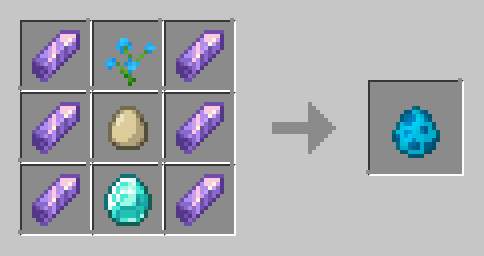
Armadillo Spawn Egg
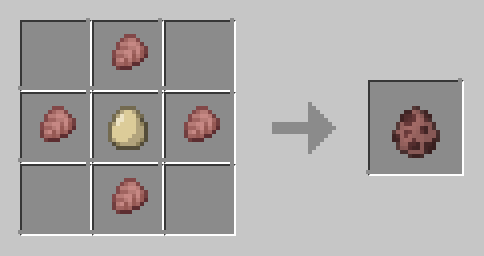
Axolotl Spawn Egg
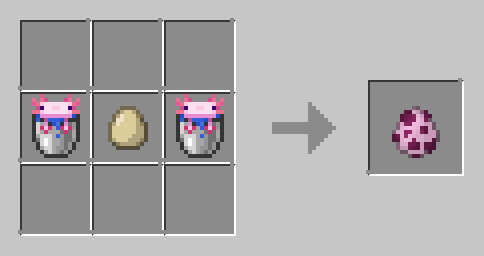
Bat Spawn Egg
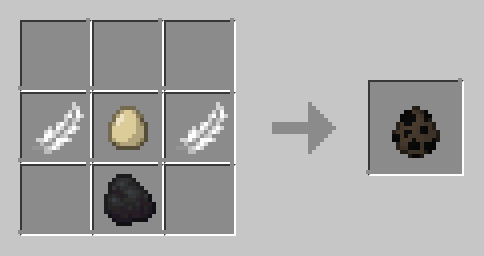
Bee Spawn Egg
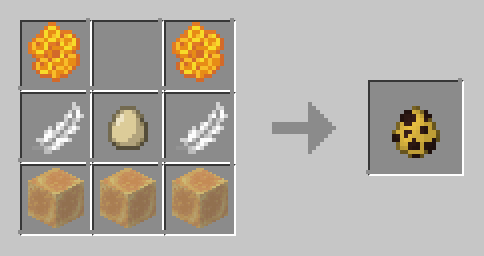
Blaze Spawn Egg
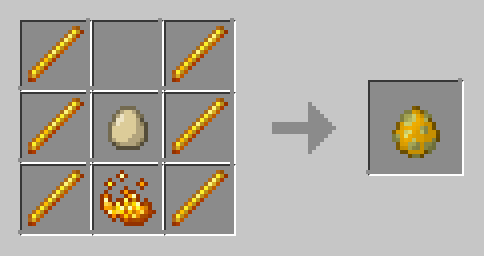
Bogged Spawn Egg
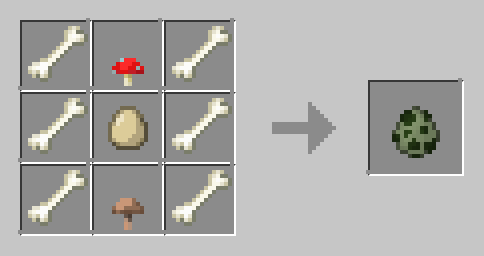
Breeze Spawn Egg

Camel Spawn Egg
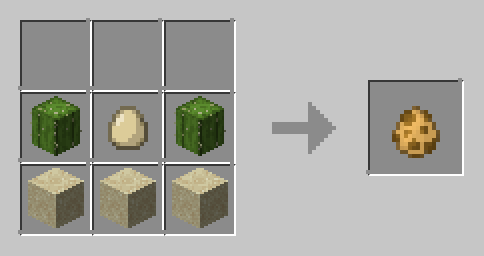
Cat Spawn Egg
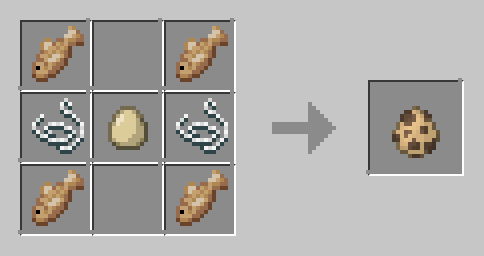
Cave Spider Spawn Egg
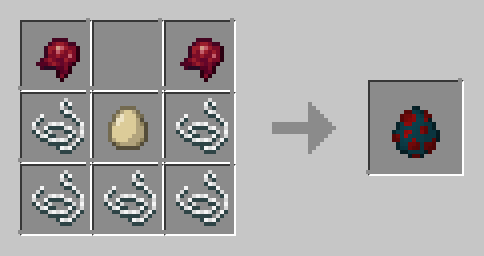
Chicken Spawn Egg
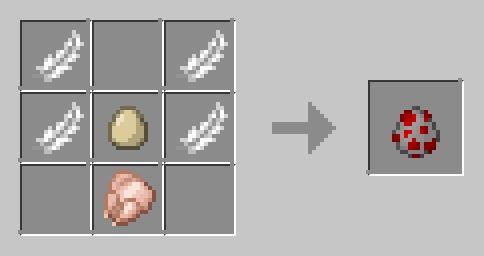
Cod Spawn Egg
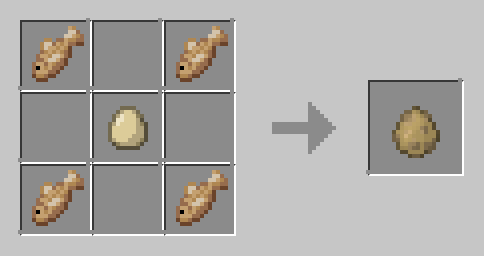
Copper Golem Spawn Egg

Cow Spawn Egg
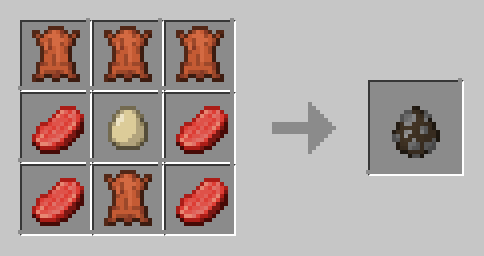
Creaking Spawn Egg
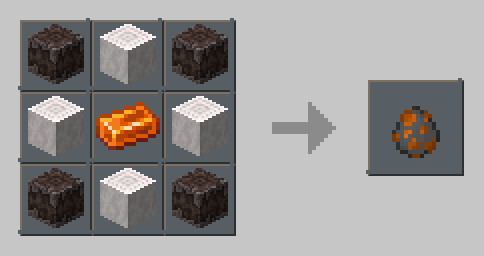
Creeper Spawn Egg
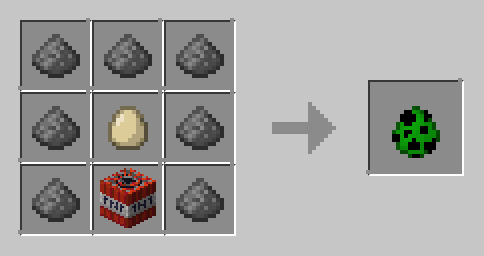
Dolphin Spawn Egg
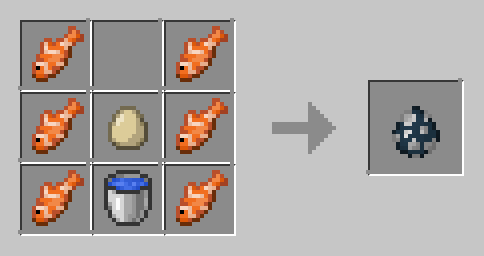
Donkey Spawn Egg
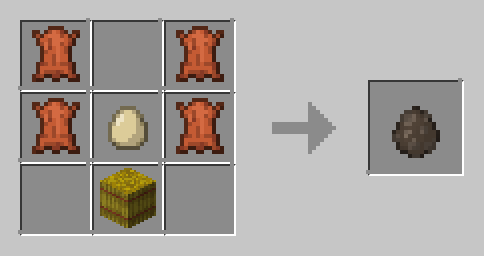
Drowned Spawn Egg
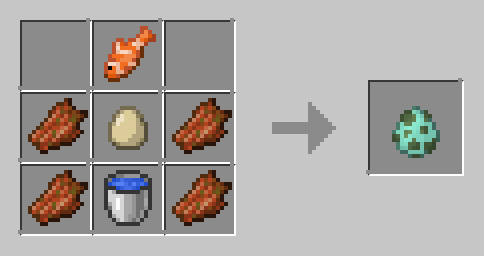
Elder Guardian Spawn Egg
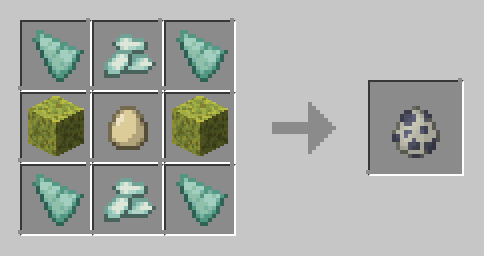
Ender Dragon Spawn Egg

Enderman Spawn Egg
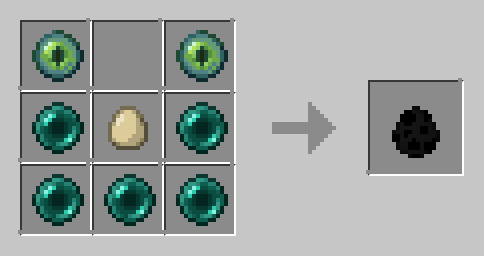
Endermite Spawn Egg
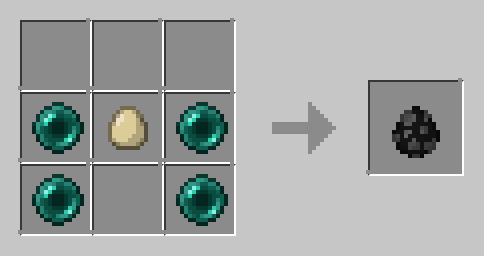
Evoker Spawn Egg
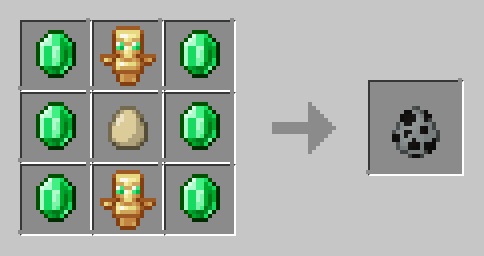
Fox Spawn Egg
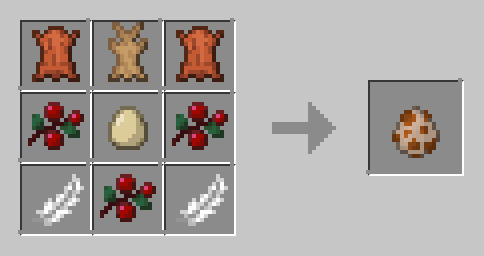
Frog Spawn Egg
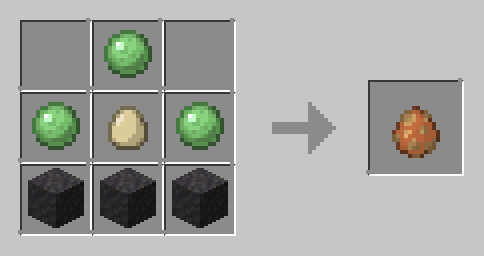
Ghast Spawn Egg
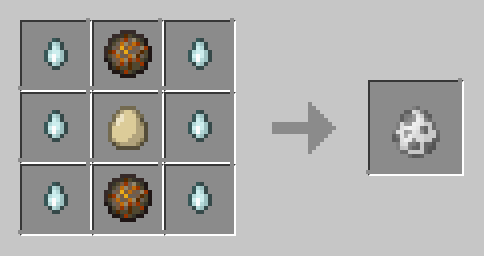
Glow Squid Spawn Egg
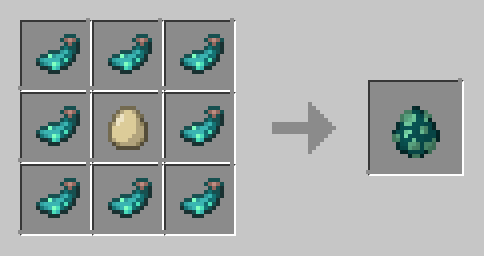
Goat Spawn Egg
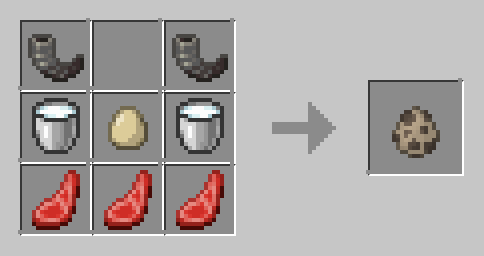
Guardian Spawn Egg
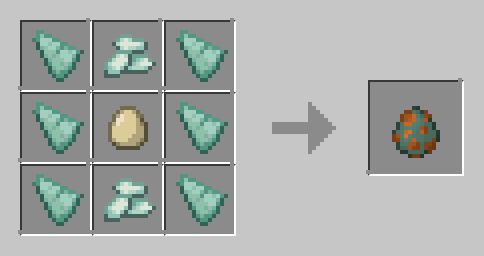
Hapy Ghast Spawn Egg
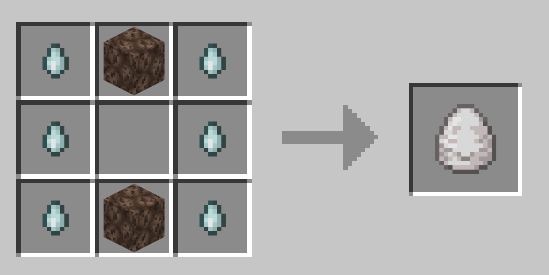
Hoglin Spawn Egg
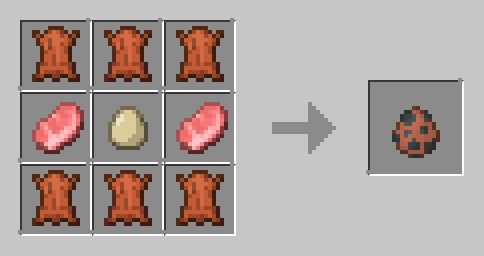
Horse Spawn Egg
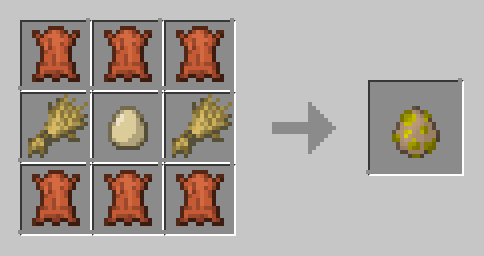
Husk Spawn Egg
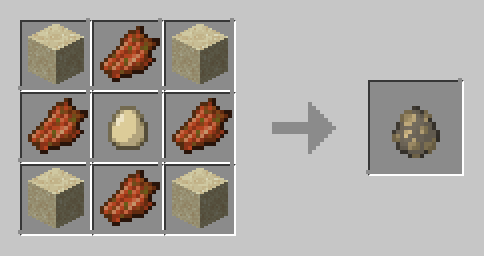
Iron Golem Spawn Egg
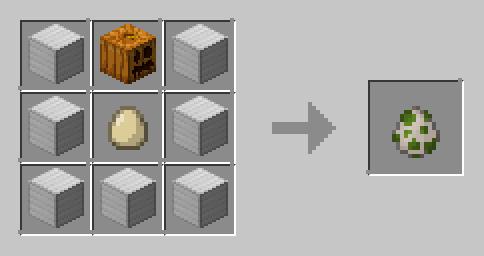
Llama Spawn Egg
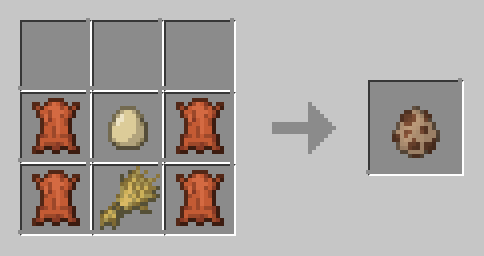
Magma Cube Spawn Egg
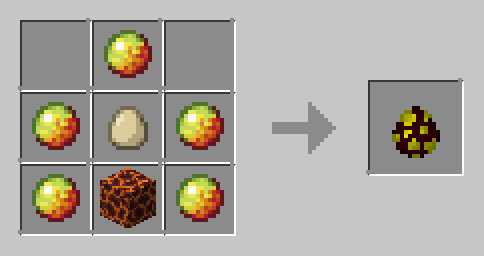
Mooshroom Spawn Egg
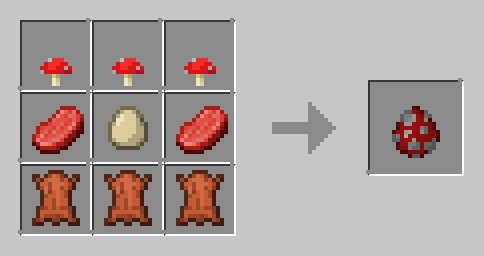
Mule Spawn Egg
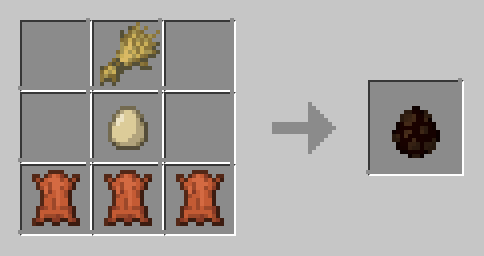
Ocelot Spawn Egg
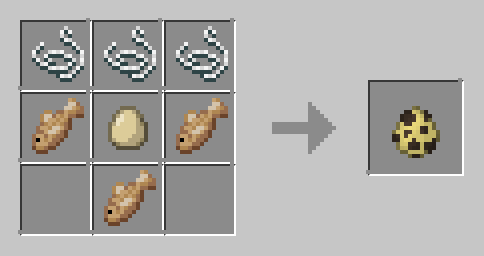
Panda Spawn Egg
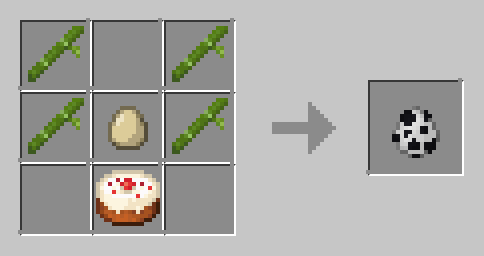
Parrot Spawn Egg
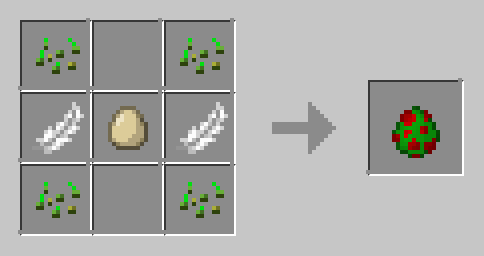
Phantom Spawn Egg
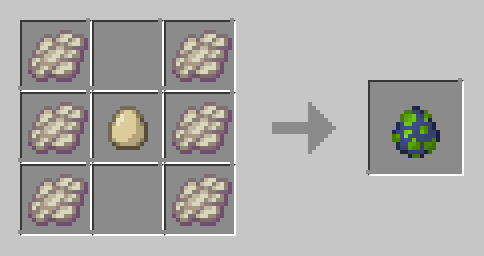
Pig Spawn Egg
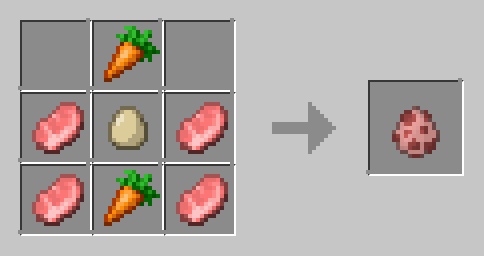
Piglin Spawn Egg
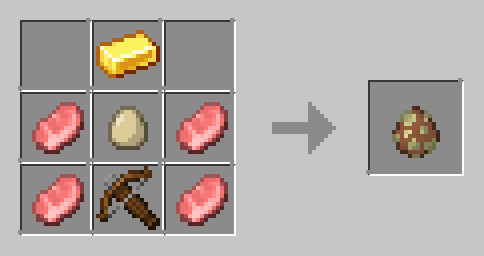
Cách cài đặt Craft Spawn Eggs
With Millida Launcher
Install Millida Launcher
The launcher is free: download it at millida.net/launcher and sign in with any nickname.
Click “Install” on this page
The launcher opens and installs the data pack for Minecraft 1.21–26.3 automatically.
Launch the game
A profile with it appears in the launcher: click “Play”.
Manually
Download the archive
Pick the file craft-spawn-eggs-v2.4.0.0.zip (234 KB) for your game version.
New world: “Data Packs”
When creating a world, click “Data Packs”, drag the archive into the window, then move it to “Selected”.
Existing world: the datapacks folder
Put the archive into saves/<world>/datapacks and type /reload in game.
On a server
Archive goes into the server world’s datapacks
The world/datapacks folder on the server; players do not need to install anything.
Reload the data
Type /reload in the server console or restart the server.
Use the “To server” button
On Millida Hosting, the button at the top of the page uploads the file to your server and restarts it for you.
Phiên bản
Kèm phụ thuộc
| Minecraft | Loader | Tệp | Ngày | Hành động |
|---|---|---|---|---|
| 26.3 | Gói dữ liệu | 26.3234 KB 1 | ||
| 26.3 | Gói dữ liệu | 26.3234 KB | ||
| 26.2 | Gói dữ liệu | 26.2374 KB | ||
| 26.1.2 | Gói dữ liệu | 26.1.2262 KB | ||
| 26.1 | Gói dữ liệu | 26.1262 KB | ||
| 26.1 | Gói dữ liệu | 26.1262 KB | ||
| 1.21.11 | Gói dữ liệu | 1.21.11261 KB | ||
| 1.21.11 | Gói dữ liệu | 1.21.11259 KB |
Yêu cầu để chạy
- Dependencykhông bắt buộc
Đánh giá
Hãy là người đầu tiên đánh giá Craft Spawn Eggs


