

RR CCTV Security System Tiện ích mở rộng cho Minecraft 1.21.132
Bảo vệ căn cứ của bạn với camera CCTV hoạt động đầy đủ, tầm nhìn ban đêm và máy tính bảng giám sát di động được hỗ trợ bởi Script API.
Giới thiệu tiện ích mở rộng RR CCTV Security System
Hey everyone! I am back with another highly requested survival utility. If you play on multiplayer servers or Realms, you already know the constant fear of someone sneaking into your base, or a Creeper blowing up your chests while you are busy mining underground.
I wanted a proper way to keep an eye on my base and stay safe, so I created the RR CCTV Security System. I spent a lot of time writing custom scripts for this addon to make sure it feels like a real, working security network right inside vanilla Minecraft Bedrock.
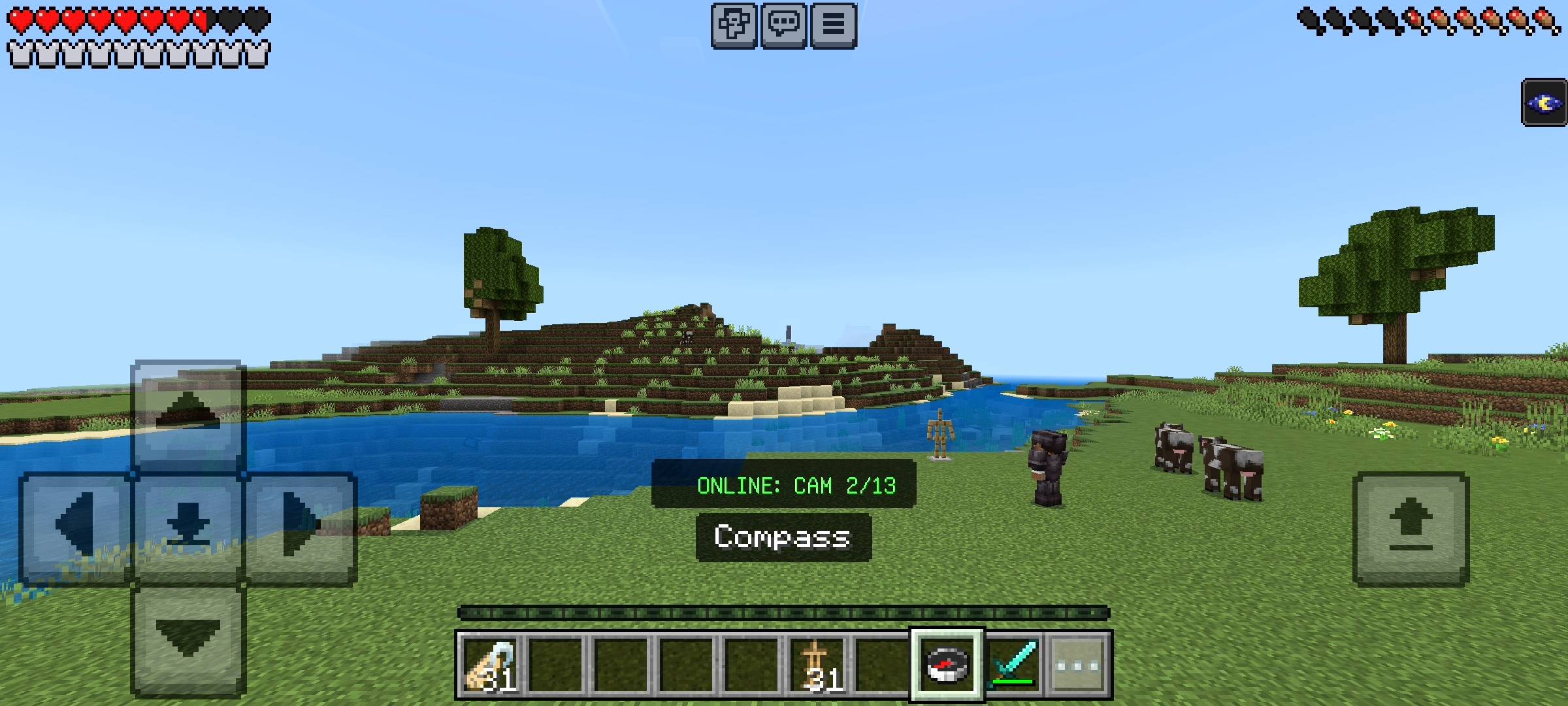
What does this addon do?
This addon allows you to set up fully functional security cameras anywhere in your world up to a massive 150-block range. You can link these cameras to a portable monitor and view live feeds. But it is not just for looking around anymore; the cameras actually act like real security guards and warn you if danger is near your base.
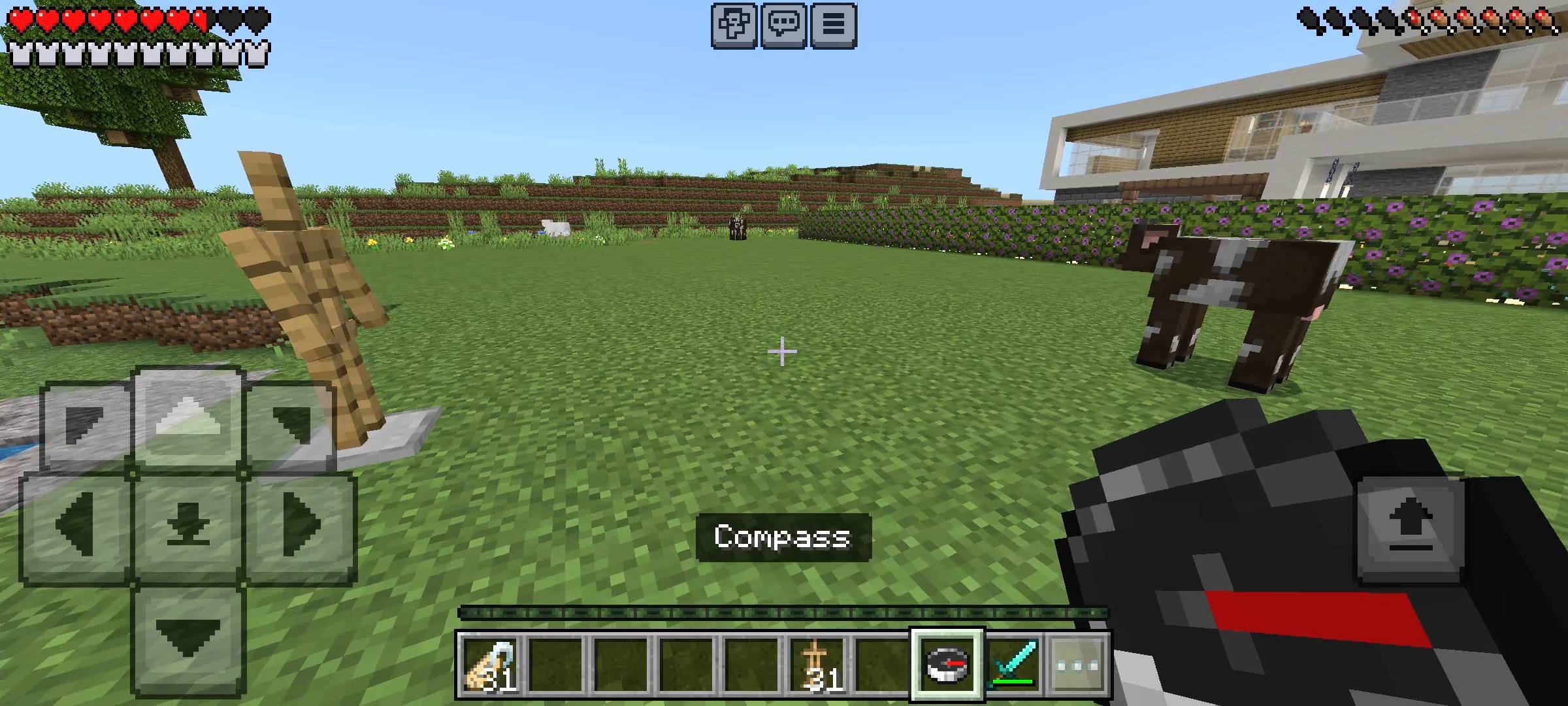
Main Features
- Smart Background Monitoring: Your cameras are always watching. Even if you are not viewing the camera, it scans the area every 5 seconds. If it detects a hostile mob (like a Creeper, Zombie, or Enderman) near your base, it sends a real-time alert in your chat with a warning sound.
- Smart Alert Cooldown: To make sure your chat does not get spammed, I added a 10-second cooldown per mob. You only get the warnings when you actually need them.
- Custom Camera Names & Distance: You can name your cameras whatever you want (like Kitchen, Gate, or Farm). When you view the camera, its custom name and exactly how many meters away it is will show on your screen. The system also automatically sorts them so your nearest cameras show up first.
- Night Vision Mode: I added a custom green-tint night vision effect. Even if your base is pitch dark, your cameras will see everything perfectly.
- Zero Lag Switching & Tablet UI: Switching between your cameras is super smooth. There are no annoying loading times. You also don't need to craft weird custom items; your standard vanilla Compass turns into your monitoring tablet.
How to Setup Your Cameras (Quick Guide)
I made the setup process very simple so anyone can do it in survival mode without using commands.
- Step 1: Place a regular Armor Stand exactly where you want your camera to look.
- Step 2: Take a Name Tag and rename it using an Anvil. You must use the format "CCTV_YourName". For example, name it "CCTV_MainGate" or "CCTV_Farm".
- Step 3: Name the Armor Stand with that tag. The system will immediately register it as an active camera.
- Step 4: Hold a Compass in your hand, Sneak (Crouch), and Use it (Right Click on PC or Long Press on Mobile). This will open your monitor and let you cycle through your active cameras.
Why I highly recommend this
I personally use this on my own survival world. It is incredibly relaxing to be mining deep underground and knowing that my cameras will alert me if a Creeper spawns near my house. It is a must-have for SMPs (Survival Multiplayer) if you want to protect your property and always know what is happening.
[ AI DISCLAIMER ] Please note that the promotional images and gallery screenshots for this project have been enhanced using AI tools for better visualization.
[ IMPORTANT REQUIREMENT ] Because I used advanced scripts to make the cameras and the background mob detection work, you MUST go to your World Settings > Experiments tab, and turn on both Beta APIs and Holiday Creator Features before playing. If you forget to turn these on, the cameras will not connect!
Developer: Racing Raftaar Supported Minecraft Versions: 1.21.0 and above
Phiên bản
| Minecraft | Loader | Tệp | Ngày | Hành động |
|---|---|---|---|---|
| 1.21.124 | — | RR_CCTV_V3-1.mcpack469 KB 2 |
Câu hỏi thường gặp
Which Minecraft versions does RR CCTV Security System work on?
There are files for 1.21.132, 1.21.131, 1.21.130, 1.21.124. The newest is 1.21.132.
Where can I download RR CCTV Security System safely?
On this page: the file RR_CCTV_V3-1.mcpack (469 KB) is stored on Millida’s server, with no link shorteners. SHA-1 checksum: 1c3d01118e239aa2a5a13eb112dfeacff9e7d853.
Đánh giá
Hãy là người đầu tiên đánh giá RR CCTV Security System
