
Minecraft 26.50 کے لیے Tiny Takeback ریسورس پیک
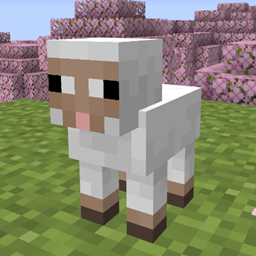
Tiny Takeover گیم میں نئے بچے مobs کے لیے کلاسیکی آنکھیں واپس لیں!
Tiny Takeback ریسورس پیک کے بارے میں
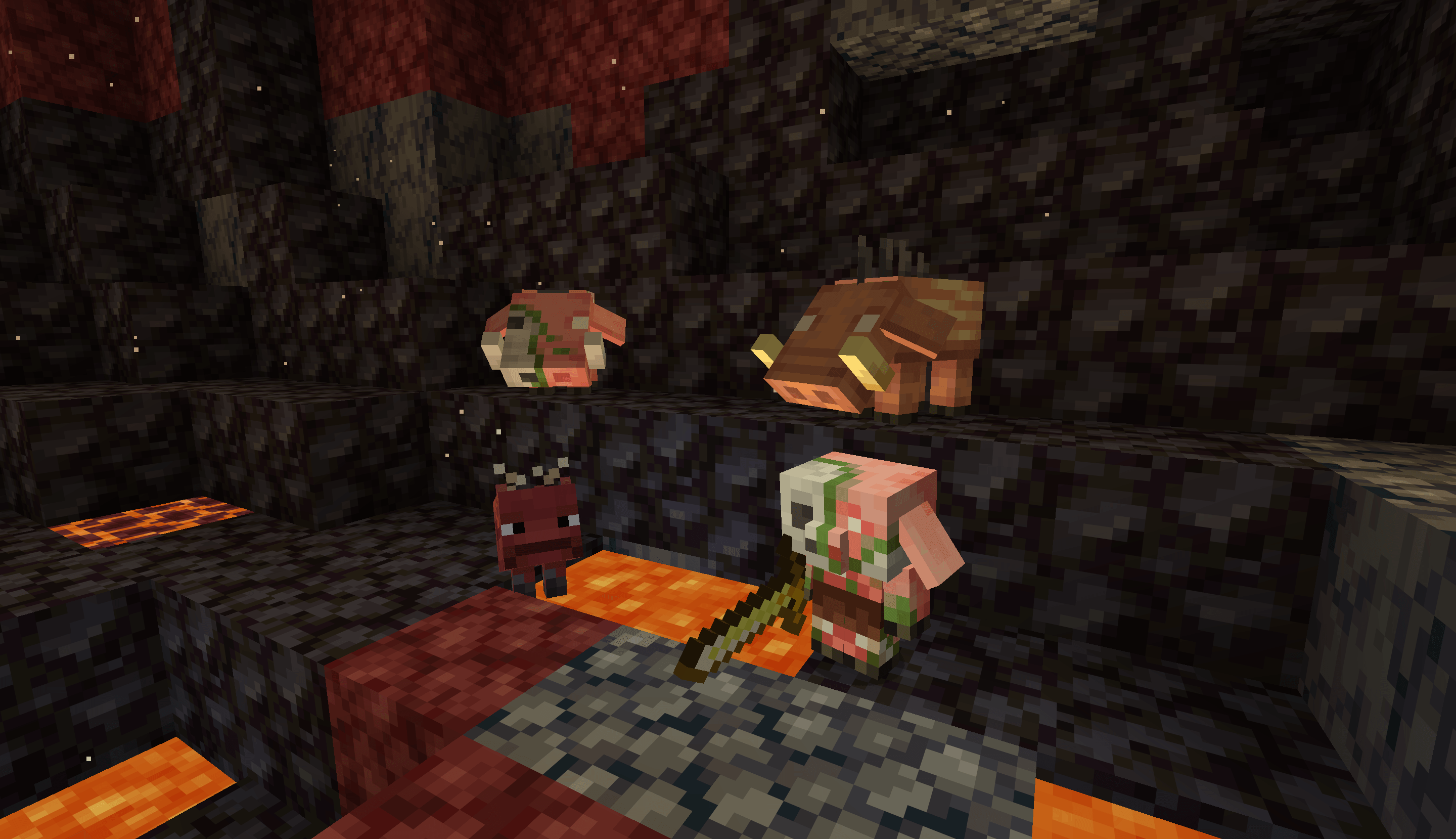
In Tiny Takeover game drop, Mojang has redesigned almost all baby mobs, and many of their eyes are now in 1 pixel now. With these new models unchanged, this pack brings back the classic 2-pixel eyes for many baby mobs, and even make more changes to ensure them look familiar!
Features
- Piglet
- Including temperate, warm, and cold variants
- Calf
- Including temperate, warm, and cold variants
- Mooshroom Calf
- Their eyes keep unchanged, as 2x2px entirely dark eyes look weird
- Lamb
- Their face is changed to look more familiar to adult sheeps
- Baby Donkey & Mule
- Baby Zombie horse & Skeleton horse
- Changed their eyes' position by 1px to match foals
- Wolf pup
- Wild/angry/tamed, in all variants
- Angry pups have red iris, instead of entirely red eyes
- Baby Polar Bear
- Now they have eyebrows
- Kitten
- Siamese cats are made lighter to reflect their baby look in real life
- Baby Ocelot
- Baby Fox
- Baby Llama
- Their eyes are now in a more reasonable position
- Baby Strider
- Their design is made more similar to adult striders
- Baby Zombified Piglin
- Their eyes are now in a more reasonable position
- Baby Hoglin & Zoglin
- Their eyes are now in a more reasonable position
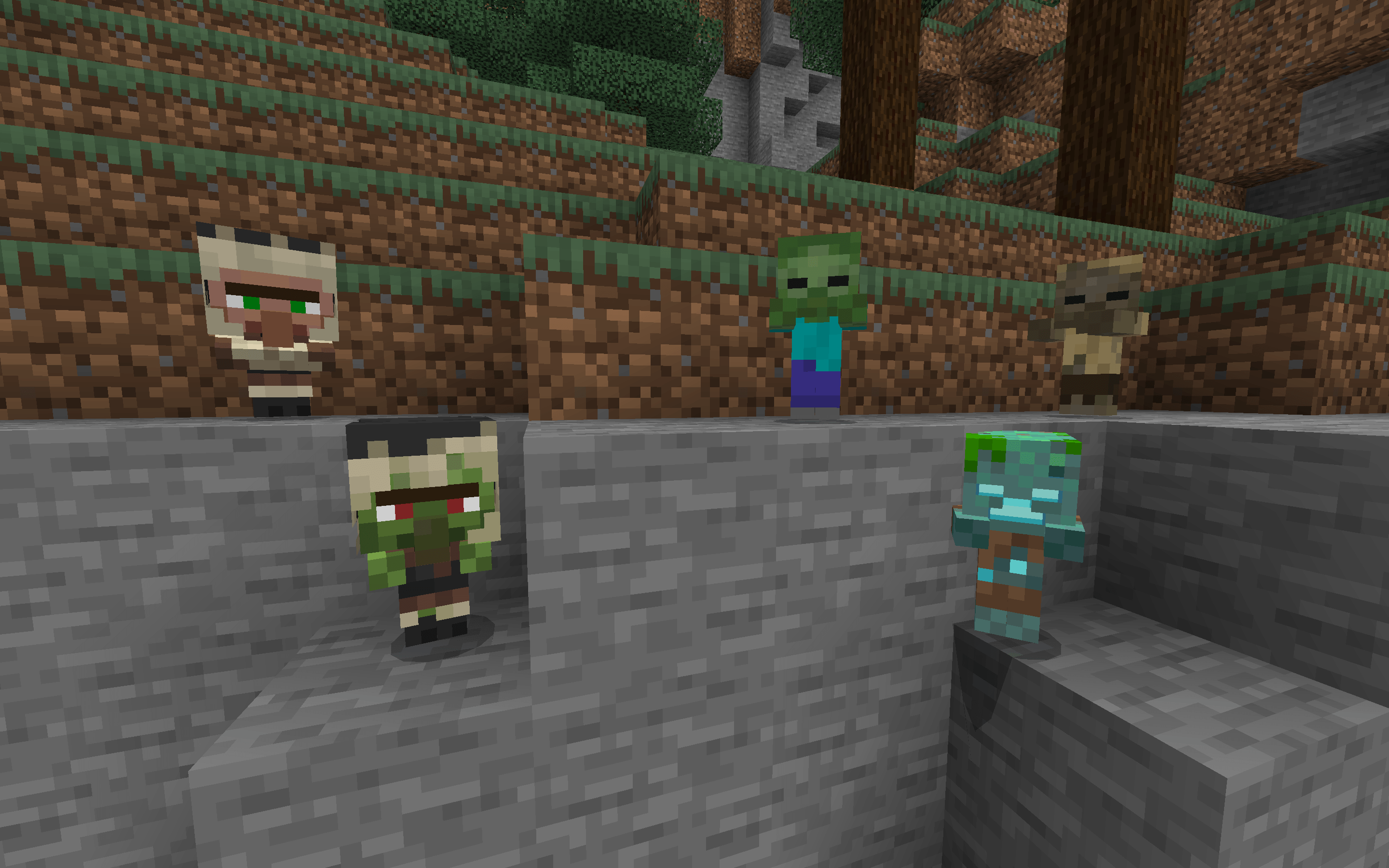
Full Experience only
- Baby Villagers/Zombie Villagers
- Their nose is extended 1 pixel down
- Baby Zombies, Baby Husks, and Gurgles
- Now they have their classic head, while their geometry size remains the same
- The "Full Experience" built-in subpack is enabled by default, and can be disabled in the Resource Pack Setting screen of this pack.
- If you switch to the Vanilla Experience subpack, these mobs' models will keep unchanged as vanilla.
Installation Instructions
- Directly download the .mcpack file from this page.
- Open the downloaded file, and your Minecraft will import it automatically.
- Before you import a newer version of this pack, it's recommended to delete the old one first.
Tiny Takeback کیسے انسٹال کریں
With Millida Launcher
Install Millida Launcher
The launcher is free: download it at millida.net/launcher and sign in with any nickname.
Click “Install” on this page
The launcher opens and installs the resource pack for Minecraft 26.10–26.50 automatically.
Launch the game
A profile with it appears in the launcher: click “Play”.
Manually
Download the archive
Pick the file TinyTakeback-v1.2.mcpack (240 KB) for your game version. No need to unpack it.
Put it in the resourcepacks folder
The easiest way: “Options”, then “Resource Packs”, then “Open Pack Folder”, and drag the archive there.
Enable the pack
In the same window, move the pack to the right-hand “Selected” column and click “Done”.
ورژنز
ڈیپنڈنسیز کے ساتھ
| Minecraft | لوڈر | فائل | تاریخ | اقدامات |
|---|---|---|---|---|
| 26.10 | — | Tiny Takeback v1.2240 KB |
عمومی سوالات
Which Minecraft versions does Tiny Takeback work on?
There are files for 26.10–26.50, 8 versions in total. The newest is 26.50.
Where can I download Tiny Takeback safely?
On this page: the file TinyTakeback-v1.2.mcpack (240 KB) is stored on Millida’s server, with no link shorteners. SHA-1 checksum: 44e87f2c87466f764ff249b8413d7f71b7c554c0.
ریویوز
Tiny Takeback کو ریٹ کرنے والے پہلے شخص بنیں


