
Minecraft 1.21.90 کے لیے StructureExportButton ریسورس پیک
کیا آپ نے کچھ حیرت انگیز بنایا ہے، اپنے آٹھ عجوبوں میں سے ایک شیئر کرنا چاہتے ہیں؟ یا اسے کسی ایڈ-آن میں شامل کرنا چاہتے ہیں؟ یا صرف فائل کو محفوظ کرنا چاہتے ہیں تاکہ ضائع نہ ہو؟ یا انٹرنیٹ سے کوئی تعمیر ڈاؤن لوڈ کرنا چاہتے ہیں؟ تو یہ ٹیکسچر پیک آپ کے لیے ہے!!
StructureExportButton
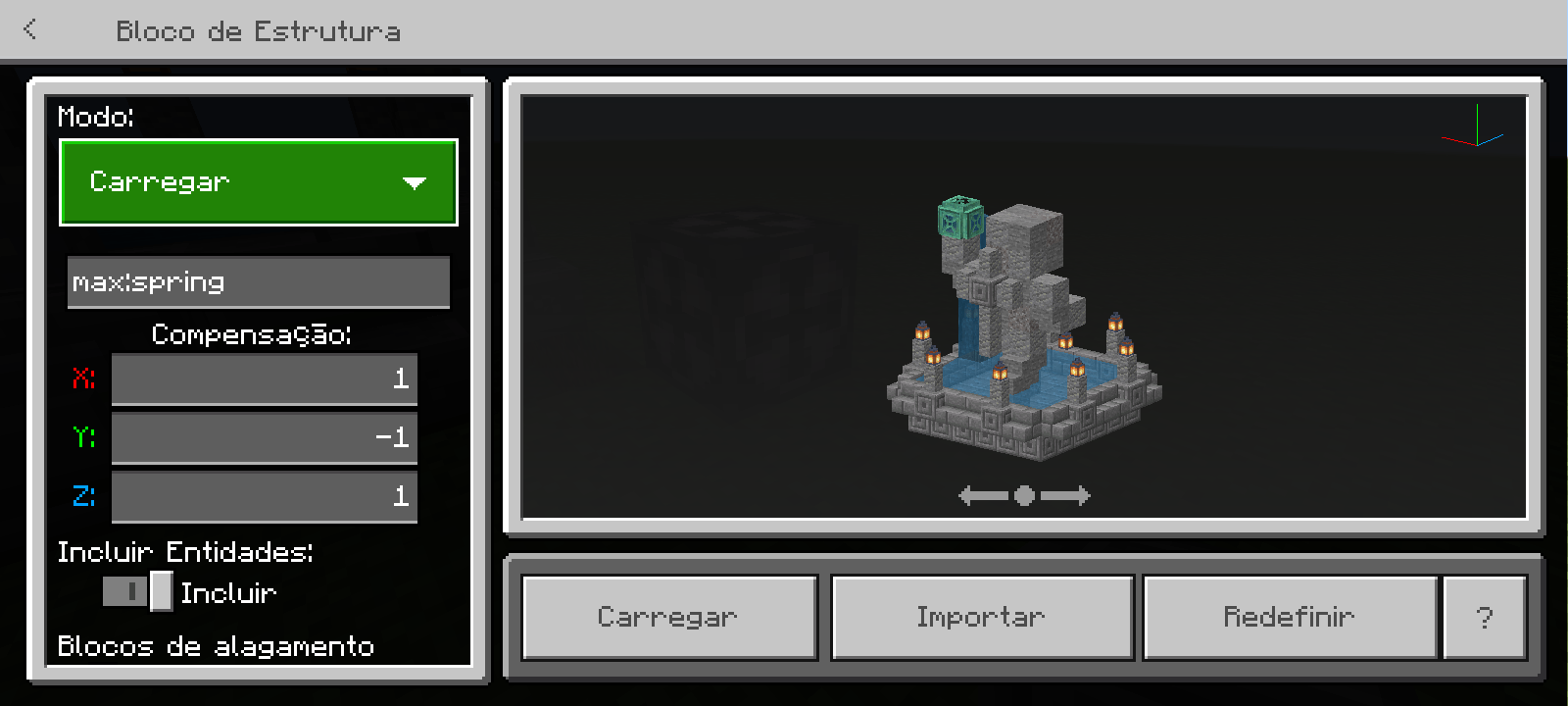
This texture pack adds export and import buttons to the structure block, in save and load mode respectively.
Have you built something amazing, want to share one of your eight wonders? Or want to add it to an add-on? Or just want to save the file so you don't lose it? Or do you want to download a construction from the internet? Then this texture pack is for you!!
How to export a structure?
1st step → Type "/give @s structure_block" (without quotes) in the chat, and you will receive a structure block (Don't forget to enable cheats in world settings.
2nd step → Place the structure block on the ground and enable the demolition box, place or build your structure inside the demolition box.
3rd step → Then write the name of your structure, and click on export, it will open your file manager and then click on save.
Okay, but what about importing structures?
The process is similar to the first one.
1st step → Place the structure block in the desired location, and go to loading mode, then click import and then on the desired file.
If you want to support my work, click on the link below, at no financial cost, and help me continue producing free addons for the community:
Download with Support (Linkvertise)
The content is the same - the supported link just goes to a page with a light ad. Thanks for helping!
StructureExportButton کیسے انسٹال کریں
With Millida Launcher
Install Millida Launcher
The launcher is free: download it at millida.net/launcher and sign in with any nickname.
Click “Install” on this page
The launcher opens and installs the resource pack for Minecraft 1.21.80–1.21.90 automatically.
Launch the game
A profile with it appears in the launcher: click “Play”.
Manually
Download the archive
Pick the file StructureExportButton.mcpack (103 KB) for your game version. No need to unpack it.
Put it in the resourcepacks folder
The easiest way: “Options”, then “Resource Packs”, then “Open Pack Folder”, and drag the archive there.
Enable the pack
In the same window, move the pack to the right-hand “Selected” column and click “Done”.
ورژنز
ڈیپنڈنسیز کے ساتھ
| Minecraft | لوڈر | فائل | تاریخ | اقدامات |
|---|---|---|---|---|
| 1.21.81 | — | StructureExportButton103 KB |
ریویوز
StructureExportButton کو ریٹ کرنے والے پہلے شخص بنیں



