
Minecraft 26.3 کے لیے Pixel Edge Visuals ریسورس پیک
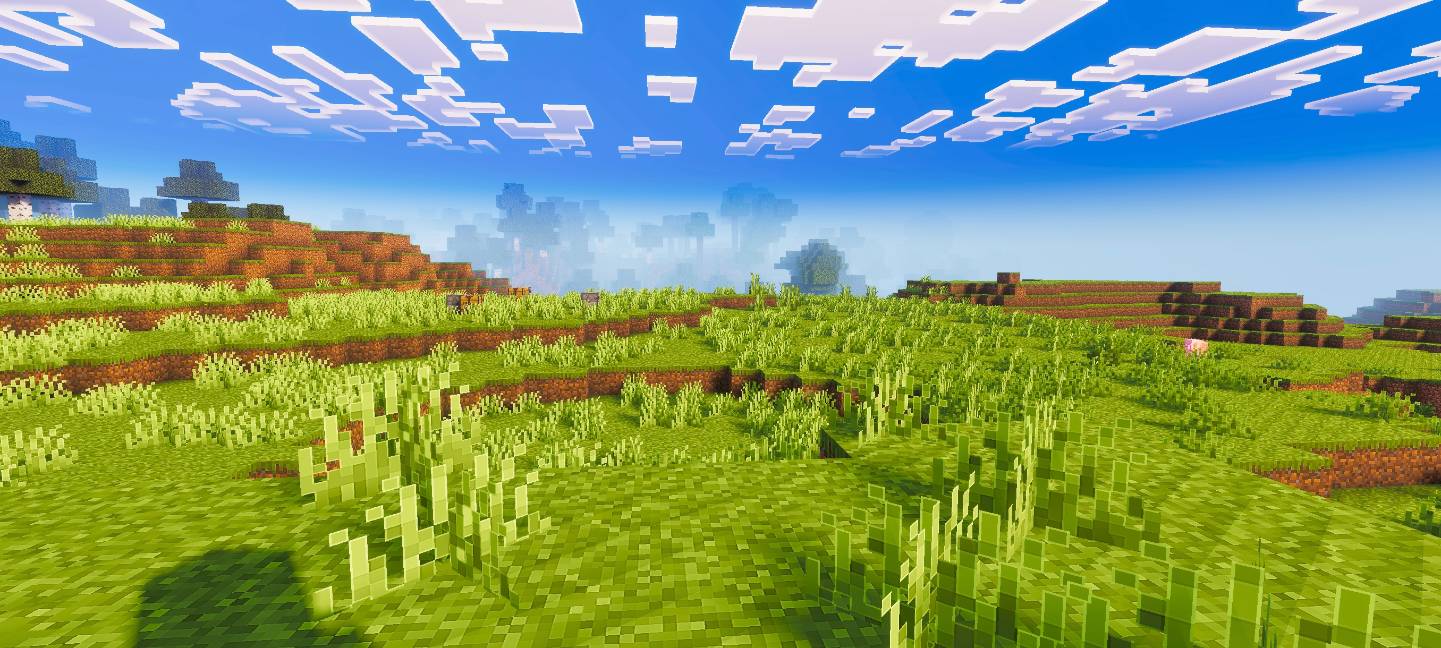
Pixel Edge Visuals بلاکس پر ہلکے، باریک آؤٹ لائنز شامل کرتا ہے تاکہ ظاہری شکل زیادہ صاف اور بہتر ہو۔ شیڈرز کے ساتھ بہترین کام کرتا ہے، بھاری بارڈرز کے بغیر وضاحت بہتر بناتا ہے، اور Minecraft کو ایک ہموار، جدید جمالیات دیتا ہے۔
Pixel Edge Visuals
This pack upgrades Minecraft’s visuals by improving atmosphere, lighting, water, fog, and overall color balance. It also adds smooth, subtle outlines to blocks and other textures, making the world look cleaner and more refined without being too strong. The softer edges make gameplay visually pleasing while keeping a natural look.
If you want the standalone pixel edge only version, download Pixel Edge Texture Pack.
Important: To ensure the shader works correctly, keep Vibrant Visuals turned ON in your game settings.
Pixel Edge Visuals کیسے انسٹال کریں
With Millida Launcher
Install Millida Launcher
The launcher is free: download it at millida.net/launcher and sign in with any nickname.
Click “Install” on this page
The launcher opens and installs the resource pack for Minecraft 26.3 automatically.
Launch the game
A profile with it appears in the launcher: click “Play”.
Manually
Download the archive
Pick the file Pixel-Edge-Visuals-Medium.mcpack (19 MB) for your game version. No need to unpack it.
Put it in the resourcepacks folder
The easiest way: “Options”, then “Resource Packs”, then “Open Pack Folder”, and drag the archive there.
Enable the pack
In the same window, move the pack to the right-hand “Selected” column and click “Done”.
ورژنز
ڈیپنڈنسیز کے ساتھ
| Minecraft | لوڈر | فائل | تاریخ | اقدامات |
|---|---|---|---|---|
| 26.3 | — | Pixel-Edge-Visuals-Medium.mcpack18.8 MB 8 |
ریویوز
Pixel Edge Visuals کو ریٹ کرنے والے پہلے شخص بنیں



