
Minecraft 26.50 کے لیے Outline Visuals ریسورس پیک
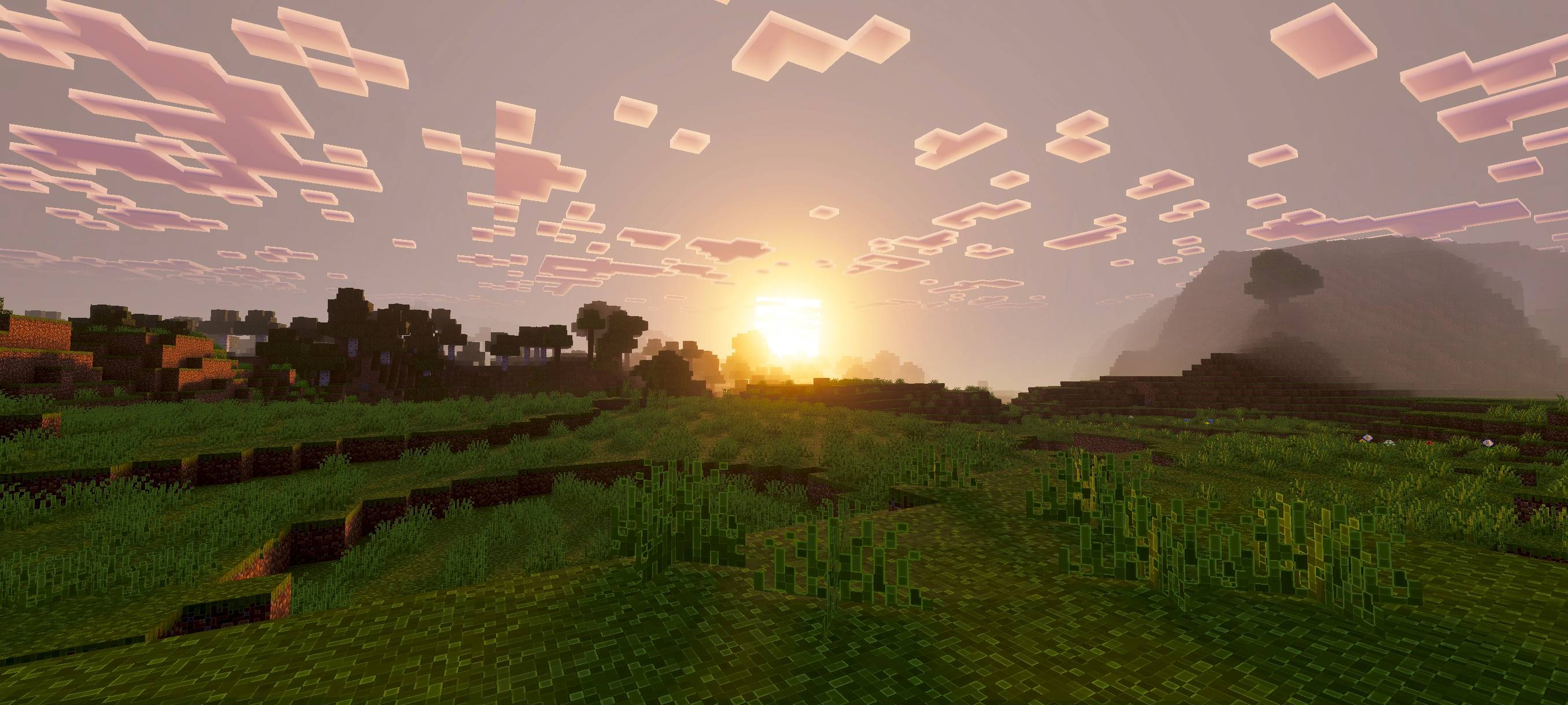
یہ پیک صاف رنگوں، ہموار روشنی، بہتر پانی کے مناظر، اور تیز outlines کے ساتھ گیم کا ماحول بہتر بناتا ہے جو بلاکس کو نمایاں کرتے ہیں، جس سے بہتر گیم پلے کے لیے زیادہ جمالیاتی اور عمیق دنیا بنتی ہے۔
Outline Visuals
Outline Visuals enhances Minecraft’s atmosphere with cleaner colors, smoother lighting, improved water effects, and sharp outlines that make blocks and items stand out. This pack makes the world more immersive, warm, and visually appealing.
If you want the standalone outline-only version, download Outline Texture Pack.
Note
To use this pack, you must keep Vibrant Visuals enabled. Without it, shader and visual effects will not work.

Outline Visuals کیسے انسٹال کریں
With Millida Launcher
Install Millida Launcher
The launcher is free: download it at millida.net/launcher and sign in with any nickname.
Click “Install” on this page
The launcher opens and installs the resource pack for Minecraft 26.50 automatically.
Launch the game
A profile with it appears in the launcher: click “Play”.
Manually
Download the archive
Pick the file Outline Visuals Low.mcpack (14 MB) for your game version. No need to unpack it.
Put it in the resourcepacks folder
The easiest way: “Options”, then “Resource Packs”, then “Open Pack Folder”, and drag the archive there.
Enable the pack
In the same window, move the pack to the right-hand “Selected” column and click “Done”.
ورژنز
ڈیپنڈنسیز کے ساتھ
| Minecraft | لوڈر | فائل | تاریخ | اقدامات |
|---|---|---|---|---|
| 26.50 | — | Outline Visuals Low.mcpack14.5 MB |
ریویوز
Outline Visuals کو ریٹ کرنے والے پہلے شخص بنیں



