

Minecraft 1.20.1, 1.21.1 کے لیے CozyUI+ ریسورس پیک
یوزر انٹرفیس کو ایک صاف اور لطیف ہائی ڈیفینیشن اسٹائل میں تبدیل کرتا ہے، جس میں تمام ونیلا UI عناصر کے ساتھ ساتھ بہت سے مفید کلائنٹ موڈز بھی شامل ہیں۔
- ڈاؤن لوڈز
- 103 ڈاؤن لوڈز
- ویوز
- 356 ویوز
- لائکس
- 1 لائکس
- اپ ڈیٹ شدہ
- اپ ڈیٹ شدہ 10.10.2026
- 1.6.1 — 26.3
 ونیلا گیم
- کلائنٹ
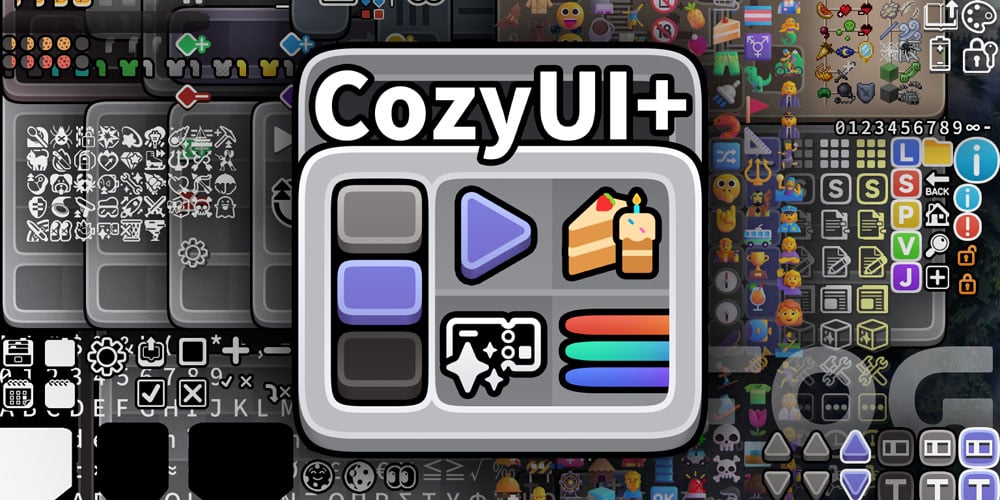

CozyUI+
Modifies the User Interface into a neat and subtle high-definition style, covering all the vanilla UI elements as well as many useful client mods.
GameVersion ≥1.20
Title: CozyUI+
Author: 零雾〇五 Fogg05
● This pack is based on:
○ Fluent Emoji:https://github.com/microsoft/fluentui-emoji
○ NotoSans:https://github.com/notofonts/noto-cjk

● Covered mods
Mod Name - Home Page Link - -
OptiGUI | 🔗 Modrinth | ⭐ Recommended Apple Skin | 🔗 Modrinth | 🔄 Optional Detail Armor Bar | 🔗 Modrinth | 🔄 Optional Litematica | 🔗 Modrinth | 🔄 Optional MiniHUD | 🔗 Modrinth | 🔄 Optional Replay Mod | 🔗 Modrinth | 🔄 Optional Inventory Hud+ | 🔗 CurseForge | 🔄 Optional Dynamic Crosshair | 🔗 Modrinth | 🔄 Optional Jade | 🔗 Modrinth | 🔄 Optional Roughly Enough Items | 🔗 Modrinth | 🔄 Optional Just Enough Items | 🔗 Modrinth | 🔄 Optional Inventory Profiles Next | 🔗 Modrinth | 🔄 Optional Xaero's Minimap | 🔗 Modrinth | 🔄 Optional Xaero's World Map | 🔗 Modrinth | 🔄 Optional Mod Menu | 🔗 Modrinth | 🔄 Optional No Chat Reports | 🔗 Modrinth | 🔄 Optional Simple Voice Chat | 🔗 Modrinth | 🔄 Optional Entity Features | 🔗 Modrinth | 🔄 Optional Overflowing Bars | 🔗 Modrinth | 🔄 Optional

● Recipes in the brewing stand
All the recipes are drawn on the brewing stand interface to help everyone memorize.
● OptiGUI MOD
Various colored shulker boxes, droppers, dispensers, and ender chests can be distinguished by the background color.
● Emoji+ & MCsans+
Modify the fonts to high-definition NotoSans and FluentEmoji.
https://github.com/Fogg05/Emoji-Plus
https://github.com/Fogg05/MCsans-Plus
● Experience bar RGB
Inventory selection boxes and experience bars feature RGB cycling with a very slow gradient, where the colors are continually adjusted to ensure a leisurely and soothing pace.
● Button Animations
Some buttons will be animated in game versions ≥1.21
CozyUI+ کیسے انسٹال کریں
With Millida Launcher
Install Millida Launcher
The launcher is free: download it at millida.net/launcher and sign in with any nickname.
Click “Install” on this page
The launcher opens and installs the resource pack for Minecraft 1.6.1–26.3 automatically.
Launch the game
A profile with it appears in the launcher: click “Play”.
Manually
Download the archive
Pick the file CozyUI+_v1.11_no-fonts.zip (15 MB) for your game version. No need to unpack it.
Put it in the resourcepacks folder
The easiest way: “Options”, then “Resource Packs”, then “Open Pack Folder”, and drag the archive there.
Enable the pack
In the same window, move the pack to the right-hand “Selected” column and click “Done”.
ورژنز
ڈیپنڈنسیز کے ساتھ
| Minecraft | لوڈر | فائل | تاریخ | اقدامات |
|---|---|---|---|---|
| 26.3 | — | 26.315.4 MB 101 | ||
| 26.3 | — | 26.340.1 MB | ||
| 1.21 | — | 1.2114.4 MB 2 | — | |
| 1.20.1 | — | 1.20.114.4 MB | — |
وہ مواد جسے اس کی ضرورت ہے
ریویوز
CozyUI+ کو ریٹ کرنے والے پہلے شخص بنیں



