

Minecraft 1.19.4 کے لیے Simple Shader One
کیا کوئی ہے جو سادہ سایہ چاہتا ہے؟ یہ شیڈر ہلکا پھلکا ہے کیونکہ یہ صرف گول سائے ڈالتا ہے۔ یہ کامل نہیں ہے، لیکن آپ ونلا سے مختلف ماحول کا مزہ لے سکتے ہیں۔
 Fabric
 OptiFine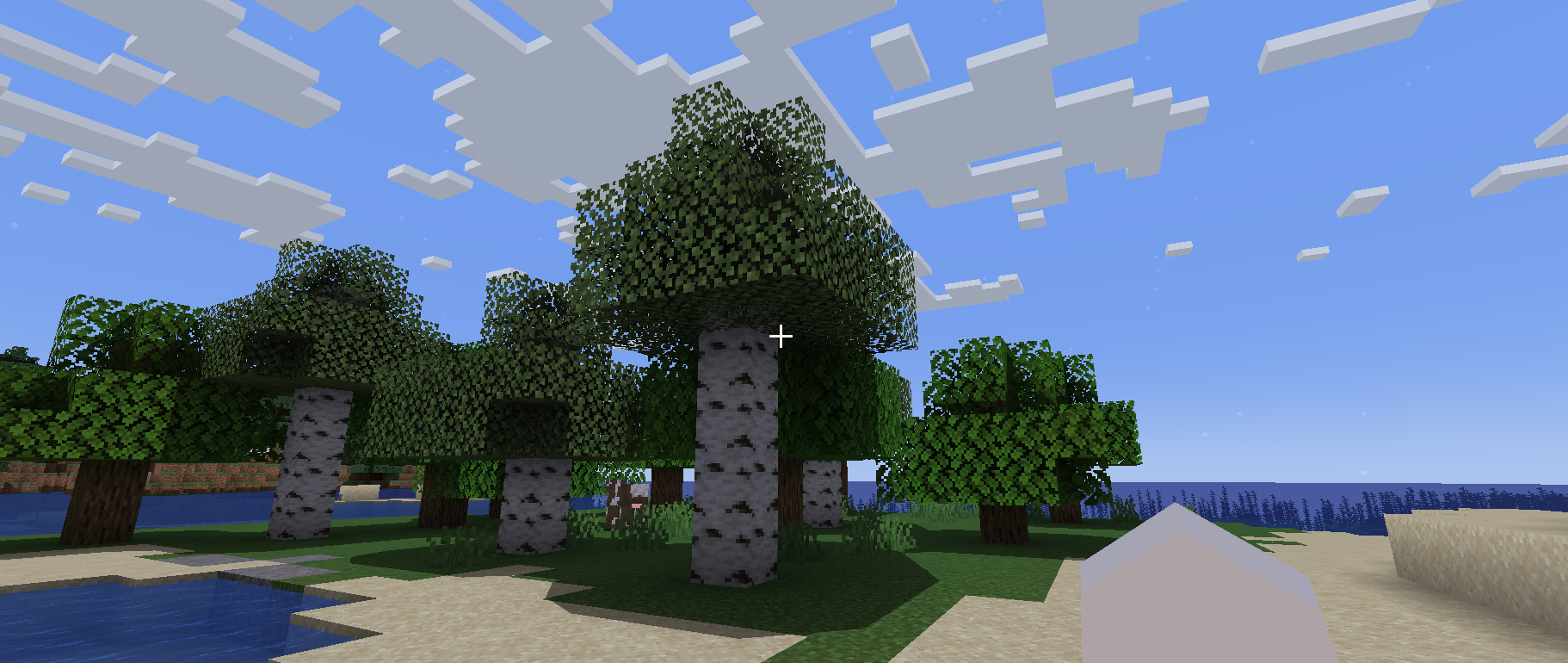
Simple Shader One
Is there anyone who wants a simple shadow?
This shader is lightweight because it only puts round shadows.
It’s not perfect, but you can enjoy a different atmosphere from vanilla.
Required Prerequisite Mods
Capable of loading shaders and compatible. The author tried Iris Shaders and it worked fine.
Simple Shader One کیسے انسٹال کریں
With Millida Launcher
Install Millida Launcher
The launcher is free: download it at millida.net/launcher and sign in with any nickname.
Click “Install” on this page
The launcher opens and installs the shaders for Minecraft 1.19.4 automatically.
Launch the game
A profile with it appears in the launcher: click “Play”.
Manually
Install Iris or OptiFine
Without a shader mod the game cannot see shaders. Install it for the same Minecraft version.
Download the shader archive
Pick the file Simple Shader One V1 By DiamondGotCat.zip (27 KB) and do not unpack it.
Put it in the shaderpacks folder
“Options”, then “Video Settings”, then “Shader Packs”, then “Open Shader Pack Folder”, and drag the archive there.
Select the shaders
In the same window, click the pack name and “Apply”.
ورژنز
ڈیپنڈنسیز کے ساتھ
| Minecraft | لوڈر | فائل | تاریخ | اقدامات |
|---|---|---|---|---|
| 1.19.4 | Iris, OptiFine | 1.19.426.7 KB |
ریویوز
Simple Shader One کو ریٹ کرنے والے پہلے شخص بنیں


