
NOIR شیڈرز کے بارے میں

NOIR Cinematic
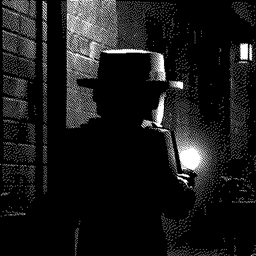
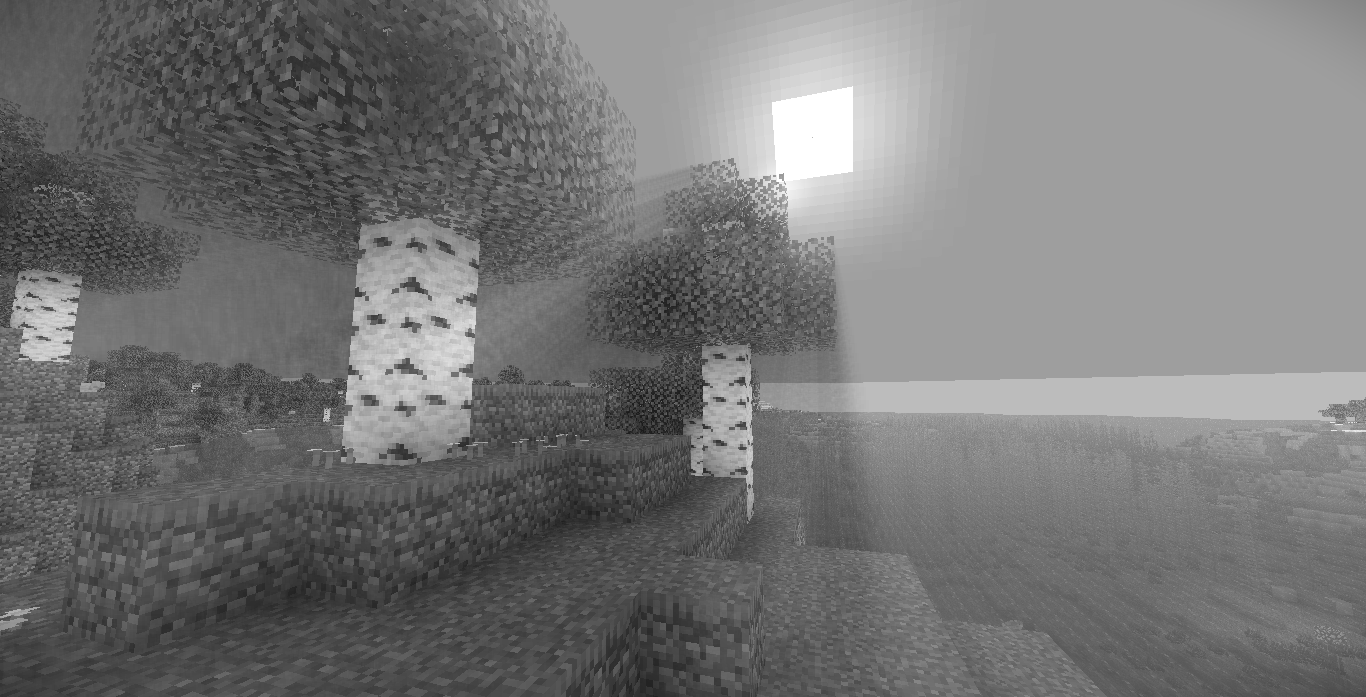
NOIR is a lightweight shader designed to give Minecraft a darker, cinematic atmosphere inspired by classic noir visuals. The shader focuses on contrast, mood, and subtle lighting rather than heavy visual effects, keeping the game recognizable while giving it a dramatic look.
Deep godrays, controlled highlights, and muted tones create a world that feels more atmospheric and immersive without sacrificing performance or the vanilla aesthetic.

NOIR is built for players who want a moody visual style without overcomplicated shaders or excessive post-processing.
Features
- High-contrast cinematic lighting
- Darker nights and stronger atmosphere
- Subtle water shading
- Clean color grading
- Lightweight rendering
- Vanilla-friendly visuals
- Balanced performance
Design Philosophy
Many shaders aim for realism. NOIR aims for style.
The goal is to keep Minecraft simple while giving it a dramatic visual identity — darker environments, stronger shadows, and a film-like atmosphere.
Performance
NOIR is designed to stay relatively lightweight compared to large cinematic shaderpacks. It avoids heavy effects and focuses on efficient lighting and shading.
Performance may vary depending on hardware and render settings.
NOIR کیسے انسٹال کریں
With Millida Launcher
Install Millida Launcher
The launcher is free: download it at millida.net/launcher and sign in with any nickname.
Click “Install” on this page
The launcher opens and installs the shaders for Minecraft 1.12–26.3 automatically.
Launch the game
A profile with it appears in the launcher: click “Play”.
Manually
Install Iris or OptiFine
Without a shader mod the game cannot see shaders. Install it for the same Minecraft version.
Download the shader archive
Pick the file NOIR 1.1.zip (17 KB) and do not unpack it.
Put it in the shaderpacks folder
“Options”, then “Video Settings”, then “Shader Packs”, then “Open Shader Pack Folder”, and drag the archive there.
Select the shaders
In the same window, click the pack name and “Apply”.
ورژنز
ڈیپنڈنسیز کے ساتھ
| Minecraft | لوڈر | فائل | تاریخ | اقدامات |
|---|---|---|---|---|
| 1.16.3 | — | NOIR 1.117.4 KB 10 |
عمومی سوالات
Which Minecraft versions does NOIR work on?
There are files for 1.12–26.3, 54 versions in total. The newest is 26.3.
Where can I download NOIR safely?
On this page: the file NOIR 1.1.zip (17 KB) is stored on Millida’s server, with no link shorteners. SHA-1 checksum: 96ab7d8cbf8ad2cf365ecbafe67cb9e1790e5af0.
ریویوز
NOIR کو ریٹ کرنے والے پہلے شخص بنیں


