

Minecraft 1.20.1, 1.21.1 کے لیے DreamLight Shaders
اچھی کارکردگی والا، خوابناک، اسٹائلائزڈ شیڈر پیک جس میں رنگین روشنی اور شاندار بصریات ہیں۔
 Fabric
 OptiFine
DreamLight Shaders شیڈرز کے بارے میں
ABOUT
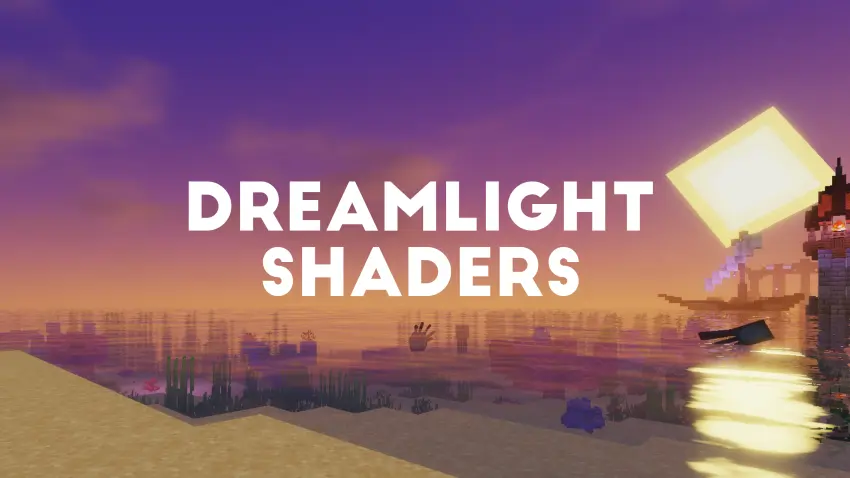
DreamLight Shaders is a fantasy-inspired, dreamy shader pack designed to bring soft, cinematic lighting and vibrant color tones to Minecraft. Built for both beauty and performance, it transforms your world with warm sunsets, glowing reflections, smooth water, and enhanced skies, all while keeping gameplay fluid and immersive.
🌙 Features
● Dynamic lighting with realistic sunrises and sunsets
● Smooth reflections and gentle water waves
● Shoreline foam and underwater caustics
● Enhanced skies and soft clouds for a dreamy look
● Colored global illumination that enhances atmosphere
● Balanced brightness and shadows for natural scenes
● Optimized performance for mid to high-end systems
● Cinematic tone mapping for screenshots and videos
● Depth of Field for cinematic shots
● Glowing nights with subtle ambient lighting
● Four color schemes, including the new Ethereal preset
● Three ready-made presets: Fast, Fancy and Fabulous
● Distant Horizons support
INSTALLATION
Download and install OptiFine or Iris Download the shaderpack Put the shaderpack inside .minecraft\shaderpacks Launch Minecraft Open Options, Video Settings, Shaders Choose DreamLight Shaders

Credits
DreamLight Shaders is based on code from Mellow Shader by TheCMK, used under the MIT License. Huge thanks to TheCMK for the original creative base and inspiration, go check out Mellow and give it some love.
Contrast Adaptive Sharpening © 2023 Advanced Micro Devices, Inc. (MIT). SMAA by Jorge Jimenez et al.
Made by HoneyStudios.

DreamLight Shaders کیسے انسٹال کریں
With Millida Launcher
Install Millida Launcher
The launcher is free: download it at millida.net/launcher and sign in with any nickname.
Click “Install” on this page
The launcher opens and installs the shaders for Minecraft 1.18–26.2 automatically.
Launch the game
A profile with it appears in the launcher: click “Play”.
Manually
Install Iris or OptiFine
Without a shader mod the game cannot see shaders. Install it for the same Minecraft version.
Download the shader archive
Pick the file DreamLight Shaders v1.5.zip (1.1 MB) and do not unpack it.
Put it in the shaderpacks folder
“Options”, then “Video Settings”, then “Shader Packs”, then “Open Shader Pack Folder”, and drag the archive there.
Select the shaders
In the same window, click the pack name and “Apply”.
ورژنز
ڈیپنڈنسیز کے ساتھ
| Minecraft | لوڈر | فائل | اقدامات |
|---|---|---|---|
| 26.2 | Iris, OptiFine | 26.21.1 MB 28 | |
| 26.1 | Iris, OptiFine | 26.11.1 MB | |
| 1.21.11 | Iris, OptiFine | 1.21.111.1 MB | |
| 1.21 | Iris, OptiFine | 1.211.1 MB | |
| 1.20.1 | Iris, OptiFine | 1.20.11.1 MB | |
| 1.19.2 | Iris, OptiFine | 1.19.21.1 MB | |
| 1.18.2 | Iris, OptiFine | 1.18.21.1 MB |
عمومی سوالات
Which Minecraft versions does DreamLight Shaders work on?
There are files for 1.18–26.2, 31 versions in total. The newest is 26.2.
What do I need to run DreamLight Shaders?
Shaders are loaded through Iris or OptiFine: without one of them the game cannot see them.
Where can I download DreamLight Shaders safely?
On this page: the file DreamLight Shaders v1.5.zip (1.1 MB) is stored on Millida’s server, with no link shorteners. SHA-1 checksum: 8ef848487c2b3b2dc7c7face8ca2e01d1ce0a424.
ریویوز
DreamLight Shaders کو ریٹ کرنے والے پہلے شخص بنیں


