

Minecraft 1.20.1, 1.21.1 کے لیے Chill Shaders
ایک ہلکا پھلکا vanilla طرز کا شیڈر پیک جس میں نرم سائے، عکس ڈالنے والا پانی اور منفرد ماحول ہے۔
 Fabric
 OptiFine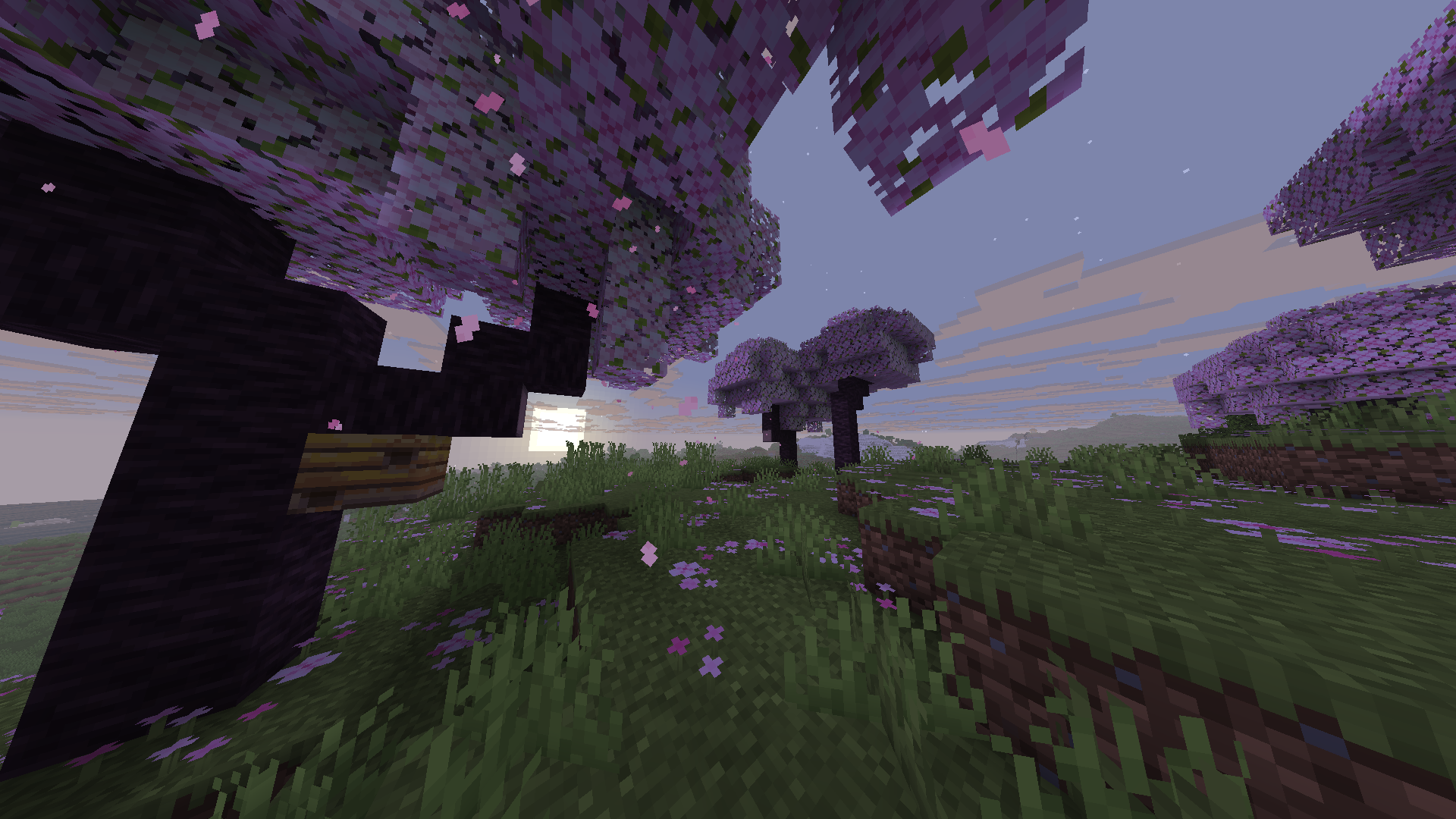
About
Chill Shaders enhances Minecraft’s familiar visual style with atmospheric lighting, soft shadows, reflective water and distinctive environments.
The pack is built around a clean vanilla-inspired look. Blocks, textures, colours and Minecraft’s original character remain intact while lighting and atmosphere receive a polished upgrade.

Features
- Soft, stable sunlight and moonlight shadows
- Reflective animated water with underwater lighting and fog
- Weather- and time-aware skies and clouds
- Brighter stars and improved night-time atmosphere
- Reflective ice and glowing lava, fire and soul fire
- Warm, biome-aware Nether fog and dense lava fog
- A custom animated End sky with stars and subtle purple space fog
- Natural vegetation movement
- Preserved entity, armour and coloured-text rendering
- Potato, Chill and High quality profiles

Performance
Chill Shaders includes three selectable profiles:
- Potato – Lightweight shadows and simplified effects for maximum performance
- Chill – The recommended balance between visuals and frame rate
- High – Higher-resolution shadows, enhanced reflections and richer atmospheric effects
Individual options for shadows, water, fog, vegetation and post-processing can also be adjusted separately.
Requirements
- Iris 1.6.4 + 1.20+ – Recommended
- OptiFine – Supported
Chill Shaders کیسے انسٹال کریں
With Millida Launcher
Install Millida Launcher
The launcher is free: download it at millida.net/launcher and sign in with any nickname.
Click “Install” on this page
The launcher opens and installs the shaders for Minecraft 1.20–26.2 automatically.
Launch the game
A profile with it appears in the launcher: click “Play”.
Manually
Install Iris or OptiFine
Without a shader mod the game cannot see shaders. Install it for the same Minecraft version.
Download the shader archive
Pick the file Chill-Shaders-v1.0.0.zip (847 KB) and do not unpack it.
Put it in the shaderpacks folder
“Options”, then “Video Settings”, then “Shader Packs”, then “Open Shader Pack Folder”, and drag the archive there.
Select the shaders
In the same window, click the pack name and “Apply”.
ورژنز
ڈیپنڈنسیز کے ساتھ
| Minecraft | لوڈر | فائل | تاریخ | اقدامات |
|---|---|---|---|---|
| 1.21.11 | Iris, OptiFine | 1.21.11847 KB 4 | ||
| 1.21 | Iris, OptiFine | 1.21847 KB 2 | ||
| 1.20.1 | Iris, OptiFine | 1.20.1847 KB 1 |
عمومی سوالات
Which Minecraft versions does Chill Shaders work on?
There are files for 1.20–26.2, 23 versions in total. The newest is 26.2.
What do I need to run Chill Shaders?
Shaders are loaded through Iris or OptiFine: without one of them the game cannot see them.
Where can I download Chill Shaders safely?
On this page: the file Chill-Shaders-v1.0.0.zip (847 KB) is stored on Millida’s server, with no link shorteners. SHA-1 checksum: 7e22f6d9aae125fef04930119d49d227fb483da4.
ریویوز
Chill Shaders کو ریٹ کرنے والے پہلے شخص بنیں


