

 Fabric
 OptiFine
Body Camera شیڈرز کے بارے میں
EN 🌐

ABOUT:
Hi, I'm LoLip_p! This is a shader that simulates the effects of a body camera.

Looking for more realism?
I've released a Next-Gen version of this shader! It's a complete overhaul based on Rethinking Voxels, bringing RTX lighting to the bodycam aesthetic. Check it out on my Patreon!
Base version:
SCREENSHOT:
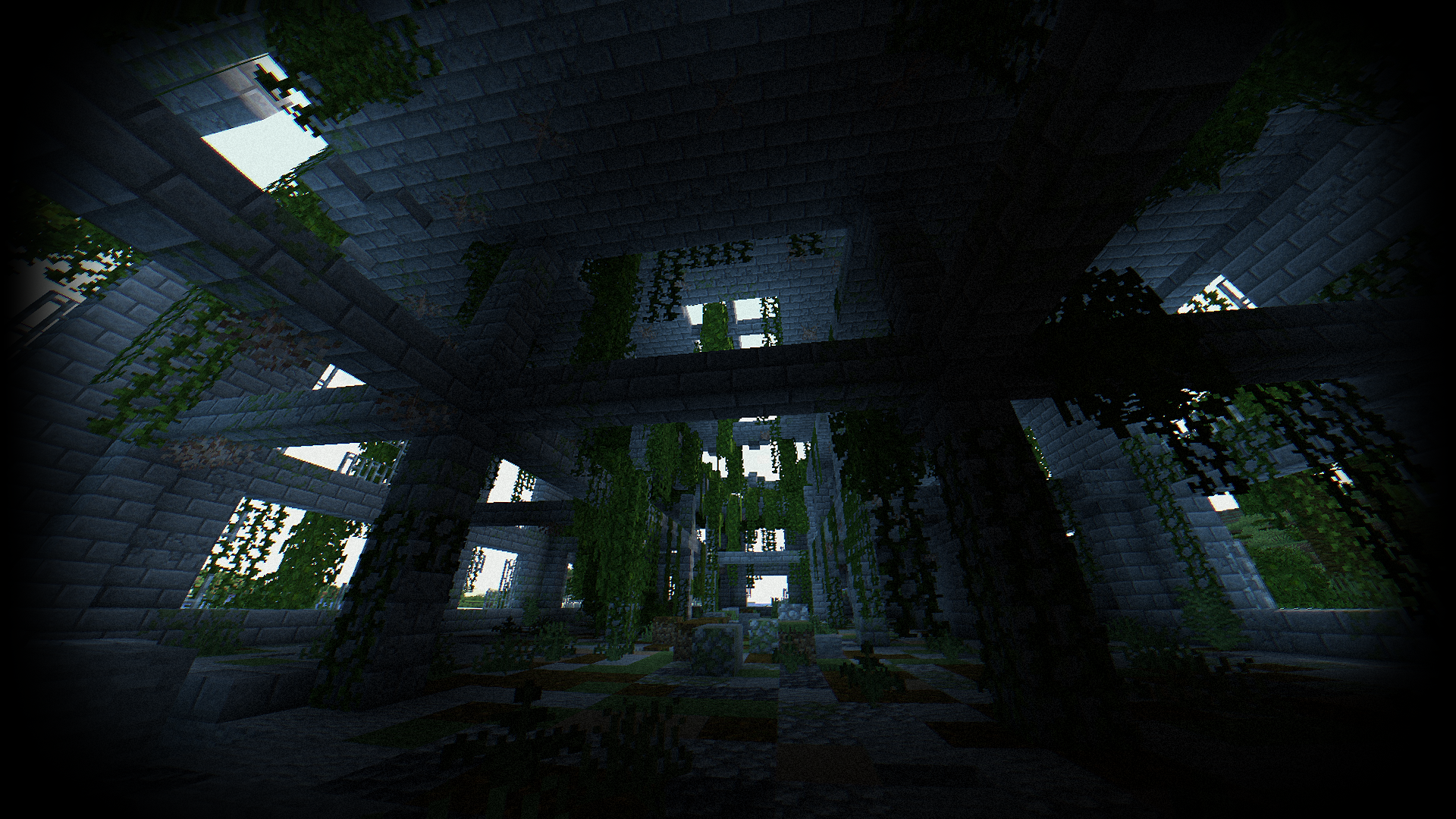
Performance: 160 FPS+
- 2K (2560x1440)
- 10 chunks
- GPU: RX 580 (8GB)
- CPU: Ryzen 5 1500X
THE SHADER HAS:
- Fisheye Effect
- Auto Exposure
- Support Better Clouds
- Support Distant Horizons
- PBR support (LabPBR)
- Chromatic Aberration
- Thermal Imager
- Night vision goggles
- Support 3 language: EN RU FR
Recommended settings:
- Brightness: 0
- Field of view (Fov): 110
LINKS:
- Discord (Discuss, Bug Reports, Etc.)
- Telegram
- YouTube
INSTALL THE SHADERS
- Download Client Which Supports Installing Shaders Such As Optifine And Iris
- Download The Shaders
- Copy Shaders to /.minecraft/shaderpacks
- Launch Minecraft, Go To Options --> Video Settings --> Shaders
- Choose Body Camera Shader
DEMO VIDEO
RU 🐻
- 2K (2560x1440)
- 10 chunks
- GPU: RX 580 (8GB)
- CPU: Ryzen 5 1500X
- Discord (Discuss, Bug Reports, Etc.)
- Telegram
- YouTube
- Выбери Body Camera Shader
CH 🐉
关于:
你好,我是LoLip_p!这是模拟随身摄像机效果的着色器
想要更逼真的效果吗?
我已经发布了这款着色器的 次世代 版本!这是基于《Rethinking Voxels》进行的一次全面重制,将 RTX 光照技术融入了随身摄像头的视觉风格。 欢迎前往我的 Patreon 查看!
Base version:
屏幕截图:
性能: 160 FPS+
- 2K (2560x1440)
- 10 chunks
- GPU: RX 580 (8GB)
- CPU: Ryzen 5 1500X
着色器具有:
- 鱼眼效果
- 自动曝光
- 支持Better Clouds
- 支持Distant Horizons
- PBR支持 (LabPBR)
- 色差
- 热成像仪
- 夜视镜
- 支持3种语言:_EN RU FR_
推荐设置:
- 亮度:0
- 视野(Fov):110
链接:
- Discord (Discuss, Bug Reports, Etc.)
- Telegram
- YouTube
安装着色器
- 下载支持安装着色器的客户端(如Optifine或Iris)
- 下载着色器资源包
- 将着色器文件复制到 /.minecraft/shaderpacks 目录
- 启动Minecraft,进入选项 --> 视频设置 --> 着色器
- 选择 Body Camera Shader
演示视频
BR 🎭
SOBRE:
Olá, sou o LoLip_p! Este é um shader que simula os efeitos de uma câmera corporal.
Quer mais realismo?
Lancei uma versão Next-Gen deste shader! Trata-se de uma reformulação completa baseada no Rethinking Voxels, que traz iluminação RTX para a estética das câmeras corporais. Confira no meu Patreon!
Base version:
CAPTURA DE TELA:
Desempenho: 160 FPS+
- 2K (2560x1440)
- 10 chunks
- GPU: RX 580 (8GB)
- CPU: Ryzen 5 1500X
O SHADER TEM:
- Efeito olho de peixe
- Exposição automática
- Suporte para Better Clouds
- Suporte para Distant Horizons
- Suporte PBR (LabPBR)
- Aberração cromática
- Termovisor
- Óculos de visão noturna
- Suporte a 3 idiomas: EN RU FR
Configurações recomendadas:
- Brilho: 0
- Campo de visão (Fov): 110
LINKS:
- Discord (Discuss, Bug Reports, Etc.)
- Telegram
- YouTube
INSTALE OS SHADERS
- Baixe um cliente que suporte a instalação de shaders, como Optifine e Iris
- Baixe os shaders
- Copie os shaders para /.minecraft/shaderpacks
- Inicie o Minecraft, vá para Opções --> Configurações de vídeo --> Shaders
- Escolha Body Camera Shader
VÍDEO DE DEMONSTRAÇÃO
DE 🍺
ÜBER:
Hallo, ich bin LoLip_p! Dies ist ein Shader, der die Effekte einer Körperkamera simuliert.
Lust auf noch mehr Realismus?
Ich habe eine Next-Gen-Version dieses Shaders veröffentlicht! Es handelt sich um eine komplette Überarbeitung auf Basis von „Rethinking Voxels“, die RTX-Beleuchtung in die Bodycam-Ästhetik integriert. Schau sie dir auf meinem Patreon an!
Base version:
SCREENSHOT:
Leistung: 160 FPS+
- 2K (2560x1440)
- 10 chunks
- GPU: RX 580 (8GB)
- CPU: Ryzen 5 1500X
DER SHADER VERFÜGT ÜBER:
- Fisheye-Effekt
- Automatische Belichtung
- Unterstützung für Better Clouds
- Unterstützung für Distant Horizons
- PBR-Unterstützung (LabPBR)
- Chromatische Aberration
- Wärmebildkamera
- Nachtsichtbrille
- Unterstützung für 3 Sprachen: EN RU FR
Empfohlene Einstellungen:
- Helligkeit: 0
- Sichtfeld (Fov): 110
LINKS:
- Discord (Discuss, Bug Reports, Etc.)
- Telegram
- YouTube
INSTALLIEREN SIE DIE SHADER
- Client herunterladen, der die Installation von Shadern wie Optifine und Iris unterstützt
- Shader herunterladen
- Shader nach /.minecraft/shaderpacks kopieren
- Minecraft starten, zu Optionen --> Videoeinstellungen --> Shader gehen
- Body Camera Shader auswählen
DEMO VIDEO
FR 🥐
À PROPOS:
Bonjour, je suis LoLip_p ! Voici un shader qui simule les effets d'une caméra corporelle.
Envie d'un rendu encore plus réaliste ?
J'ai publié une version Next-Gen de ce shader ! Il s'agit d'une refonte complète inspirée de « Rethinking Voxels », qui intègre l'éclairage RTX à l'esthétique des caméras corporelles. Découvrez-la sur mon Patreon !
Body Camera کیسے انسٹال کریں
With Millida Launcher
Install Millida Launcher
The launcher is free: download it at millida.net/launcher and sign in with any nickname.
Click “Install” on this page
The launcher opens and installs the shaders for Minecraft 1.8.9–26.3 automatically.
Launch the game
A profile with it appears in the launcher: click “Play”.
Manually
Install Iris or OptiFine
Without a shader mod the game cannot see shaders. Install it for the same Minecraft version.
Download the shader archive
Pick the file Body Camera Shader - V1.6.2.zip (483 KB) and do not unpack it.
Put it in the shaderpacks folder
“Options”, then “Video Settings”, then “Shader Packs”, then “Open Shader Pack Folder”, and drag the archive there.
Select the shaders
In the same window, click the pack name and “Apply”.
ورژنز
ڈیپنڈنسیز کے ساتھ
| Minecraft | لوڈر | فائل | تاریخ | اقدامات |
|---|---|---|---|---|
| 26.3 | Iris, OptiFine | 26.3483 KB 54 | ||
| 1.12.2 | Iris, OptiFine | 1.12.2476 KB 14 | — |
عمومی سوالات
Which Minecraft versions does Body Camera work on?
There are files for 1.8.9–26.3, 66 versions in total. The newest is 26.3.
What do I need to run Body Camera?
Shaders are loaded through Iris or OptiFine: without one of them the game cannot see them.
Where can I download Body Camera safely?
On this page: the file Body Camera Shader - V1.6.2.zip (483 KB) is stored on Millida’s server, with no link shorteners. SHA-1 checksum: f8652d74f20b1ee6eca26e138af7bac5a05506f4.
ریویوز
Body Camera کو ریٹ کرنے والے پہلے شخص بنیں


