

Minecraft 26.2 کے لیے AerixiumSFA Shaders
AerixiumSFA ایک پرفارمنس کے لیے بہتر بنایا گیا شیڈر پیک ہے Minecraft کے لیے، جو صاف، روشن بصری اثرات، حقیقی روشنی، اور 3D پیرالیکس پیش کرتا ہے۔ صاف، ہموار گیم پلے کے ساتھ سنیمیٹک گرافکس حاصل کریں۔
AerixiumSFA Shader Pack
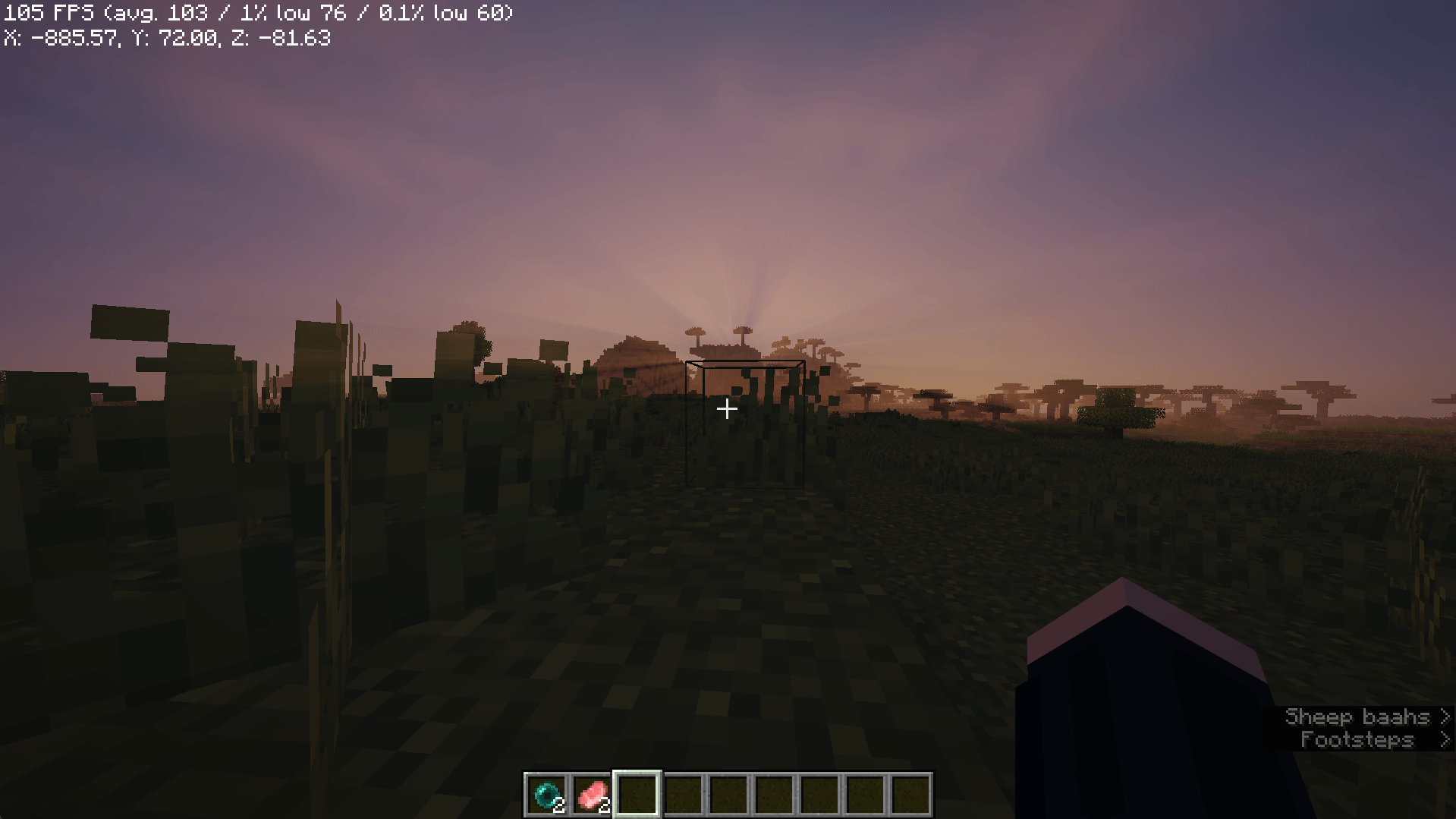
Overview: AerixiumSFA is a custom-optimized Minecraft shader pack designed to strike the perfect balance between high-end visual fidelity and performance. Whether you are looking for crisp, clean visuals or a cinematic atmosphere, this shader pack transforms your Minecraft world into a breathtaking, immersive experience.
Key Features:
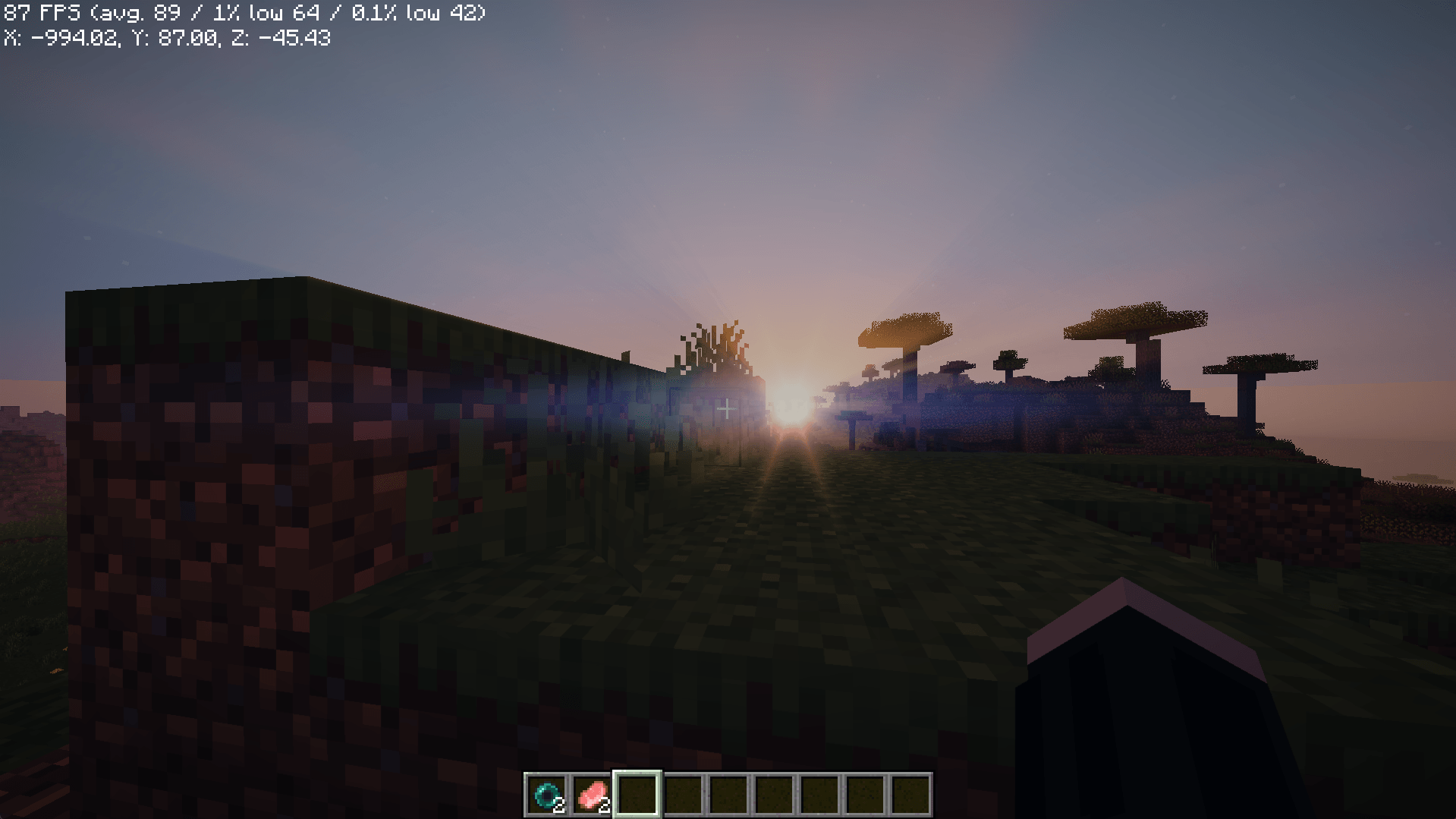
Realistic Lighting & Reflections: Experience enhanced water reflections and advanced block light handling that brings your environment to life.
Parallax Mapping Support: Features deep, realistic 3D textures that add physical depth and detail to standard blocks.
Performance-First Design: Optimized to deliver stunning visuals while maintaining a smooth frame rate, even on mid-range hardware.
Clean & Vibrant Aesthetics: Designed to avoid muddy color blending, providing a clean, sharp, and vibrant look similar to a "bleach" or high-end cinematic style.
Modern Atmosphere: Infuses the game with a sophisticated lighting aesthetic that provides a subtle "cyberpunk" vibe to your builds.
AerixiumSFA Shaders کیسے انسٹال کریں
With Millida Launcher
Install Millida Launcher
The launcher is free: download it at millida.net/launcher and sign in with any nickname.
Click “Install” on this page
The launcher opens and installs the shaders for Minecraft 1.21.11–26.2 automatically.
Launch the game
A profile with it appears in the launcher: click “Play”.
Manually
Install Iris or OptiFine
Without a shader mod the game cannot see shaders. Install it for the same Minecraft version.
Download the shader archive
Pick the file AerixiumSFA.zip (119 KB) and do not unpack it.
Put it in the shaderpacks folder
“Options”, then “Video Settings”, then “Shader Packs”, then “Open Shader Pack Folder”, and drag the archive there.
Select the shaders
In the same window, click the pack name and “Apply”.
ورژنز
ڈیپنڈنسیز کے ساتھ
| Minecraft | لوڈر | فائل | تاریخ | اقدامات |
|---|---|---|---|---|
| 1.21.11 | — | AerixiumSFA.zip119 KB 1 |
ریویوز
AerixiumSFA Shaders کو ریٹ کرنے والے پہلے شخص بنیں


