
Minecraft 1.10 کے لیے VIP Particles پلگ ان
نیا: باس بار فیچر! تقریباً 7k ڈاؤن لوڈز!
VIP Particles پلگ ان کے بارے میں
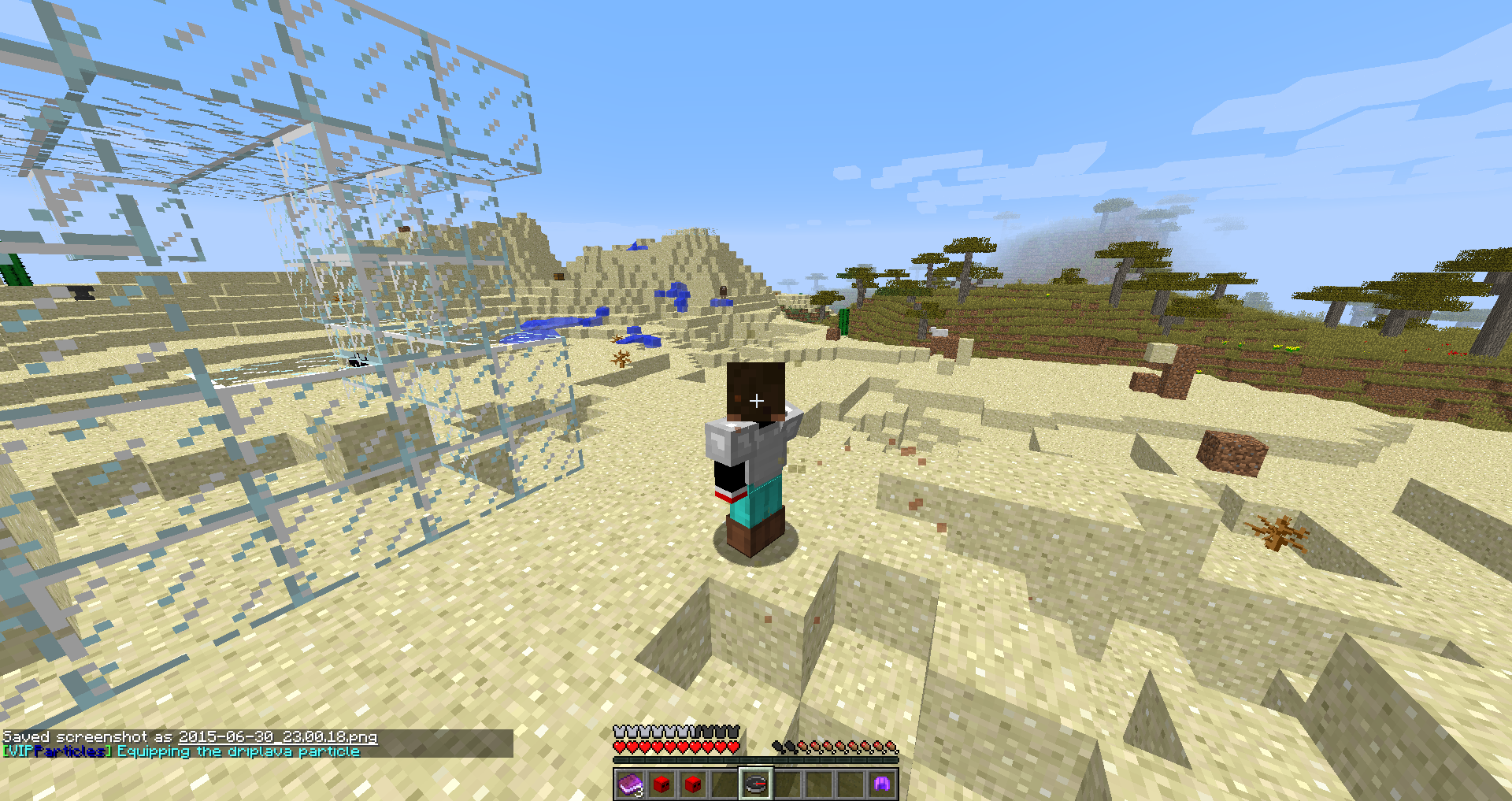
1.10 UPDATE - 10k downloads! - 2 NEW PARTICLES - FIXED POSITIONING OF PARTICLES - This is a simple and easily understandable particle plugin, it has many different particles and many different features for a better user experience. I recently added the bossbar(Which you can turn off an on in the config) feature which creates a bossbar telling you what particle you selected and the bossbar health slowly shrinks until it dissapears.
Just a side note: The reason I made this plugin was to experiment with hashmaps and such, although I did a decent bug test I am sure you guys will find a way to mess it up :)
What does it do?:
I had been searching for a particle plugin that fitted my liking but I could never find that perfect one. SO THATS WHY I MADE THIS!!!! VIP Particles has a very organized and easy to understand gui for your players and is a great donation perk. If you have never heard of a particle plugin here is a quick summary: It spawns particles around the player creating an aura-ish effect.
Features:
- Currently 24 different particle
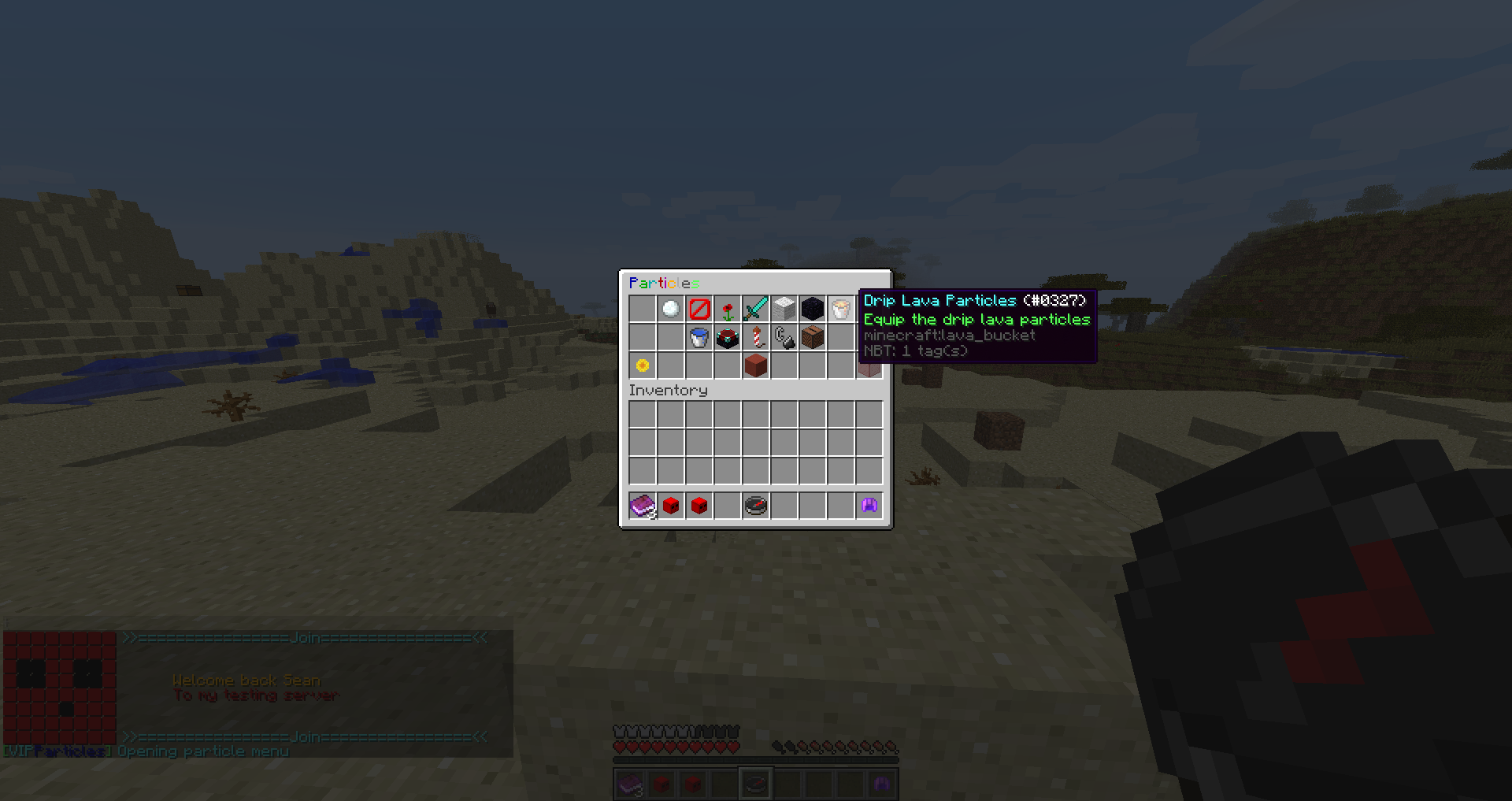
- Has a dynamic inventory menu showing the user what is unlocked and locked
- Has a built in option to link your players to the shop to buy more particles (Toggleable in config)
- A customisable message prefix
- More updates coming soon :)
Permissions:
- particles.*: Gives the player all particles
- particles.gui: Allows the user to open the particles gui
- All of the permissions below are self explanatory (Gives the respected particle to the player. ex: particles.snowbreak gives the player the snowbreak particle effect around them
- particles.snowbreak
- particles.barrier
- particles.heart
- particles.crit
- particles.cloud
- particles.portal
- particles.driplava
- particles.dripwater
- particles.enchant
- particles.fireworkspark
- particles.flame
- particles.music Page 2:
- particles.critmagic
- particles.redstone
- particles.rainbow
- particles.rainbowtwo
- particles.spell
- particles.witch
- particles.slime
- particles.angryvillager
- particles.happyvillager
- particles.wake
- particles.dragonbreath
- particles.endrod (More coming soon)
Config: (Should auto-generate)
http://pastebin.com/XPfNSPur
Commands:
- /particles: Opens up a GUI with all available particles
Videos:
- [GERMAN]
- [ENGLISH]
VIP Particles کیسے انسٹال کریں
A server on Paper or Spigot
The plugin runs on the server core for Minecraft 1.10; players do not need to install anything.
File goes into the plugins folder
Download the file VIPParticles.jar (49 KB) and put it into the server’s plugins folder.
Restart the server
On startup the plugin creates its own settings folder in plugins.
Use the “To server” button
On Millida Hosting, the button at the top of the page uploads the file to your server and restarts it for you.
Minecraft 1.10 runs on Java 8: with a different Java version the game may close right after launch.
ورژنز
ڈیپنڈنسیز کے ساتھ
| Minecraft | لوڈر | فائل | تاریخ | اقدامات |
|---|---|---|---|---|
| 1.10 | — | VIP Particles V 3.3 (Bug fix)48.7 KB |
عمومی سوالات
Which Minecraft versions does VIP Particles work on?
Only Minecraft 1.10: there are no files for other versions.
Do players need to install VIP Particles?
No, the plugin goes only on the server, into the plugins folder: players do not need to download anything.
Which Java does VIP Particles need?
Minecraft 1.10 runs on Java 8. If the game closes right after launch, the usual cause is the wrong Java version in the profile settings.
Where can I download VIP Particles safely?
On this page: the file VIPParticles.jar (49 KB) is stored on Millida’s server, with no link shorteners. SHA-1 checksum: 5df5f9cb45f37421155189e72dd20cb791cc1f4c.
ریویوز
VIP Particles کو ریٹ کرنے والے پہلے شخص بنیں



