
Minecraft کے لیے SimpleTabColors پلگ ان
ایک ہلکا پھلکا بکٹ پلگ ان جو آپ کی ٹیب لسٹ میں اجازت کی بنیاد پر رنگ شامل کرتا ہے۔
SimpleTabColors پلگ ان کے بارے میں
SimpleTabColors
A lightweight that adds permission-based colors to your tab list.
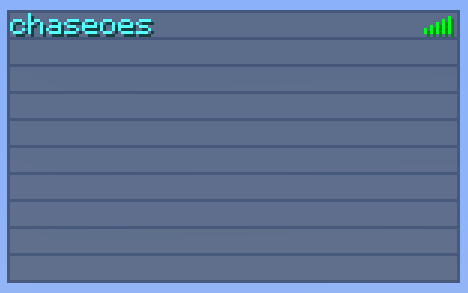
To have a player or group get a special color in the list, simply give them a permission that looks something like simpletabcolors.[color code]. For example, the permission simpletabcolors.4 applied to your admins group would give them a dark red name in the tab list.
This was designed to be a lightweight, permission-based plugin. It's less than 30 lines of code, and will remain working with future Bukkit/Minecraft updates for the foreseeable future with no updates required. Don't be worried if it hasn't been updated for 6 months!
Permissions
- simpletabcolors.[color code]: Gives the player with the permission a name in the tab list that is colored with the given color code.
The * Node Issue/Solution
If you have a permissions plugin that allows you to have a * node permission, this will give you all permissions, including the permissions for all the colors in the tab list. The first permission it finds will be used, which means if you have the star node, you'll usually have black.
When using the * node, you'll want to negate the permissions for all the colors you don't want until you get to the color you want. For example, in bPermissions, you negate permissions by using a minus sign in front of the permission. That might make your permissions look something like this:
- * - -simpletabcolors.1 # Negate every color you don't want. - -simpletabcolors.2 - -simpletabcolors.3 - simpletabcolors.4 # This one isn't negated because you want the dark red color (4).
You only have to negate permissions if you have or inherit the * node. The plugin should work fine under all other circumstances.
SimpleTabColors کیسے انسٹال کریں
A server on Paper or Spigot
The plugin runs on the server core; players do not need to install anything.
File goes into the plugins folder
Download the file SimpleTabColors.jar (3 KB) and put it into the server’s plugins folder.
Restart the server
On startup the plugin creates its own settings folder in plugins.
Use the “To server” button
On Millida Hosting, the button at the top of the page uploads the file to your server and restarts it for you.
ورژنز
ڈیپنڈنسیز کے ساتھ
| Minecraft | لوڈر | فائل | تاریخ | اقدامات |
|---|---|---|---|---|
| — | — | SimpleTabColors v2.03.4 KB |
عمومی سوالات
Do players need to install SimpleTabColors?
No, the plugin goes only on the server, into the plugins folder: players do not need to download anything.
Where can I download SimpleTabColors safely?
On this page: the file SimpleTabColors.jar (3 KB) is stored on Millida’s server, with no link shorteners. SHA-1 checksum: fc3a239fe89b6dbee72a74827c2414e7deb9a5f4.
ریویوز
SimpleTabColors کو ریٹ کرنے والے پہلے شخص بنیں


