

Plot² پلگ ان کے بارے میں
{ Discord }
The top world management plugin!

By Citymonstret & Empire92 & MBon29 & dordsor21
Support PlotSquared: paypal
What is PlotSquared?
- PlotSquared is a land management plugin and world manager which also comes with several highly configurable world generators. (See images below)
- You can create plots of land in existing worlds using plot clusters, or you can have a full world of plots.
Conversion to PlotSquared is automated
- See here for PlotMe conversion.
- See here for Plotz conversion.
PlotSquared is not just for creative servers
- Survival servers: We have a "town" template included with the plugin, or create your own using /plot setup
- Skyblock: "skyblock" template included with the plugin
- Are you a programmer? Use it to manage minigames. Clear arenas async, and manage plots using the plot cluster API.
- It's also being used on forge servers such as pixelmon.
Fast, scalable and efficient
- Async plot clearing is more than 800 times faster than PlotMe, among many other performance improvements
- Works with hundreds of thousands of plots, or monster 2K x 2K custom terrain plots, with many functions built specifically for mass plot management
- Plot condensation and world trimming can drastically reduce the size of the world on disk
- Powerful plot analysis and auto clearing mean you can further remove low quality plots
Support
- Legacy support for Bukkit 1.7 - 1.12, Sponge, and Nukkit (MCPE)
- Updated support for Bukkit 1.13
- Support for offline mode servers
- Community translations for several languages (may be outdated)
Features
- In built plot downloading + cross server saving and loading + some optional web interfaces
- Plot swapping / copying and cross world plot moving
- Plot merging, your own plots or between friends
- Extensive flag system so you can decide what should be protected on a per world, or per plot basis
- Plot entry notifications / per plot time / weather / music etc with the flag system
- Add custom roads to existing maps to make them look nicer
- Recolor all text easily and configure additional messages however you want
- Dynamic world border to prevent excessive exploring
- Mob protection and per plot mob limiting
- Interactive commands such as plot listing
- Plot rating, ranking, complexity analysis, and auto clearing calibration
- Use javascript to add new commands or script simple things like auto merging all plots
- Plot schematic saving, loading and pasting
- Per player settings such as plot chat and entry notifications
- World creation either with multiverse, /plot setup, or manual yml configuration
- Command recommendation if you mistype something
- Plot commenting and inboxes
- World auto trimming which reduces the CPU and disk usage when people explore
- Pistons and Sand/TNT cannons are properly restricted
- Per plot redstone settings + plot redstone disablers
- Optional fast async worldediting
- WorldEdit (included)/VoxelSniper (with addon) restricted to plots
- Chunk processing to safely unload dangerous chunks (also processes WorldEdit commands)
- Component setting (floor, wall, border)
- Section off areas (e.g. an area for donors) with plot clusters, or add plot clusters to vanilla worlds
- Use holograms instead of signs if you want (HoloPlots addon)
- Four tiers of plot allowance: Owner, Helper, Trusted, Denied
- Plot naming (for teleportation)
- Configurable command confirmation (e.g. for /plot clear)
- Manage islands, skyblock, vanilla worlds, or certain sections of worlds as plots
- A lot of generators, and settings to choose from
More Info
- Installation (includes conversion)
- Usage (info about various parts of the plugin)
- Permissions (Basic permission setup)
- Commands (List and description of all commands)
Addons
Official addons we created:
Updated: Plot2Dynmap (Dynmap addon)
Legacy:
- Plot2Dynmap (Dynmap addon)
- VoxelSniperRegions (Restrict VoxelSniper)
- PlotRankup (Plot approval system)
- PlotUpload (Web interface that supports multiple servers)
- PlotWebPHP (Web interface that supports plot searching)
- HoloPlots (Plot holograms)
- RedstoneClockPreventer2 (prevent clocks)
- CommandBlock (Restrict command blocks to plots)
- FastAsyncWorldEdit (Async WorldEdit in plots)
- PlotHider (Make plots invisible)
Official generators:
- HybridGenerator (This is bundled with PlotSquared.jar and supports plot + road schematics as well as Augmented generation)
- BiomeGenerator (Natural biomes within plots|not a world generator)
- PlotSquaredSG (Standalone generator|not a plot manager)
- AdvPlots (Non square schematic generation)
- BasicPlots (Basic generator with 1 plot per chunk)
- PlotSquaredMG (Large custom terrain gen)
- IslandPlots (Islands in ocean)
Forks:
- Chinese version (中国版)
- SpongeAPI version
Useful plugins (third party):
- WorldEdit(Edit blocks within your plot)
- VoxelSniper (Ranged map editing)
- TerrainControl (Control over augmented plot worlds)
- ArmorStandTools (Add armor stands in your plot)
- BuildersUtilities (Miscellaneous features to help with building)
- PlotsMenu (GUI for plot commands)
- Umbaska (Skript addon)
Add roads to your world...
- Hybrid generator bundled with PlotSquared
- Roads can be conveniently added to new or existing worlds
- Supports larger plot sizes than pure schematic generation
- (here's the template below /plot template import bridge)
In built plot downloading (no setup required)...
- Just use /plot download
- Cross server "/plot save", "/plot load" and "/plot schematic paste url:"
- See addons above for additional web interfaces
Plot merging...
- Use commands or enable auto merging
- Merge plots and build with friends
In game world creation...
- Use /plot setup
Combine generators; with or without roads...
- click here for tutorial
- Generate using any generator you want e.g. Normal terrain, Nether, or even TerrainControl
Plots can be anywhere...
- Augmented generation bundled with PlotSquared
- Plot clusters can go anywhere, and can simply be invisible boundaries if you want.
Actually set the plot biome...
- with our BiomeGenerator addon
Notifications/Per plot time + weather...
- using the extensive flag system
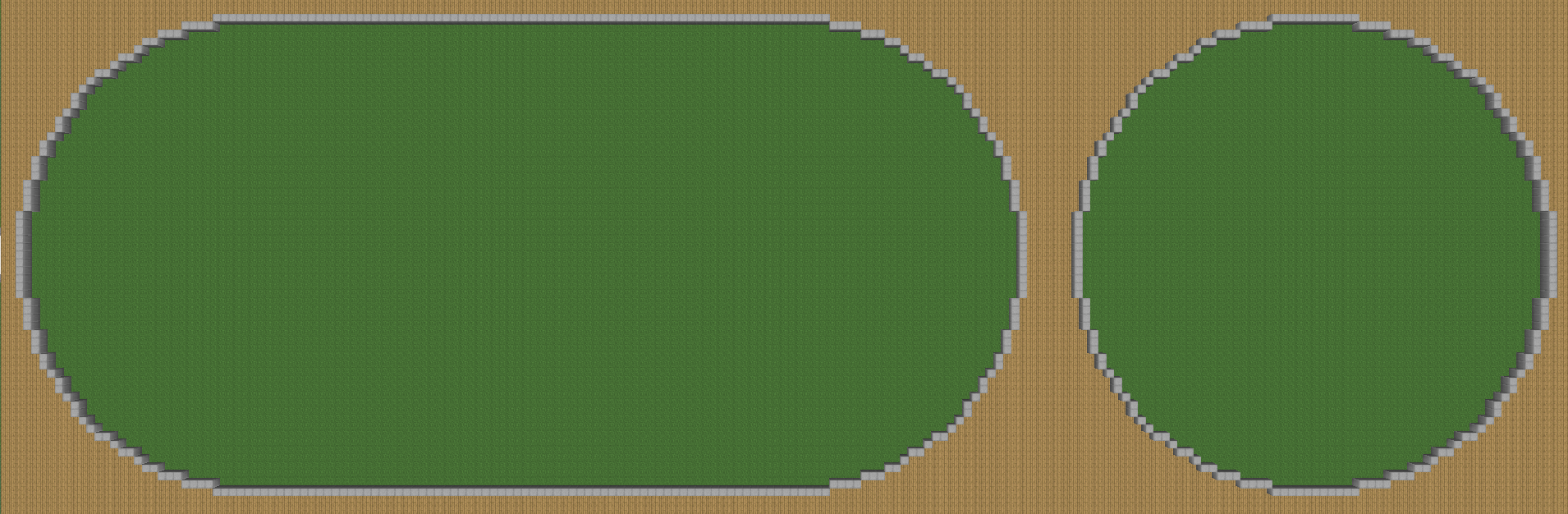
Complete control over plot composition...
- Default generator bundled with PlotSquared
- Percentage control over plot components and blocks
The comment section is disabled. If you need support or want to follow our development, join our discord.
Plot² کیسے انسٹال کریں
A server on Paper or Spigot
The plugin runs on the server core for Minecraft 1.13–1.14; players do not need to install anything.
File goes into the plugins folder
Download the file PlotSquared-Bukkit-4.494.jar (1.5 MB) and put it into the server’s plugins folder.
Restart the server
On startup the plugin creates its own settings folder in plugins.
Use the “To server” button
On Millida Hosting, the button at the top of the page uploads the file to your server and restarts it for you.
Minecraft 1.14 runs on Java 8: with a different Java version the game may close right after launch.
ورژنز
ڈیپنڈنسیز کے ساتھ
| Minecraft | لوڈر | فائل | تاریخ | اقدامات |
|---|---|---|---|---|
| 1.14 | — | Version 4.4941.5 MB | ||
| — | — | v2.2458 KB |
عمومی سوالات
Which Minecraft versions does Plot² work on?
There are files for 1.14, 1.13. The newest is 1.14.
Do players need to install Plot²?
No, the plugin goes only on the server, into the plugins folder: players do not need to download anything.
Which Java does Plot² need?
Minecraft 1.14 runs on Java 8. If the game closes right after launch, the usual cause is the wrong Java version in the profile settings.
Where can I download Plot² safely?
On this page: the file PlotSquared-Bukkit-4.494.jar (1.5 MB) is stored on Millida’s server, with no link shorteners. SHA-1 checksum: eeb15ee1c339ae4a8cd4a1b89b8fde5bc400b749.
ریویوز
Plot² کو ریٹ کرنے والے پہلے شخص بنیں


