
Overview
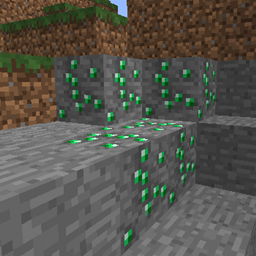
OrePlus is a server plugin that modifies the amount of ore generated in the world when new chunks are created, without changing the underlying style of generation. Some typical use cases for this plugin would be:
- Creating additional deposits of diamond/gold/iron/etc. in each newly generated chunk.
- Creating deposits of ore at depths or sizes different from vanilla Minecraft.
- Creating deposits of non-ore blocks, or ore-blocks added by other plugins.
- Preventing an ore from being generated by clearing it out.
OrePlus uses the same algorithm for generating deposits as vanilla Minecraft, so your deposits will look the same as those generated by Minecraft. The plugin can be configured on a per-world basis, in addition to a default configuration. Each configuration consists of a set of rules for either generating or clearing out a single block type. See the Configuration section for more information on configuring the plugin.
There are currently no runtime commands or permissions for changing the generating rules, or for modifying chunks that have already been created.
This plugin is best used in conjunction with a new world, so that all chunks will be created with consistent rules. There is no problem with loading it into an existing world, but any existing chunks at the time the plugin is first loaded will not be affected.
Installation
Place the OrePlus.jar file into your plugins directory. The first time you start your server, a default config.yml file will be created with a few rules to add extra ore to your new chunks. See the Configuration section for more information on configuring the plugin. Configuration changes will not take effect until your server is restarted.
Companion Tool
OrePlus is based off of NBToolkit, a collection of command-line tools for offline map processing that includes ore generation. If you wish to use OrePlus in an established world and still maintain consistency across it, you can use NBToolkit to apply an equivalent set of ore generating and clearing rules to your existing chunks.
The project thread can be found here. This tool is not inspected by the BukkitDev staff, and you use it entirely at your own risk. Support for NBToolkit will only be provided via the Minecraft forums project thread or its corresponding GitHub project. I will not provide any support for it here.
OrePlus کیسے انسٹال کریں
A server on Paper or Spigot
The plugin runs on the server core for Minecraft 1.4.7–1.5.2; players do not need to install anything.
File goes into the plugins folder
Download the file OrePlus.jar (14 KB) and put it into the server’s plugins folder.
Restart the server
On startup the plugin creates its own settings folder in plugins.
Use the “To server” button
On Millida Hosting, the button at the top of the page uploads the file to your server and restarts it for you.
Minecraft 1.5.2 runs on Java 8: with a different Java version the game may close right after launch.
ورژنز
ڈیپنڈنسیز کے ساتھ
| Minecraft | لوڈر | فائل | تاریخ | اقدامات |
|---|---|---|---|---|
| 1.4.7 | — | v1.1.114 KB |
عمومی سوالات
Which Minecraft versions does OrePlus work on?
There are files for 1.5.2, 1.4.7. The newest is 1.5.2.
Which Java does OrePlus need?
Minecraft 1.5.2 runs on Java 8. If the game closes right after launch, the usual cause is the wrong Java version in the profile settings.
Where can I download OrePlus safely?
On this page: the file OrePlus.jar (14 KB) is stored on Millida’s server, with no link shorteners. SHA-1 checksum: c5aee89fed179bc6680188903be391a97cc16d6d.
ریویوز
OrePlus کو ریٹ کرنے والے پہلے شخص بنیں


