
Minecraft کے لیے LegendaryWeapons پلگ ان
کسی بھی موب میں حسب ضرورت اور (اختیاری طور پر) انچانٹڈ ڈراپس شامل کرتا ہے!
LegendaryWeapons پلگ ان کے بارے میں
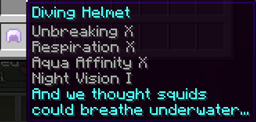
LegendaryWeapons allows you to set up new item drops from monsters, critters, or players. You can choose what the item is, its display name, enchantments, description, the mobs that drop it, and the chance of it dropping. Despite what the name suggests, you don't have to just do weapons. You can add armor and miscellaneous items as well.
Creating a weapon
- Open up the config file after adding the mod to your server
- Add a new weapon with a unique key (examples in the config use weaponX, where X is a unique number)
- Add a weapon-name (what you want to call it)
- Add a description (lines of text to show with the weapon)
- Add what mobs drop it
- Add the chance of it dropping (this can be decimal values such as 0.1 or 21.3)
- Add the item-name (the name of the item that it is based off of such as iron_sword)
- Add any enchantments you want (in the format EnchantmentName,Level)
- Save the config
- Reload the server
- The weapon should now be able to be dropped from the mobs you specified
EnchantmentAPI
With version 1.1, LegendaryWeapons is now compatible with my other mod EnchantmentAPI. While just adding EnchantmentAPI doesn't change anything, any enchantment that is made using the API can be used in this plugin! Simply use the custom enchantment name instead of a vanilla name and you can have weapons dropping with custom enchantments!
- For a pack of various enchantments, visit EnchantmentPack
Valid Values
For a list of valid values for enchantments, monster names, and color codes, go here For a list of valid item names, view the list here For a list of valid effect names, view the list here
Commands
/wgive [player] <item-key>
If you don't provide a player, it gives it to yours# elf. Note: the key is not the weapon name but what you used at the root of the weapon (e.g. the default weapons use weapon1 - weapon10 for their keys). Why did I use keys instead of names? because you can reuse a name but not a key.
Permissions
weapons.give - permission for the wgive command
Troubleshooting
- Problems with enchantment names/levels will display in your command prompt if there are any
- If a mob isn't dropping an item, try setting the chance to 100 and testing it. If it still isn't, the name is likely not what it needs to be (View the list of valid mob names)
- A color isn't working? Make sure you use a lowercase 'c' for the color code
Example Configuration
http:dev.bukkit.org/bukkit-plugins/legendaryweapons/pages/example-configuration/
Comments
Feel free to leave comments about what you think could be added/improved so I can make the plugin better!
LegendaryWeapons کیسے انسٹال کریں
A server on Paper or Spigot
The plugin runs on the server core; players do not need to install anything.
File goes into the plugins folder
Download the file LegendaryWeapons.jar (15 KB) and put it into the server’s plugins folder.
Restart the server
On startup the plugin creates its own settings folder in plugins.
Use the “To server” button
On Millida Hosting, the button at the top of the page uploads the file to your server and restarts it for you.
ورژنز
ڈیپنڈنسیز کے ساتھ
| Minecraft | لوڈر | فائل | تاریخ | اقدامات |
|---|---|---|---|---|
| — | — | LegendaryWeapons v1.515.4 KB |
عمومی سوالات
Do players need to install LegendaryWeapons?
No, the plugin goes only on the server, into the plugins folder: players do not need to download anything.
Where can I download LegendaryWeapons safely?
On this page: the file LegendaryWeapons.jar (15 KB) is stored on Millida’s server, with no link shorteners. SHA-1 checksum: c67cd83c6c7d0b35c597a41e8e59253c9d759ecc.
ریویوز
LegendaryWeapons کو ریٹ کرنے والے پہلے شخص بنیں


