
Minecraft 1.14 کے لیے Faction Mobs پلگ ان
اپنی ٹیم کے لیے لڑنے کے لیے موبز کی فوج کی کمانڈ کریں
Faction Mobs پلگ ان کے بارے میں
Command a mob army to fight for your team
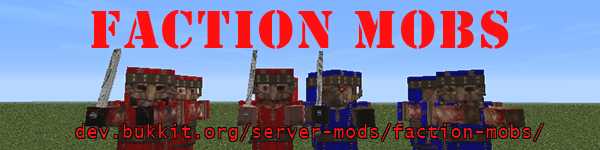
Want some guards to defend your territory? Faction Mobs allows you to spawn mobs aligned to your team! They'll attack enemy players and monsters! You can even order your mobs around. Make them follow you or patrol an area.
Supports:
- Factions (Including Factions UUID)
- Towny
- SimpleClans
- Kingdoms
- Feudal

Mob Types:
There are 5 mob types:Swordsman
- Sword wielding
- Base class: Skeleton with sword
- Archer
- Bow wielding
- Base class: Skeleton with bow
- Mage
- Potion throwing
- Base class: Witch
- Titan
- Base class: Iron Golem
- SpiritBear
- Base class: Polar Bear
The swordsman and archer will equip full leather armor dyed to a color of your choice.
You can modify mob attributes in the config, and you may disable them selectively if you wish.
If Lib's Disguises is used, the swordsman, archer, and mage will use player skins.
Behavior:
Your faction mobs will automatically categorize any units it meets as enemy, friendly, or neutral.
Players and faction mobs from enemy factions will be considered enemies. If set in the options, hostile mobs will also be considered enemies, with the exception of the creeper, which it will never attack. Players and faction mobs from your own and allied factions will be considered friendly. All other units are neutral.
Your faction mobs will automatically attack hostile units. It will defend itself when attacked by neutral units. It will never attack friendly units.
Note that the Mage and Archer have some rather bad aim, and may accidentally attack friendly units. You can prevent damage from friendly fire by setting noFriendlyFire to true in the config.
The config file contains many options to set various attributes to the mobs. Please look through it.
Additional Information:
- Mobs still use their original AI, just slightly modified. This means they will use the same movement patterns when attacking as they normally do.
- I used some of the obfuscated functions from Craftbukkit. This means that the plugin will only work for the version it was released for.
- The mobs are saved in file separate from the rest of the world. If you change the name of your world, the faction mobs will not transfer with it.
- If your server is prone to crashing, it is recommended you turn on the autoSave function in the config file.
- This plugin utilizes Hidendra's plugin metrics system, which means that the following information is collected and sent to mcstats.org:
- A unique identifier
- The server's version of Java
- Whether the server is in offline or online mode
- The plugin's version
- The server's version
- The OS version/name and architecture
- The core count for the CPU
- The number of players online
- The Metrics version
- The Factions version
- Note to other devs: Faction Mobs custom entities have "CustomEntity" and "FactionMob" metadata tags
Reporting a Bug:
I'm not very active maintaining this plugin anymore, I generally check every month or so. If you want me to look into a problem, I need:
- Server type and version
- "Factions" plugin and version
- FactionMobs version
- error.log file if relevant
- Steps to reproduce the problem
Faction Mobs کیسے انسٹال کریں
A server on Paper or Spigot
The plugin runs on the server core for Minecraft 1.13–1.14; players do not need to install anything.
File goes into the plugins folder
Download the file FactionMobs.jar (176 KB) and put it into the server’s plugins folder.
Restart the server
On startup the plugin creates its own settings folder in plugins.
Use the “To server” button
On Millida Hosting, the button at the top of the page uploads the file to your server and restarts it for you.
Minecraft 1.14 runs on Java 8: with a different Java version the game may close right after launch.
ورژنز
ڈیپنڈنسیز کے ساتھ
| Minecraft | لوڈر | فائل | تاریخ | اقدامات |
|---|---|---|---|---|
| 1.14 | — | Faction Mobs v3.3.5 for CB1.14.4176 KB | ||
| 1.14 | — | Faction Mobs v3.3.4 for CB1.14.4176 KB | ||
| 1.13 | — | Faction Mobs v3.3.2 for CB1.13.2174 KB |
عمومی سوالات
Which Minecraft versions does Faction Mobs work on?
There are files for 1.14, 1.13. The newest is 1.14.
Which Java does Faction Mobs need?
Minecraft 1.14 runs on Java 8. If the game closes right after launch, the usual cause is the wrong Java version in the profile settings.
Where can I download Faction Mobs safely?
On this page: the file FactionMobs.jar (176 KB) is stored on Millida’s server, with no link shorteners. SHA-1 checksum: 46ea996a3b38553ddcfc11924ba8f3bf93f5bbab.
ریویوز
Faction Mobs کو ریٹ کرنے والے پہلے شخص بنیں


