
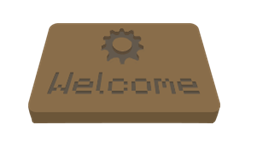
Custom Welcome
Don't you want to customize your server so people see how professional your server is? It's not very cool to have a broadcasting plugin with a non-customizable prefix: "[Auto-Broadcaster] Please vote for our server!". I want to give your server a more professional look with a simple plugin that you can easily customize. With this plugin you can send Custome Welcome messages. You can customize everything: prefix, text, style and amount. In the properties file you can set a prefix and the messages. There are some more cool features build in the plugin. You can make it more personal by adding the playername in your message. You can even tell the player how many people are online! In the Pages in the menubar you can see further explanation for customization.
Features
- Custom Prefix
- Custom Message
- Custom amount of messages
- Custom Colors
- Custom Styles
- Custom Variables: Playername - Servername - Max Players - Online Players
Known Bugs
- The first player to log in when the server is started gets the messages in a different order
Note
This is the first plugin I have ever created for bukkit, and I'm fairly new with Java. Expect some bugs and when you find one, please report it. I will try to fix it in future releases. If you have tips or suggestions for more features and other stuff, please tell me. I'll take a look if I can do something with your comment.
Download
Download the CustomWelcome Plugin here: http:dev.bukkit.org/bukkit-mods/custome-welcome/files/
CustomWelcome کیسے انسٹال کریں
A server on Paper or Spigot
The plugin runs on the server core; players do not need to install anything.
File goes into the plugins folder
Download the file CustomWelcome.jar (6 KB) and put it into the server’s plugins folder.
Restart the server
On startup the plugin creates its own settings folder in plugins.
Use the “To server” button
On Millida Hosting, the button at the top of the page uploads the file to your server and restarts it for you.
ورژنز
ڈیپنڈنسیز کے ساتھ
| Minecraft | لوڈر | فائل | تاریخ | اقدامات |
|---|---|---|---|---|
| — | — | CustomWelcome 1.0.16 KB |
عمومی سوالات
Do players need to install CustomWelcome?
No, the plugin goes only on the server, into the plugins folder: players do not need to download anything.
ریویوز
CustomWelcome کو ریٹ کرنے والے پہلے شخص بنیں



