
Chat Prefix
Moved to Spigot! Updates are now on Spigot! Click HERE
- Updates are on Spigot
- Updates are on Spigot
- Updates are on Spigot
- Updates are on Spigot
- Updates are on Spigot
- Updates are on Spigot
- Updates are on Spigot
- Updates are on Spigot
- Updates are on Spigot
- Updates are on Spigot
- Updates are on Spigot
- Updates are on Spigot
- Updates are on Spigot
- Updates are on Spigot
- Updates are on Spigot
- Updates are on Spigot
- Updates are on Spigot
- Updates are on Spigot
- Updates are on Spigot
- Updates are on Spigot
- Updates are on Spigot
- Updates are on Spigot
DO NOT USE VERSION 0.3!
German
Mit diesem Plugin könnt ihr ganz einfach eigene Prefixe in eurem chat benutzen/erstellen!
Nicht benötigt in der Version 0.3 und höher!
Was ihr benötigt:
- - PermissionsEX NUR IN DER 0.2 Version!!!
- - ChatEx NUR IN DER 0.2 Version!!!
- - Vault NUR IN DER 0.2 Version!!!
Chat Ex ist nicht benötigt wenn ihr schon ein anderes Chat Management system habt!
Installation:
Downloade dir die datei und packe sie in den plugins Ordner danach reloadest du deinen server.
Wie benutze ich es? | Kommandos
- /prefix <Prefix> Beispiel: /prefix &7[&cGott&7]
- /prefix [-u] <Ziel Spieler> <Prefix> Beispiel: /prefix -u Notch &7[&cGott&7]
Sprachen
- EN
- DE
Ändert die Sprache ganz einfach in dem ordner PrefixChat in der Datei language.
English
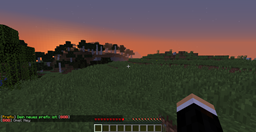
With this plugin you can easy change/create your prefix in the chat.
You doesn't need this in version 0.3 and higher!
What you need:
- - PermissionsEX ONLY IN VERSION 0.2!!
- - ChatEx ONLY IN VERSION 0.2!!
- - Vault ONLY IN VERSION 0.2!!
ChatEx isnt needed if you already have a Chat Manager system
How you install this Plugin:
Download the plugin and put it in the plugins folder and reload or restart your server.
How to use it | Commands
- /prefix <Prefix> Example: /prefix &7[&cGod&7]
- /prefix [-u] <Target Player> <Prefix> Example: /prefix -u Notch &7[&cGod&7]
Permissions
prefix.use | for using /prefix
Features
- Choose/Change your own Chat Prefix.
- Choose/Change the Chat Prefix for other users.
- Change the Global Message Color!
- Change the Global Player Name Color!
Languages
- EN
- DE
Change the Language in the Config file in the folder PrefixChat.
Todo List
- ̶c̶̶h̶̶a̶̶n̶̶g̶̶e̶̶ ̶̶t̶̶h̶̶e̶̶ ̶̶p̶̶r̶̶e̶̶f̶̶i̶̶x̶̶ ̶̶f̶̶o̶̶r̶̶ ̶̶o̶̶t̶̶h̶̶e̶̶r̶̶ ̶̶u̶̶s̶̶e̶̶r̶̶s̶̶.̶
- change message color for single players.
Chat prefix کیسے انسٹال کریں
A server on Paper or Spigot
The plugin runs on the server core for Minecraft 1.8.1–1.9; players do not need to install anything.
File goes into the plugins folder
Download the file Prefix.jar (10 KB) and put it into the server’s plugins folder.
Restart the server
On startup the plugin creates its own settings folder in plugins.
Use the “To server” button
On Millida Hosting, the button at the top of the page uploads the file to your server and restarts it for you.
Minecraft 1.9 runs on Java 8: with a different Java version the game may close right after launch.
ورژنز
ڈیپنڈنسیز کے ساتھ
| Minecraft | لوڈر | فائل | تاریخ | اقدامات |
|---|---|---|---|---|
| 1.9 | — | v0.59.6 KB | ||
| 1.8.1 | — | v0.38.6 KB |
ریویوز
Chat prefix کو ریٹ کرنے والے پہلے شخص بنیں


