
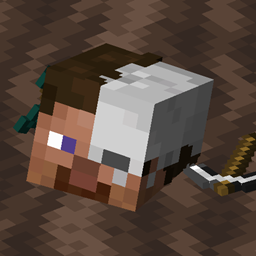
- ویوز
- 16 ویوز
- اپ ڈیٹ شدہ
- اپ ڈیٹ شدہ 18.10.2026
- 1.17.1 — 1.18.1
 Fabric
یونیورسل گریوز
یہ ایک سادہ، لیکن واقعی بہت زیادہ حسبِ منشا بنانے کے قابل گریو/ڈیتھ چیسٹ موڈ ہے! آپ اپنی مرضی کے مطابق اسے تبدیل کر سکتے ہیں، پیغام، بلاکس اور ہولوگرام ٹیکسٹ میں تبدیلی، یہ کتنی دیر تک محفوظ رہے گا، میعاد ختم ہونے کے بعد آئٹمز گرنے چاہئیں یا نہیں اور اسی طرح کی چیزیں۔
یہ موڈ خالصتاً سرورز پر کام کر سکتا ہے، تاہم ماڈل سپورٹ کے لیے کلائنٹس پر موڈ درکار ہے!
یہ موڈ صرف Fabric اور Quilt پر کام کرتا ہے!
اگر آپ کے کوئی سوالات ہیں، تو آپ انہیں میرے Discord پر پوچھ سکتے ہیں
میرے دیگر موڈز اور پروجیکٹ بھی دیکھیں، کیونکہ آپ کو وہ مفید لگ سکتے ہیں!
2.x/1.19.x یا اس سے پرانا استعمال کر رہے ہیں؟
درست ریڈمی دیکھنے کے لیے یہاں کلک کریں!
تصاویر
کمانڈز (اور اجازتیں):
- /graves - مرکزی کمانڈ، کھلاڑی کے گریوز کی فہرست دکھاتا ہے (universalgraves.list، بطور ڈیفالٹ دستیاب)
- /graves player <player> - منتخب کھلاڑی کے گریوز کی فہرست کے ساتھ GUI کھولتا ہے (universalgraves.listothers)
- /graves modify <player> - ایگزیکیوٹر کے گریوز کی فہرست کے ساتھ GUI کھولتا ہے جس میں ان میں تبدیلی کی صلاحیت ہوتی ہے (universalgraves.modify)
- /graves reload - کنفیگریشن اور اسٹائلز کو دوبارہ لوڈ کرتا ہے (universalgraves.reload درکار ہے)
مزید برآں، universalgraves.teleport اجازت رکھنے سے، آپ کسی بھی گریو پر ٹیلی پورٹ کر سکتے ہیں۔
Universal Graves کیسے انسٹال کریں
With Millida Launcher
Install Millida Launcher
The launcher is free: download it at millida.net/launcher and sign in with any nickname.
Click “Install” on this page
The launcher opens and installs the mod for Minecraft 1.17.1–1.18.1 on Fabric automatically.
Launch the game
A profile with it appears in the launcher: click “Play”.
Manually
Install Fabric
The loader must match the game version of the mod file, for example Minecraft 1.18.1. After installing it, a separate profile appears in your launcher.
Download the file for your version
In the version list above, pick the file graves-2.0.0-rc.2+1.18.1.jar (882 KB) for your game version.
Put it in the mods folder
The folder is inside .minecraft (Windows: %appdata%\.minecraft\mods). If it does not exist, create it.
Launch the loader profile
Open “Mods” in the main menu: Universal Graves should be in the list.
Minecraft 1.18.1 runs on Java 17: with a different Java version the game may close right after launch.
ورژنز
ڈیپنڈنسیز کے ساتھ
| Minecraft | لوڈر | فائل | تاریخ | اقدامات |
|---|---|---|---|---|
| — | Fabric | UniversalGraves 3.13.0+26.3753 KB | ||
| 1.18.1 | Fabric | graves-2.0.0-rc.2+1.18.1.jar882 KB | ||
| 1.18.1 | Fabric | graves-2.0.0-beta.3+1.18.jar844 KB | ||
| 1.17.1 | — | graves-1.1.2+1.17.1.jar466 KB |
عمومی سوالات
Which Minecraft versions does Universal Graves work on?
There are files for 1.18.1, 1.17.1. The newest is 1.18.1.
Is Universal Graves for Forge or Fabric?
Only for Fabric: 1.18.1. There are no files for Forge or NeoForge: a mod for another loader will not start.
Does Universal Graves need other mods?
The author lists no required dependencies: the Fabric loader is enough.
Which Java does Universal Graves need?
Minecraft 1.18.1 runs on Java 17. If the game closes right after launch, the usual cause is the wrong Java version in the profile settings.
How do I download Universal Graves?
With Millida Launcher: it installs Universal Graves into a modpack by itself, for the right game version and loader. The launcher is free.
ریویوز
Universal Graves کو ریٹ کرنے والے پہلے شخص بنیں


