
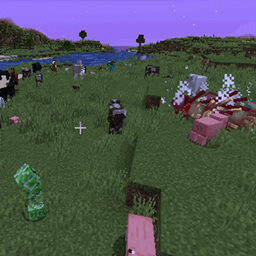
Minecraft 1.20.1, 1.21.1 کے لیے Spawncap Control Utility (Forge & Fabric) موڈ
بنیادی spawncap اقدار کو کنٹرول کرنے کی اجازت دیتا ہے
 Forge
Forge Fabric
Spawncap Control Utility (Forge & Fabric) موڈ کے بارے میں
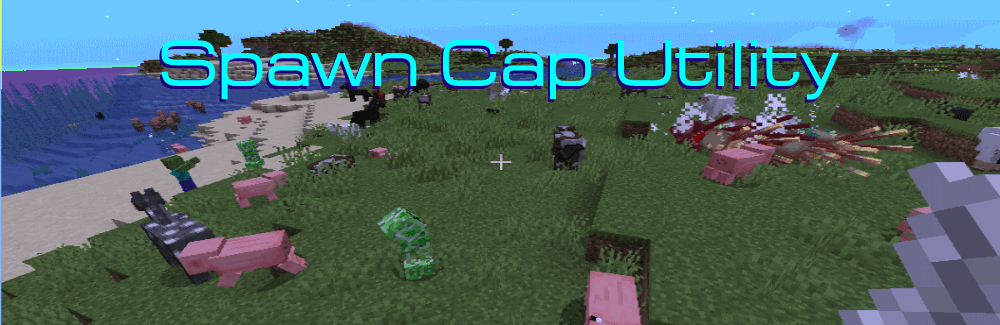
Spawncap Utility Control is a simple to use mod that gives you control over Spawncap values.
Uses
Want to play "Slightly easier than easy mode"? Set easy mode and then lower the spawncap values for Monsters to 20.
Want to play with more monsters?" Boost the spawncap values for Monsters from 70 to 140, or even 210!
Want to make food animals harder to find in a post apocalyptic pack? Lower the Creature and WaterAmbient values.
Want to free up a bit of processing power for monsters? Lower the UndergroundWaterCreature(Glow Squid) and Ambient (Bats) values.
Warnings and Caveats
None really. I've tested this on my standalone machines with the maximum values and it ran fine. I think these values were chosen when computers were weaker and to make night have a certain level of risk.
At the maximum values for monsters, it is dangerous to run at night- you are constantly running into groups of mobs.
If you set them too high for your Potato and performance is terrible, then you can set them to lower values but the default parameters are safe for very weak machines.
We used to use 178 mobs on Spigot and it was fun. I wanted to have that feeling again so... here you go! Monsters at 140 is a much better rate.
Oh-- and this will speed up inefficient mob farms. It should not speed up efficient mob farms tho.
Forge & Fabric
On this mod page, Older Fabric mods are stored as a Beta version and Forge is stored as a Release version so both will be visible. With the newer client, this isn't needed any more and both can be Release version.
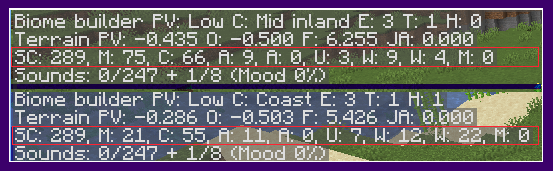
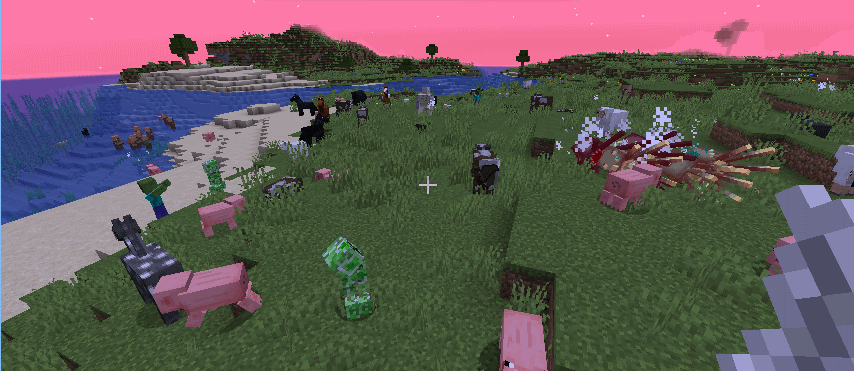
ExampleThe top is from settings with 5 extra monsters.
The bottom is from settings with only 20 monsters.
Command ( Forge 1.21.11 only for now ) /spawncapinfo
[ SpawncapControlInfo ]
[MONSTER] EnumMax=40 Count=40 ComputedCap=40
[CREATURE] EnumMax=10 Count=227 ComputedCap=10
[AMBIENT] EnumMax=11 Count=11 ComputedCap=11
[AXOLOTLS] EnumMax=12 Count=0 ComputedCap=12
[CHAT] [UNDERGROUND_WATER_CREATURE] EnumMax=11 Count=7 ComputedCap=11
[WATER_CREATURE] EnumMax=10 Count=0 ComputedCap=10
[WATER_AMBIENT] EnumMax=24 Count=0 ComputedCap=24
Configuration file
The configuration file name is SpawncapControlUtility.common
In the earlier versions there are five hardcoded categories with a number you can change.
In the current version (1.19.X only for now), there is a list of categories you can change. You can also add new categories from Mods to it. You can use the latest.log file to find the names of those categories.
Log File Entries (For Mod Pack Designers) (Forge and Fabric 1.19.X only at this time)
If you are using a mod that has it's own mob categories you can customize the values. Look for the correct names and default in this section of the log file.
[18:46:45] [Server thread/INFO]: SpawncapControlUtiity Startup
[18:46:45] [Server thread/INFO]: Configured new Spawn Category Values [18:46:45] [Server thread/INFO]: SpawncapControlUtility: Category MONSTER has a default maximum of 70. Checking configuration for override maximum values. [18:46:45] [Server thread/INFO]: SpawncapControlUtility: Raised Category MONSTER Maximum Value from 70 to 73 [18:46:45] [Server thread/INFO]: SpawncapControlUtility: Category CREATURE has a default maximum of 10. Checking configuration for override maximum values. [18:46:45] [Server thread/INFO]: SpawncapControlUtility: Category CREATURE configured maximum same as default value. No change made. [18:46:45] [Server thread/INFO]: SpawncapControlUtility: Category AMBIENT has a default maximum of 15. Checking configuration for override maximum values. [18:46:45] [Server thread/INFO]: SpawncapControlUtility: Lowered Category AMBIENT Maximum Value from 15 to 14 [18:46:45] [Server thread/INFO]: SpawncapControlUtility: Category AXOLOTLS has a default maximum of 5. Checking configuration for override maximum values. [18:46:45] [Server thread/INFO]: SpawncapControlUtility: Category AXOLOTLS configured maximum same as default value. No change made. [18:46:45] [Server thread/INFO]: SpawncapControlUtility: Category UNDERGROUND_WATER_CREATURE has a default maximum of 5. Checking configuration for override maximum values. [18:46:45] [Server thread/INFO]: SpawncapControlUtility: Category UNDERGROUND_WATER_CREATURE configured maximum same as default value. No change made. [18:46:45] [Server thread/INFO]: SpawncapControlUtility: Category WATER_CREATURE has a default maximum of 5. Checking configuration for override maximum values. [18:46:45] [Server thread/INFO]: SpawncapControlUtility: Category WATER_CREATURE configured maximum same as default value. No change made. [18:46:45] [Server thread/INFO]: SpawncapControlUtility: Category WATER_AMBIENT has a default maximum of 20. Checking configuration for override maximum values. [18:46:45] [Server thread/INFO]: SpawncapControlUtility: Category WATER_AMBIENT configured maximum same as default value. No change made. [18:46:45] [Server thread/INFO]: SpawncapControlUtility: Category MISC should not be changed. [18:46:45] [Server thread/INFO]: SpawncapControlUtility: Category HUNTERS has a default maximum of 10. Checking configuration for override maximum values. [18:46:45] [Server thread/INFO]: SpawncapControlUtility: Category HUNTERS had no configured overrides. Keeping maximum of 10 [18:46:45] [Server thread/INFO]: SpawncapControlUtility: Category BEASTS has a default maximum of 91. Checking configuration for override maximum values. [18:46:45] [Server thread/INFO]: SpawncapControlUtility: BEASTS had no configured overrides. Keeping maximum of 91.
Then add them like this to the configuration file.
#spawn Categories(MONSTER, CREATURE, ... defaults..., custom pools from other mods
spawnCategories = ["MONSTER,80", "CREATURE,19", "AMBIENT,23", "AXOLOTLS,12",
"UNDERGROUND_WATER_CREATURE,11", "WATER_CREATURE,10", "WATER_AMBIENT,24"]
Afterwards the log will look like this..
[18:46:45] [Server thread/INFO]: SpawncapControlUtility: Category HUNTER has a default maximum of 10 Checking configuration for override maximum values. [18:46:45] [Server thread/INFO]: SpawncapControlUtility: Raised Category HUNTER Maximum Value from 10 to 17
[18:46:45] [Server thread/INFO]: SpawncapControlUtility: Category BEASTS has a default maximum of 91. Checking configuration for override maximum values. [18:46:45] [Server thread/INFO]: SpawncapControlUtility: Lowered Category BEASTS Maximum Value from 91 to 42
Discord
You can join us on Discord at

Patron Support
You can support our work with Patreon. This will help since alternative modloaders do not share a portion of their advertising income with us like Curseforge.

Spawncap Control Utility (Forge & Fabric) کیسے انسٹال کریں
With Millida Launcher
Install Millida Launcher
The launcher is free: download it at millida.net/launcher and sign in with any nickname.
Click “Install” on this page
The launcher opens and installs the mod for Minecraft 1.20–1.21.11 on Fabric or Forge automatically.
Launch the game
A profile with it appears in the launcher: click “Play”.
Manually
Install Fabric or Forge
The loader must match the game version of the mod file, for example Minecraft 1.21.11. After installing it, a separate profile appears in your launcher.
Download the file for your version
In the version list above, pick the file forgeSpawncapControlUtility-1.21.11-61.1.4.jar (39 KB) for your game version and loader.
Put it in the mods folder
The folder is inside .minecraft (Windows: %appdata%\.minecraft\mods). If it does not exist, create it.
Launch the loader profile
Open “Mods” in the main menu: Spawncap Control Utility (Forge & Fabric) should be in the list.
Minecraft 1.21.11 runs on Java 21: with a different Java version the game may close right after launch.
ورژنز
ڈیپنڈنسیز کے ساتھ
| Minecraft | لوڈر | فائل | تاریخ | اقدامات |
|---|---|---|---|---|
| 1.21.11 | Forge | forgeSpawncapControlUtility-1.21.11-61.1.4.jar38.9 KB 1 | ||
| 1.21.8 | Fabric | fabric-spawncapcontrolutility-1.21.1-115.1.4.jar40.4 KB | ||
| 1.20.2 | Fabric | fabric-spawncapcontrolutility-1.20-3.jar42.8 KB |
عمومی سوالات
Which Minecraft versions does Spawncap Control Utility (Forge & Fabric) work on?
There are files for 1.20–1.21.11, 15 versions in total. The newest is 1.21.11.
Is Spawncap Control Utility (Forge & Fabric) for Forge or Fabric?
There are files for Fabric: 1.20–1.21.11 and for Forge: 1.21.11. There are no files for NeoForge: a mod for another loader will not start.
Does Spawncap Control Utility (Forge & Fabric) need other mods?
The author lists no required dependencies: the Fabric or Forge loader is enough.
Which Java does Spawncap Control Utility (Forge & Fabric) need?
Minecraft 1.21.11 runs on Java 21. If the game closes right after launch, the usual cause is the wrong Java version in the profile settings.
Where can I download Spawncap Control Utility (Forge & Fabric) safely?
On this page: the file forgeSpawncapControlUtility-1.21.11-61.1.4.jar (39 KB) is stored on Millida’s server, with no link shorteners. SHA-1 checksum: 97bfd5d57fd0dd0adacbceeb3925295e62738a0c.
ریویوز
Spawncap Control Utility (Forge & Fabric) کو ریٹ کرنے والے پہلے شخص بنیں


