
Minecraft 1.16.5, 26.3 کے لیے Shrink. موڈ
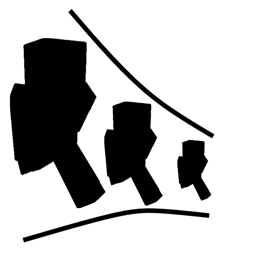
Shrink ایک چھوٹا موڈ ہے جو Minecraft میں کھلاڑیوں کو اپنے سائز کو تبدیل کرنے کی اجازت دیتا ہے۔
 Fabric
 NeoForge
 Forge
ForgeShrink. موڈ کے بارے میں
Shrink ایک چھوٹا موڈ ہے جو آپ کو اپنے پلیئر کا سائز تبدیل کرنے دیتا ہے۔
- سکڑنے سے، آپ ایسی جگہوں تک رسائی حاصل کرتے ہیں جو عام طور پر بلاکس توڑے بغیر ممنوع ہوتی ہیں۔
- یہ موڈ ایک واحد آئٹم متعارف کراتا ہے جسے Personal Shrinking Device کہا جاتا ہے۔
- جب آپ اس ڈیوائس پر shift-right-click کرتے ہیں، تو آپ کا پلیئر جادوئی طور پر تقریباً ایک بلاک کے چوتھائی حصے کے سائز تک سکڑ جاتا ہے۔
- Personal Shrinking Device کو کسی بھی RF/Forge Energy ذریعے سے طاقت درکار ہوتی ہے، حالانکہ آپ کنفیگریشن فائل میں اس خصوصیت کو غیر فعال کر سکتے ہیں۔

استعمال کے مواقع
- تصور کریں کہ آپ خفیہ راستوں میں گھس رہے ہیں، چھوٹے چھوٹے کونوں کی کھوج کر رہے ہیں، یا ایک ننھے مہم جو کے طور پر mobs سے چھپ رہے ہیں۔
- کسی تنگ دراڑ سے گزرنا ہے؟ سکڑ جائیں! - دنیا کو ایک کیڑے کے نقطہ نظر سے دیکھنا چاہتے ہیں؟ سکڑ جائیں!
- ہر چیز پر بلند و بالا ہونے سے تھک گئے ہیں؟ سکڑ جائیں!
- جب آپ چھوٹے ہوں گے، تب بھی آپ کا وار کاری ہوگا۔ آپ کا ننھا سا وجود طاقتور ہتھیار اور زرہ استعمال کر سکتا ہے۔
- محتاط رہیں، کچھ mobs آپ کی نئی چھوٹی جسامت کو پسند نہیں کر سکتے۔
Shrink. کیسے انسٹال کریں
With Millida Launcher
Install Millida Launcher
The launcher is free: download it at millida.net/launcher and sign in with any nickname.
Click “Install” on this page
The launcher opens and installs the mod for Minecraft 1.16.4–26.3 on Fabric, Forge or NeoForge automatically.
Launch the game
A profile with it appears in the launcher: click “Play”.
Manually
Install Fabric, Forge or NeoForge
The loader must match the game version of the mod file, for example Minecraft 26.3. After installing it, a separate profile appears in your launcher.
Download the file for your version
In the version list above, pick the file shrink-fabric-26.3-2.1.2.jar (56 KB) for your game version and loader.
Put it in the mods folder
The folder is inside .minecraft (Windows: %appdata%\.minecraft\mods). If it does not exist, create it.
Launch the loader profile
Open “Mods” in the main menu: Shrink. should be in the list.
ورژنز
ڈیپنڈنسیز کے ساتھ
| Minecraft | لوڈر | فائل | تاریخ | اقدامات |
|---|---|---|---|---|
| 26.3 | Fabric | 26.3-2.1.2 [Fabric]55.9 KB 72 | ||
| 26.3 | NeoForge | 26.3-2.1.2 [NeoForge]56.4 KB 2 | ||
| 1.20.4 | Forge | 1.20.4-2.0.0.40 [Forge]54.9 KB 6 | ||
| 1.16.5 | — | Shrink-1.16.4-1.1.3.jar70.8 KB 3 | ||
| 1.16.5 | Forge | Shrink-1.16.4-1.1.2.jar68.1 KB |
عمومی سوالات
Which Minecraft versions does Shrink. work on?
There are files for 26.3, 1.20.4, 1.16.5, 1.16.4. The newest is 26.3.
Is Shrink. for Forge or Fabric?
There are files for Fabric: 26.3, for Forge: 1.16.5–1.20.4 and for NeoForge: 26.3.
Does Shrink. need other mods?
The author lists no required dependencies: the Fabric, Forge or NeoForge loader is enough.
Where can I download Shrink. safely?
On this page: the file shrink-fabric-26.3-2.1.2.jar (56 KB) is stored on Millida’s server, with no link shorteners. SHA-1 checksum: 9150e10e80482b4f24e825ae191e04bf7e8a5258.
ریویوز
Shrink. کو ریٹ کرنے والے پہلے شخص بنیں


