

Minecraft 1.21.1, 1.21 کے لیے Seamless Loading Screen موڈ
جب آپ کوئی دنیا یا سرور چھوڑتے ہیں تو گیم کا اسکرین شاٹ لیتا ہے، اور دوبارہ شامل ہونے پر اسے دکھاتا ہے۔
 Fabric
 NeoForge
 Quilt
Quilt Forge
ForgeSeamless Loading Screen
Seamless Loading Screen is a mod that allows you to seamlessly transition from the loading screen into your game by taking a screenshot when you leave, and displaying it when you rejoin.
The mod supports joining singleplayer worlds, realms and servers and a large range of configuration options such as blur, tint and screenshot resolution.

Configuration
Thanks to Yet Another Config Lib, Seamless Loading Screen has a easy to use configuration screen that allows you to change every detail of functionality.
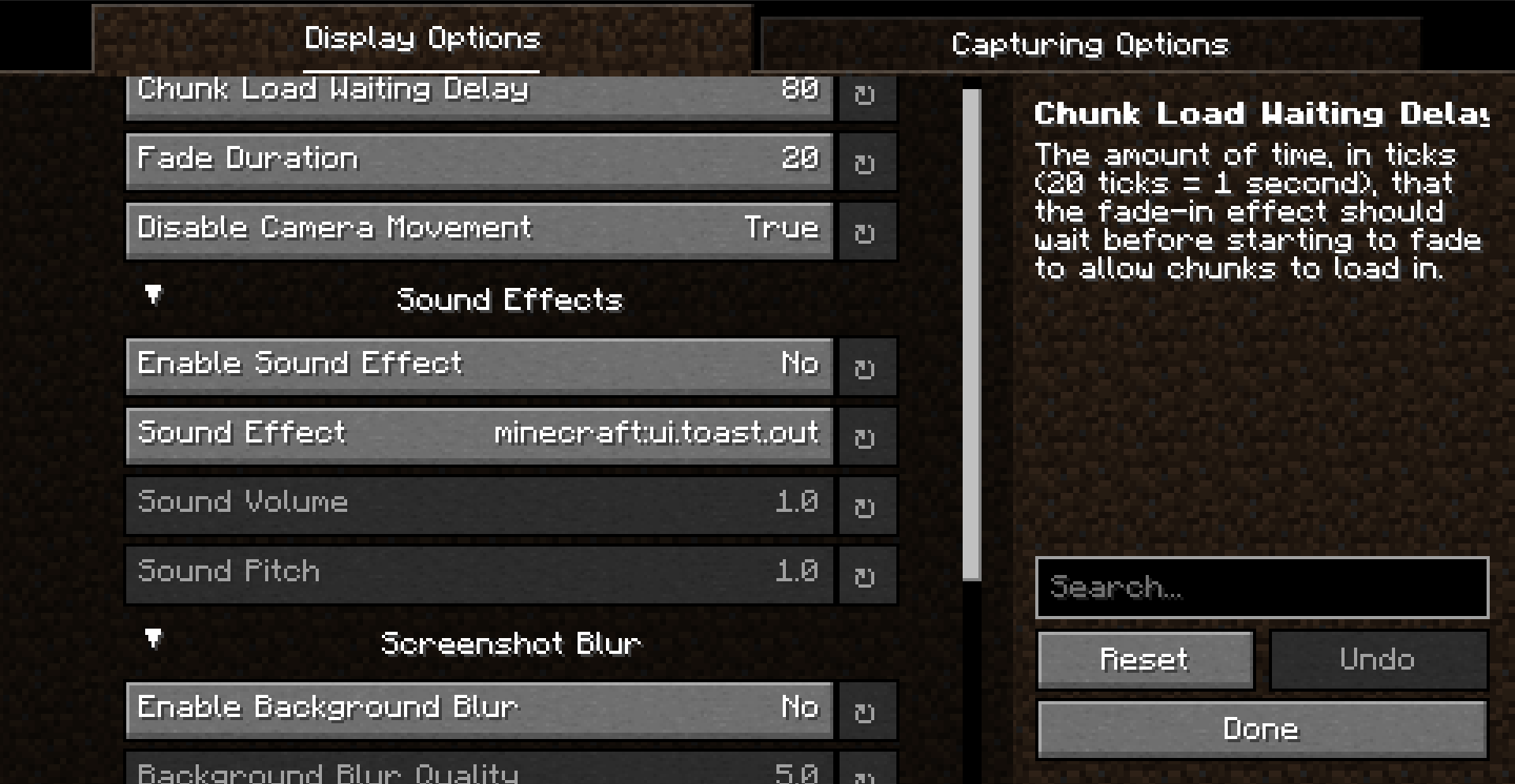
Compatability
Seamless Loading Screen has compatability with the following mods out-of-the-box: (and may work with other mods not listed here too!)
- Bedrockify
- Fastquit
- Fastload

Seamless Loading Screen کیسے انسٹال کریں
With Millida Launcher
Install Millida Launcher
The launcher is free: download it at millida.net/launcher and sign in with any nickname.
Click “Install” on this page
The launcher opens and installs the mod for Minecraft 1.20.2–1.21.1 on Fabric, Forge, NeoForge or Quilt automatically, together with its dependencies: YetAnotherConfigLib (YACL), Fabric API.
Launch the game
A profile with it appears in the launcher: click “Play”.
Manually
Install Fabric, Forge, NeoForge or Quilt
The loader must match the game version of the mod file, for example Minecraft 1.21.1. After installing it, a separate profile appears in your launcher.
Download the file for your version
In the version list above, pick the file seamless-loading-screen-2.2.1+1.21-fabric.jar (249 KB) for your game version and loader.
Put it in the mods folder
The folder is inside .minecraft (Windows: %appdata%\.minecraft\mods). If it does not exist, create it. Required dependencies go there too: YetAnotherConfigLib (YACL), Fabric API.
Launch the loader profile
Open “Mods” in the main menu: Seamless Loading Screen should be in the list.
Seamless Loading Screen works on the player’s side only: there is no need to install it on a server.
Minecraft 1.21.1 runs on Java 21: with a different Java version the game may close right after launch.
ورژنز
ڈیپنڈنسیز کے ساتھ
| Minecraft | لوڈر | فائل | تاریخ | اقدامات |
|---|---|---|---|---|
| 1.21.1 | Fabric | 1.21.1249 KB | ||
| 1.21.1 | NeoForge | 1.21.1252 KB 1 | ||
| 1.20.4 | NeoForge | 1.20.4252 KB | ||
| 1.20.4 | Fabric | 1.20.4248 KB | ||
| 1.20.2 | Fabric, Quilt | 1.20.21.1 MB | ||
| 1.20.2 | Forge, NeoForge | 1.20.21.1 MB | ||
| 1.20.2 | Fabric | 1.20.21.1 MB | ||
| 1.20.2 | Forge | 1.20.21.1 MB |
چلانے کے لیے کیا درکار ہے
- YetAnotherConfigLib (YACL)لازمی
- Fabric APIلازمی
ریویوز
Seamless Loading Screen کو ریٹ کرنے والے پہلے شخص بنیں


