
Minecraft 1.20.1, 1.16.5 کے لیے Progressive Bosses موڈ
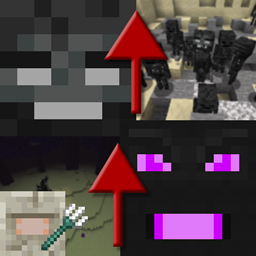
Wither اور Ender Dragon کے زیادہ طاقتور ورژن بلائیں
- ڈاؤن لوڈز
- 8 ڈاؤن لوڈز
- ویوز
- 42 ویوز
- اپ ڈیٹ شدہ
- اپ ڈیٹ شدہ 26.10.2026
- 1.16 — 1.20.1
 Forge
Forge
Progressive Bosses موڈ کے بارے میں
فیبرک پورٹ کے لیے، [Fabric] Progressive Bosses دیکھیں (نوٹ کریں کہ اس کا مجھ سے کوئی تعلق نہیں، براہ کرم مسائل ڈویلپر کو رپورٹ کریں)
اس موڈ کے لیے InsaneLib درکار ہے
یہ موڈ Wither اور Ender Dragon کو مشکل تر بناتا ہے کیونکہ آپ ان کا زیادہ طاقتور ورژن طلب کر سکتے ہیں۔ Elder Guardian کی لڑائی بھی مشکل تر ہو جاتی ہے۔
مشکل باس کے آس پاس موجود کھلاڑیوں کی بنیاد پر بدلتی رہے گی۔
- زیادہ صحت: وہ باس ہیں ... چند وار میں کیسے گر سکتے ہیں؟
- نئی صلاحیتیں: جیسے Wither Charging یا Dragon respawning crystals
- منینز: Dragon اور Wither دونوں کے منینز ہوتے ہیں
- قید کرسٹلز: کرسٹلز کے گرد مزید قفسیں بنیں گی، اور کچھ کرسٹلز ٹاورز کے اندر بنیں گے
- تیز تر Acidballs اور Skulls: چکما دینا مشکل تر ہے
- Elder Guardian کی لڑائی مشکل تر اور اصل انعام کے ساتھ!
- بہت ساری بگ فکسز: Mojang کو اب گیم کے بقا کے پہلو کی پرواہ نہیں
- اور بہت کچھ! یہ تو صرف ٹاور آئس برگ کی نوک ہے۔
نئے ورژنز جلدی آزمانے اور پبلک سرور پر کھیلنے کے لیے پیٹرون بنیں۔
میرے دیگر پروجیکٹس دیکھیں!
موڈپیک کی اجازتیں
موڈپیکس کے لیے جو چاہیں کریں، وہ پبلک ہوں یا پرائیویٹ!
موڈ ری پوسٹس روکیں
یہ موڈ Curseforge یا Modrinth کے علاوہ کسی اور ویب سائٹ سے ڈاؤن لوڈ نہ کریں۔ یہ میلویئر ہو سکتا ہے اور آپ کے پی سی کو نقصان پہنچا سکتا ہے۔ مزید معلومات کے لیے https://stopmodreposts.org دیکھیں۔
Progressive Bosses کیسے انسٹال کریں
With Millida Launcher
Install Millida Launcher
The launcher is free: download it at millida.net/launcher and sign in with any nickname.
Click “Install” on this page
The launcher opens and installs the mod for Minecraft 1.16–1.20.1 on Forge automatically.
Launch the game
A profile with it appears in the launcher: click “Play”.
Manually
Install Forge
The loader must match the game version of the mod file, for example Minecraft 1.20.1. After installing it, a separate profile appears in your launcher.
Download the file for your version
In the version list above, pick the file progressivebosses-4.3.12.jar (999 KB) for your game version.
Put it in the mods folder
The folder is inside .minecraft (Windows: %appdata%\.minecraft\mods). If it does not exist, create it.
Launch the loader profile
Open “Mods” in the main menu: Progressive Bosses should be in the list.
Minecraft 1.20.1 runs on Java 17: with a different Java version the game may close right after launch.
ورژنز
ڈیپنڈنسیز کے ساتھ
| Minecraft | لوڈر | فائل | تاریخ | اقدامات |
|---|---|---|---|---|
| 1.20.1 | Forge | 4.3.12999 KB 8 | ||
| 1.20.1 | Forge | 4.3.3990 KB | ||
| 1.20.1 | Forge | 4.3.1959 KB | ||
| 1.16.3 | — | [1.16.x] Progressive Bosses 2.2.068 KB |
عمومی سوالات
Which Minecraft versions does Progressive Bosses work on?
There are files for 1.16–1.20.1, 7 versions in total. The newest is 1.20.1.
Is Progressive Bosses for Forge or Fabric?
Only for Forge: 1.20.1. There are no files for Fabric or NeoForge: a mod for another loader will not start.
Does Progressive Bosses need other mods?
The author lists no required dependencies: the Forge loader is enough.
Which Java does Progressive Bosses need?
Minecraft 1.20.1 runs on Java 17. If the game closes right after launch, the usual cause is the wrong Java version in the profile settings.
Where can I download Progressive Bosses safely?
On this page: the file progressivebosses-4.3.12.jar (999 KB) is stored on Millida’s server, with no link shorteners. SHA-1 checksum: 5ec938a9e975ec49ae461d6ca1dd6e798a1d0dbc.
ریویوز
Progressive Bosses کو ریٹ کرنے والے پہلے شخص بنیں


