
Minecraft 1.21.1, 1.12.2 کے لیے Pipe Goggles موڈ
آپ کی پلمبنگ میں مدد کرتا ہے۔ دیواروں کے پار پائپ دیکھیں!
 NeoForge
 Forge
ForgePipe Goggles
تفصیل
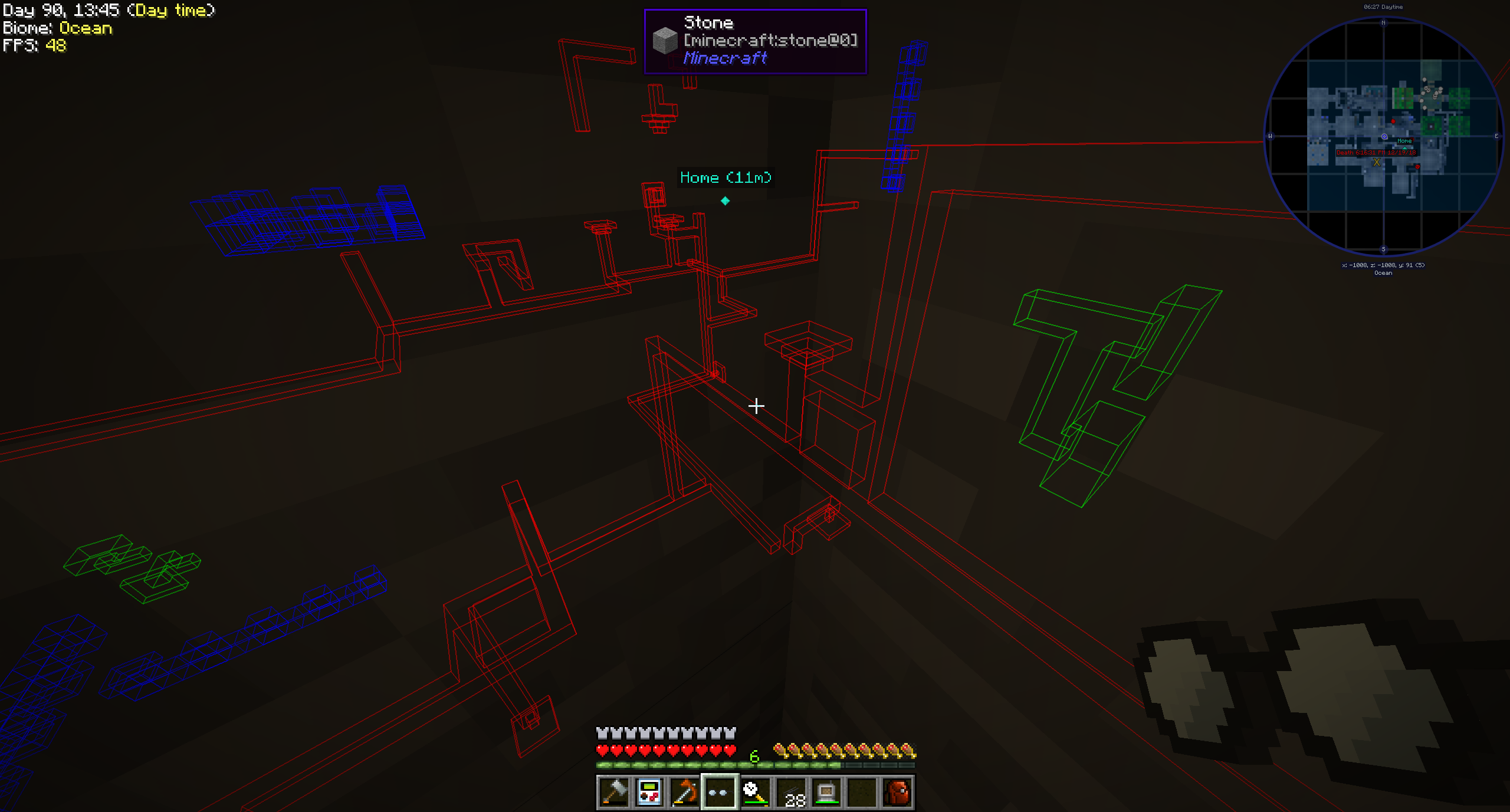
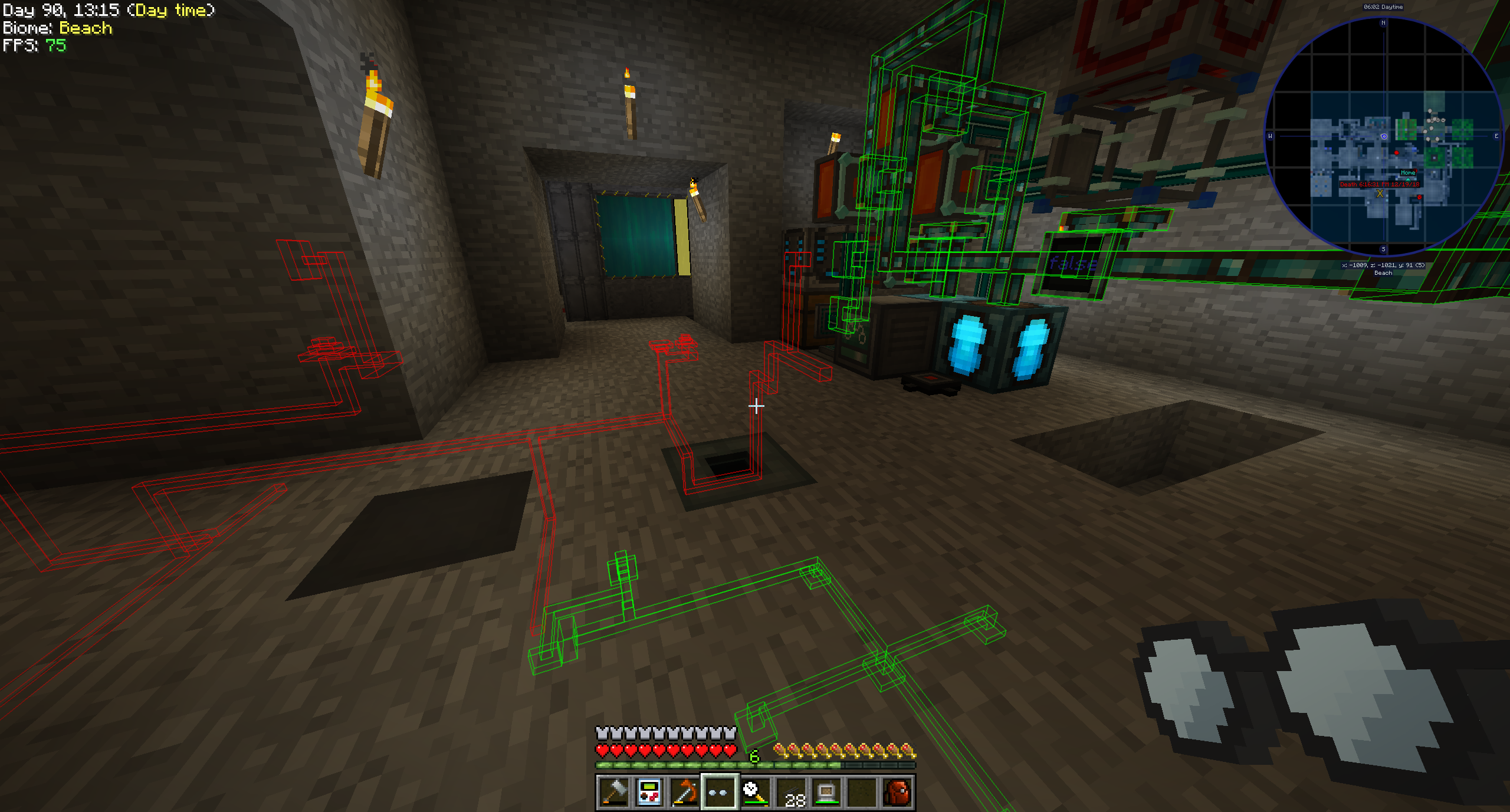
Pipe Goggles فی الحال صرف ایک آئٹم شامل کرتا ہے، Pipe Goggles۔ یہ پہننے والے کو دیواروں کے پار مختلف پلمبنگ دیکھنے کی اجازت دیتے ہیں۔
استعمال
گوگلز ہاتھ میں لے کر دائیں کلک کریں تاکہ ایک چھوٹا کنفیگریشن GUI کھل جائے۔
جن پائپوں کو آپ دیکھنا چاہتے ہیں انہیں رنگین سلاٹس میں ڈالیں۔
گوگلز تین مختلف موڈز میں ہو سکتے ہیں:
- ہمیشہ آن: گوگلز ہمیشہ فعال رہتے ہیں، تمام پائپ دکھاتے ہیں۔
- ہمیشہ آف: گوگلز کبھی فعال نہیں ہوتے، کوئی پائپ نہیں دکھاتے۔
- خودکار: گوگلز صرف مماثل پائپ اس وقت دکھائیں گے جب کھلاڑی اپنے ہاتھ میں پائپ آئٹم پکڑے ہوئے ہو۔
آپ اضافی طور پر گوگلز کی رینج، پائپوں کی لائن موٹائی اور ان کی اوپیسٹی کنفیگر کر سکتے ہیں۔
موڈ کی کنفیگریشن کے مطابق آپ کے گوگلز کو کام کرنے کے لیے پاور کی ضرورت ہوگی!
معاون موڈز (1.21.1):
- Applied Energistics 2
- Create
- EnderIO
- Flux Networks
- IntegratedDynamics
- LaserIO
- Mekanism
- Redstone (from vanilla minecraft)
- Modern Industrialization
- MoreRed
- Oritech
- Pipez
- PneumaticCraft
- Refined Storage
- Replication
- XNet
معاون موڈز (1.14):
- Refined Storage
- Simple Storage Network
- Inspirations
- Integrated Dynamics
معاون موڈز (1.12):
- Applied Energistics
- Cyclic
- EnderIO
- Extra Utilities 2
- Immersive Engineering
- Integrated Dynamics
- Mekanism
- OpenComputers
- Refined Storage
- Simple Storage Network
- Thermal Dynamics
دیگر موڈز کے لیے سپورٹ شامل کرنا (1.21.1 اور اس سے اوپر):
یہ کافی سیدھا ہے اور اس کے لیے الفاظ سے بہتر ایک مثال ہے:
{ "neoforge:conditions": [ { "type": "neoforge:modloaded", "modid": "xnet" } ], "blocks": [ "xnet:netcable", "xnet:connector" ], "items": [ "xnet:cables", "xnet:connectors" ], "mod": "xnet" }
blocks وہ بلاکس ہیں جنہیں نمایاں کیا جانا چاہیے۔ یہ بلاک آئی ڈیز یا ٹیگز ہو سکتے ہیں۔ items وہ آئٹمز ہیں جو آٹو موڈ میں گوگلز کو پائپ نمایاں کرنے کے قابل بناتے ہیں۔ نیز آئٹم آئی ڈیز یا ٹیگز۔
وہ فائل یہاں رکھی جانی چاہیے: <your-data-pack>/data/pipegoggles/pipegoggles/mods/xnet.json۔
مزید مثالیں یہاں مل سکتی ہیں۔
Pipe Goggles کیسے انسٹال کریں
With Millida Launcher
Install Millida Launcher
The launcher is free: download it at millida.net/launcher and sign in with any nickname.
Click “Install” on this page
The launcher opens and installs the mod for Minecraft 1.12–1.21.1 on Forge or NeoForge automatically.
Launch the game
A profile with it appears in the launcher: click “Play”.
Manually
Install Forge or NeoForge
The loader must match the game version of the mod file, for example Minecraft 1.21.1. After installing it, a separate profile appears in your launcher.
Download the file for your version
In the version list above, pick the file pipegoggles-2.0.4.jar (380 KB) for your game version and loader.
Put it in the mods folder
The folder is inside .minecraft (Windows: %appdata%\.minecraft\mods). If it does not exist, create it.
Launch the loader profile
Open “Mods” in the main menu: Pipe Goggles should be in the list.
Minecraft 1.21.1 runs on Java 21: with a different Java version the game may close right after launch.
ورژنز
ڈیپنڈنسیز کے ساتھ
| Minecraft | لوڈر | فائل | تاریخ | اقدامات |
|---|---|---|---|---|
| 1.21.1 | NeoForge | pipegoggles-2.0.4.jar380 KB | ||
| 1.14.4 | Forge | PipeMaster-2.0.1.12.jar52.5 KB | ||
| 1.12.1 | — | PipeMaster-1.0.2-b8.jar134 KB |
ریویوز
Pipe Goggles کو ریٹ کرنے والے پہلے شخص بنیں


